Short answer: This article compares money-earning apps on what each one does to your money after you stop earning. Rakuten reserves the right to debit $5.00 a month from an account that has not shopped in more than twelve consecutive months. Ibotta deducts $3.99 every thirty days after 180 days without a redemption. Fetch expires points after ninety days without earning or redeeming.
Disclosure: Zealy publishes this article and Zealy is a platform people earn on, so Zealy sits outside the comparison groups below. It appears in the table unranked, with the crypto-wallet requirement stated alongside the parts that look good.
How this is sourced. Every figure below is quoted from the company's own terms of use or help centre, linked at the sentence it supports. Ibotta, InboxDollars, Rakuten and Swagbucks return errors to automated retrieval, so those four were opened by hand in a browser. Zealy's withdrawal minimum is the one figure with no public page behind it; it was checked in the live product on 7 August 2026. Zealy does document earning and payout timing.
Last verified: 11 August 2026, except Zealy's withdrawal terms, checked 7 August 2026. Terms change, and every link goes to the page that will change with them.
How we compared these money-earning apps
Money-earning apps are compared here on published exit terms rather than earnings. Three facts matter: how much you must accumulate before you can take anything out, how long you can leave the account alone, and what happens to the balance when you do. Earnings vary by person and country; exit terms apply to everyone.
These seven do not form a clean first-to-last order, and pretending otherwise would mean inventing a tiebreak the evidence does not support. Ibotta charges less than Rakuten but starts sooner. Google Opinion Rewards has the lowest published minimum and expires balances anyway. So they are grouped by what actually happens to the money, worst outcome first, with the trade-offs stated inside each group.
This is not a comparison of which app pays most. That question depends on your time, your country and which offers are live, and our guide to earning money online works through the pay rates route by route.
The seven apps, side by side
Seven money-earning apps and the terms that apply after you stop using them. What each app counts as activity varies more than the headline numbers do: Swagbucks, Prolific and InboxDollars accept a login, Fetch needs you to earn or redeem points, Ibotta needs a redemption or a referral credit, and Rakuten needs a shopping trip.
| App | Before you can take money out | What resets the clock | Clock | What happens to the balance |
|---|---|---|---|---|
| Rakuten | $5.01 by cheque or PayPal on four fixed dates a year; $5.00 by gift card | Shopping, or starting a shopping trip | 12 months | $5.00 per month may be debited from it |
| Ibotta | $20, one redemption, and a 7-day wait | A completed redemption, or a referral bonus credit | 180 days | $3.99 per 30 days deducted from it |
| Fetch | 3,000 points for most rewards, and a first redemption of $10, $25 or $50 | Earning or redeeming points | 90 days, after a 30-day warning | Points expire |
| Google Opinion Rewards | $2.00, to PayPal (iOS) | Taking a survey (iOS); nothing resets an Android credit | 1 year | Balance expires (iOS); each Android credit expires separately |
| InboxDollars | $30.00 in the payment terms, $15.00 in the help centre | Logging in, or confirming a PaidEmail | 10 days | Pending payment requests removed; cancelled entirely after 6 months |
| Swagbucks | Set by the reward you pick in the Swag Store | Logging in, redeeming, or new earnings | 12 months | Account may be closed "without any compensation" |
| Prolific | £6/$6 approved balance | Logging in | 12 months, then 2 months' notice | Forfeited if the account is then deleted |
| Zealy (not ranked — we publish this) | $1, to a Polygon wallet | — | No clock | No inactivity or expiry clause in the published terms |
Sources, in order: Rakuten, Ibotta, Fetch, Google Opinion Rewards, InboxDollars, Swagbucks, Prolific, Zealy (product-checked 7 August 2026).
Rakuten and Ibotta can charge against the balance itself
Rakuten and Ibotta are the only two of these seven that deduct a recurring fee from a balance you have already earned. Rakuten reserves the right to debit $5.00 a month after more than twelve consecutive months without shopping. Ibotta deducts $3.99 every thirty days after 180 days without a redemption. Rakuten states its fee cannot make a balance negative.
Rakuten's clause sits in section 11.2 of its terms and conditions, headed "Account Activity". Note the wording: this is a right Rakuten reserves, not a charge it commits to applying.
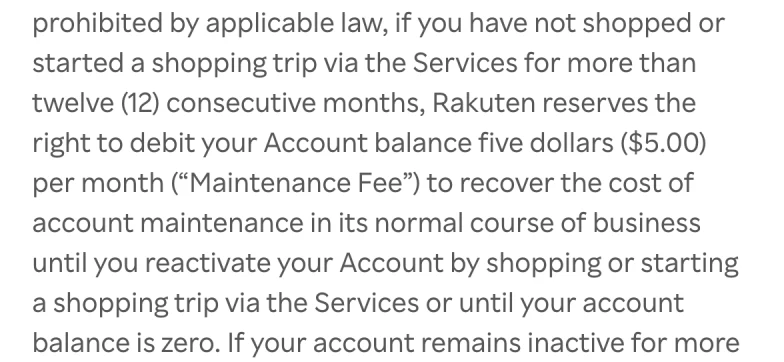
Extract from section 11.2 of Rakuten's Terms & Conditions, captured 11 August 2026.
Rakuten adds that maintenance fees "are nonrefundable, but will not cause your account balance to become negative, and will not cause you to owe money to Rakuten", and that after more than thirty-six consecutive inactive months with a zero balance it "reserves the right to close the Account permanently".
The payment schedule is why a balance sits there long enough to matter. Cheque and PayPal payments go out on four fixed dates a year, and only if you have "minimum confirmed earnings of $5.01 Cash Back before the next payment date". The same page offers a faster exit that is easy to miss: "Redeem your confirmed balance for a gift card and get it within minutes", where "Gift card redemption requires at least $5.00 in confirmed Cash Back and is subject to certain limits."
Ibotta's fee is smaller, starts sooner, and is stated as something it does rather than something it may do. Its help centre article on account maintenance fees says they "are administered to accounts that have had no activity for at least 180 days", and that the fees are "drawn from your Ibotta account balance, never from your personal bank account."
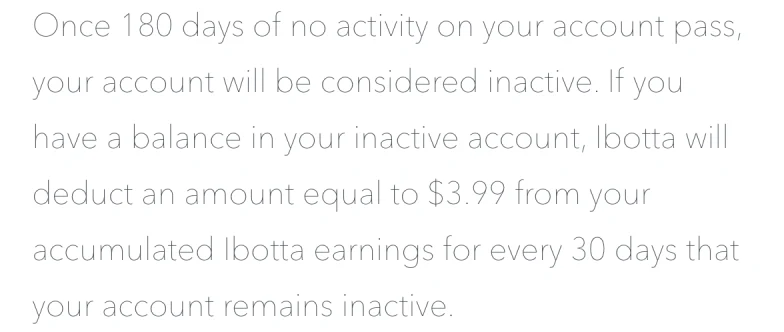
Extract from Ibotta's help centre on account maintenance fees, captured 11 August 2026.
Ibotta says it "will attempt to notify you before the first account maintenance fee is applied by sending an email to the email address we have on file", and warns you may not get that email if the address is out of date. Rakuten's terms attach no such notice to the Maintenance Fee.
Both clocks are hard to reset without spending. Ibotta counts "completing a redemption of an offer and receiving cash back for the offer or receiving credit for one Referral Bonus" — so a referral is a free way out, if you have someone to refer. Rakuten counts shopping "or starting a shopping trip", which is a click-through rather than a purchase, though it still means going back through Rakuten to a store. Opening either app does nothing.
Set that beside Ibotta's withdrawal rules — $20, one redemption, and a seven-day wait — and someone who reaches $12 and drifts away keeps that $12 for six months, then starts losing $3.99 of it a month later.
Fetch and Google Opinion Rewards expire the balance, not the account
Fetch and Google Opinion Rewards leave the account intact and let the balance disappear. Fetch expires points after ninety days without earning or redeeming, having sent a warning at sixty days. Google Opinion Rewards expires an iOS balance one year after your last survey if it never reached the $2.00 payout threshold. Nothing is deducted; it simply stops being there.
Fetch's rule is in section 5 of its terms of service: an account is deemed inactive and points expire "if you either do not earn Points, or do not redeem any Points for a Reward, for a period of ninety (90) days." The warning is specific — "After sixty (60) days of inactivity, Fetch will provide you thirty (30) days notice by sending an email or text message to the email address or phone number provided in your Registration Data that your account will be considered inactive and your Points will expire."
Getting out of Fetch costs more than the headline number. Its FAQ says "A minimum of 3,000 points are needed to redeem most rewards", then restricts a first redemption to $10, $25 and $50 rewards. Fetch's own blog puts the rate at roughly 1,000 points to $1, so a first redemption is nearer 10,000 points than 3,000.
Google Opinion Rewards splits by platform, and the split decides both what you get and whether you can protect it. On iOS, Google states that it pays through PayPal each time $2.00 accrues, and warns that if you never reach $2.00, "the balance will expire one year from the last survey you took." On Android the reward is Google Play credit rather than cash, and Google's Redeem rewards page says to remember that "each credit expires one (1) year from the date it was earned" — a rolling expiry on each individual credit, which taking more surveys does not reset.
That $2.00 iOS threshold is the lowest figure any of the seven publishes, which is the strongest thing about Google Opinion Rewards: a bar you can clear in a handful of surveys is a bar the expiry rule rarely gets to enforce.
Swagbucks, Prolific and InboxDollars charge nothing, but close the account
Swagbucks, Prolific and InboxDollars close or deactivate the account rather than charging against the balance, and none of them deducts a fee. Swagbucks and Prolific allow twelve months, reset on a login, and Prolific emails a deletion notice and waits two more. InboxDollars allows ten days, and undoing a lapse takes a confirmation email rather than a login.
Swagbucks states the rule in section 5.G of its terms of use, headed "Inactive Accounts": "Any Account that has not met our minimum activity standards for twelve (12) consecutive months or more may be deemed inactive and the Account closed." The standards are easy to meet — at least one of "(i) login to the Account; (ii) redeem rewards held in the Account; or (iii) post at least one (1) unit of reward earnings from new activity that the holder initiates on the Prodege Sites or Features." If the account is closed, Swagbucks says it may do so "without any compensation or further obligation to you regarding the closed Account." The section immediately after it, headed "Rewards Expiration", separately reserves the right to expire Rewards under rules Swagbucks may adopt or modify, so a login protects the account rather than guaranteeing the balance.
Swagbucks does not publish a single cash-out minimum the way Ibotta or InboxDollars do. What you need depends on the reward you pick in the Swag Store, so check the price on the specific reward you want rather than assuming a floor.
Prolific is the most explicit of the three about what is coming. Its participant help centre explains: "If your account has been inactive for 12 months or you have been on the waitlist for an extended period, we'll send you a deletion notice via email. You'll then have 2 months to log in and keep your account active." The consequence is stated just as plainly: "If your account is deleted while you still have a balance, any unclaimed funds will be permanently forfeited." You can cash out once your combined approved balance across GBP and USD reaches £6/$6, paid to PayPal, with a 72-hour cool-off for newer accounts and after a change of PayPal address.
InboxDollars publishes two different cash-out minimums
InboxDollars states its cash-out minimum twice, and the two figures disagree. Its payment terms say $30.00. Its help centre says $15.00 for a first request and $10.00 increments after that. Both pages were live on 11 August 2026, and the payment terms go further than silence — they contain a worked example denying the help centre's figure.
The payment terms state it in capitals: "NO REDEMPTION OF CASH UNTIL YOU HAVE AT LEAST THIRTY DOLLARS POSTED TO YOUR ACCOUNT ($30.00) (THE "MINIMUM PAYMENT AMOUNT")", and then work through an account holding $15.00 that "YOU ARE NOT ELIGIBLE TO RECEIVE ANY PAYMENT". The help centre article How Do I Request Payment? says the opposite: "Members must have at least $15.00 in their account in order to request payment for a 1st-time payment request. Additional payment requests can be made at $10.00 or higher increments."
We do not know which figure the product enforces. That disagreement is the useful finding on its own: when the number deciding whether you get paid is published twice with two values, the withdrawal screen is the only one that counts.
The ten-day clock is the other thing worth knowing, and it is gentler than it sounds. InboxDollars sets it out in its help centre, under the heading "Failure to Remain Active".
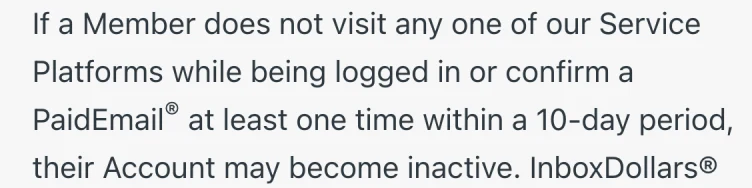
Extract from InboxDollars on inactive and cleaned accounts, captured 11 August 2026.
Ten days is a login deadline, not an earnings deadline, and signing in resets it. What it costs you is timing: the same page says "Payment Requests are removed if a Member's Account becomes inactive", and that the system deactivating members "runs immediately prior to payment requests being processed", so a request made just before a lapse can vanish instead of paying out. The account can be reactivated within six months. Past that, the page says it "will be permanently removed and all Cash or other items posted to their Account will be cancelled" — which is the point at which InboxDollars stops being the gentlest option here and becomes the harshest.
Where Zealy sits, and why it is not ranked
Zealy publishes this comparison, so Zealy is not ranked in it. For reference, withdrawals start at a $1 balance, and Zealy's published Terms of Use contain no clause on inactivity, dormancy, balance expiry or maintenance fees. That is the absence of a rule rather than a promise never to write one.
Those are two separate claims, sourced differently. The withdrawal terms — a $1 minimum, a linked Polygon wallet as the destination, and a two-day cooldown after changing that wallet — were checked in the live product on 7 August 2026. Zealy documents earning and payout timing but not the minimum. Our full guide to Zealy explains the payout mechanics, including which rewards Zealy guarantees and which a community owes you directly. The absence of an inactivity clause comes from reading Zealy's Terms of Use end to end on 11 August 2026 and finding no such clause in it.
On the three tests this article applies, Zealy comes out ahead of the seven apps above.
Nothing is deducted from a balance you stop touching. Rakuten can debit $5.00 a month, Ibotta $3.99 every thirty days. Zealy's terms contain no maintenance fee, no dormancy fee and no clause that draws down an earned balance for any reason. A balance you leave alone stays the size you left it.
Nothing expires. Fetch expires points after ninety days, Google Opinion Rewards after a year, InboxDollars cancels a balance after six months, and Swagbucks and Prolific can close an account that goes quiet for twelve months. Zealy publishes no inactivity clock at all, so there is no date you have to log in by to keep what you earned.
The cash-out threshold is $1. That is lower than every app in the table — Google Opinion Rewards is next at $2.00, and Ibotta asks $20 plus a redemption and a seven-day wait. Combined with no clock, it means you are never earning towards a threshold you might not reach before a fee or an expiry date reaches you first.
The honest trade-off is the destination. Zealy pays in USDC to a Polygon wallet rather than cash to a bank, so you need a crypto wallet — a step the survey and cashback apps do not ask for. That is a one-time setup, not a recurring cost. What it buys you is a balance no clock runs down: no dormancy fee, no maintenance fee, no expiry date. Zealy does not publish what it charges to move that balance out, so read the withdrawal screen before you plan around a number — the claim here is about what happens to money you leave alone, not about what withdrawing it costs.
How to check any earning app in five minutes
Open two pages before installing anything: the cash-out page and the terms section on inactive accounts. Searching a terms document for "inactiv", "expire" and "maintenance fee" surfaced most of the rules described here. Then check the help centre against the terms, because InboxDollars' two pages give different minimums.
Ask what resets the clock, because that is where these apps genuinely differ. Signing in satisfies Swagbucks, Prolific and InboxDollars. Fetch needs you to earn or redeem points. Ibotta needs a redemption or a referral credit, and Rakuten needs a shopping trip — for both, going back through the app rather than simply opening it.
The last check is arithmetic. Divide the cash-out minimum by what the app plausibly pays you in a week, and see how many weeks of use that implies. On Ibotta, $20 at a few dollars a month is most of a year, over which the 180-day fee clock will have started twice. On Google Opinion Rewards, $2.00 is a handful of surveys.
A cash-out minimum tells you when money moves, not what form it takes when it lands. This article names the form app by app where it matters; what actually arrives when an app says it pays real money takes that question on its own terms, following each payout to the destination it can reach and covering two companies whose own pages answer it differently in two places.
One place to start: if you want to see the payout condition before doing any work, Zealy's Earn board prints the reward on each quest card and needs no account to browse. Withdrawals start at $1, and nothing in the terms takes that balance back if you stop.