Webhook
Webhook接続でZealyの機能を拡張しましょう。
作成者 louis, Fredrika, benjamin
このページの内容
ZealyのWebhookは、9種類のコミュニティイベント(メンバーの参加、クエストのclaimの成功または失敗、スプリントの開始、ユーザーのBANなど)が発生した際に、指定したURLへHTTP POSTを送信します。各ペイロードにはイベントID、type、data、ミリ秒単位のタイムスタンプ、そしてリクエストが本物であることを証明するsecretが含まれます。
基本
Zealyは Webhook を提供しており、データが作成または更新されるたびにHTTPプッシュ通知を受け取ることができます。これによりZealy上にインテグレーションを構築できます。CIビルドのトリガー、クエストデータの計算、特定の条件でのメッセージ送信など、活用方法は自由です。
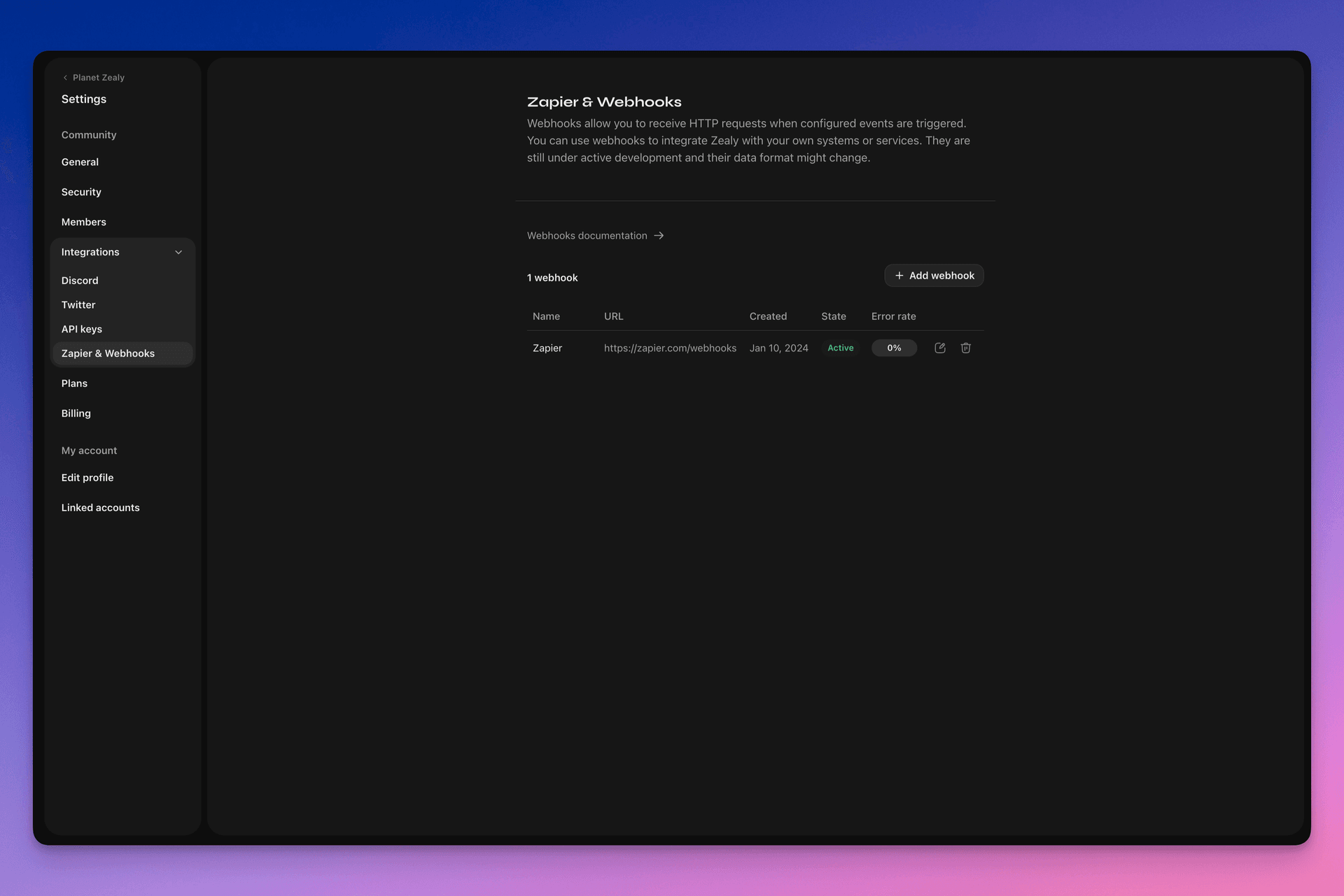
Webhookを設定するには、Settings > Integrations > Zapier & Webhooks にアクセスしてください。
Webhookの仕組み
Webhookプッシュは、指定したURLに送信される単なる HTTP POST リクエストです。プッシュはデータの更新時にLinearによって自動的にトリガーされます。ペイロードに含まれるデータの例については、 Webhookペイロード.
Webhookの受信側はシンプルなHTTPエンドポイントです。以下の条件を満たす必要があります:
- 公開アクセス可能なHTTPSの非localhost URLであること
- ZealyのWebhookプッシュ(HTTP POSTリクエスト)に対して
HTTP 200(「OK」)レスポンスを返すこと
配信が失敗した場合(サーバーが利用不可、レスポンスが5秒以上かかった、レスポンスボディが5000バイトを超えた、または200以外のHTTPステータスコードを返した場合など)、プッシュは15回再試行されます。ここでは指数バックオフ遅延が用いられ、約10分後、次に30分後、というように再試行されます。Webhook URLが応答しない状態が続くと、ZealyによってWebhookが無効化される場合があり、手動で再度有効化する必要があります。
Webhookが POST 本当にZealyによって作成されたものであることを確認するため、リクエストのボディの secret フィールドに付与されるランダムなsecretを生成します。
Webhookに関する追加情報として、以下の優れたリソースがあります:
- RequestBin: Webhooks – The Definitive Guide
- requestbin.com はWebhookのテストに最適なツールです
- GitHub Developer Guide: Webhooks
何に使えるか
- Zapierとの連携
- カスタム報酬の自動化
- レビュー待ちのクエストをTelegramで通知
その他多数の活用が可能です!
Zealy Webhookの始め方
- 監視したいイベントを特定します。
- イベントデータのPOSTリクエストを受け取るWebhookエンドポイント関数を開発します。
- Settings > Integrations > Zapier & Webhooks のWebhooksダッシュボードから、Zealyにエンドポイントを登録します。
- Webhookエンドポイントを保護します。
シンプルなWebhook受信側の作成
Netlify Functionsのようなものを利用すると、シンプルなHTTP(S)エンドポイントを簡単にデプロイできます: https://www.netlify.com/blog/2018/09/13/how-to-run-express.js-apps-with-netlify-functions/.
// server.js
//
// Use this sample code to handle webhook events in your integration.
//
// 1) Paste this code into a new file (server.js)
//
// 2) Install dependencies
//   npm install express
//
// 3) Run the server on http://localhost:4242
//   node server.js

// The library needs to be configured with your account's secret key.
// Ensure the key is kept out of any version control system you might be using.
const express = require('express');
const app = express();

// This is your Zealy webhook secret for testing your endpoint locally.
const endpointSecret = '5888a6800dbac634e52d8504f097e064';

app.post('/webhook', express.raw({ type: 'application/json' }), (request, response) => {
  const payload = req.body;
  // Does createdAt make more sense than time?
  const { id, type, data, time, secret } = payload;

  if (secret === endpointSecret) {
    // Do something neat with the data received!
  }

  // Return a 200 response to acknowledge receipt of the event
  response.send();
});

app.listen(4242, () => console.log('Running on port 4242'));
設定での構成
Settings > Integrations > Webhooks でWebhookと監視するイベントを設定します。
Webhookペイロード
WebhookのHTTPペイロードには、HTTPヘッダーとリクエストボディの両方に情報が含まれます。
ペイロードは以下のHTTPヘッダーとともに送信されます:
User-Agent: Zealy-Webhook
Content-Type: application/json; charset=utf-8
{
  id: string // unique ID for this event (UUID v4)
  type: "JOINED_COMMUNITY" | "LEFT_COMMUNITY" | "QUEST_SUCCEEDED" | "QUEST_CLAIMED" | "QUEST_FAILED" | "QUEST_CLAIM_STATUS_UPDATED" | "SPRINT_STARTED" | "SPRINT_ENDED" | "USER_BANNED", // event type
  data: EventData, // event data, see below
  time: number, // timestamp, in milliseconds
  secret: string, // secret generated when you created your webhook, used for checking origin
}
イベントごとのEventDataフィールド:
// JOINED_COMMUNITY
type JoinedCommunityEventData = {
  community: WebhookCommunityPayload;
  user: WebhookUserPayload;
};

// LEFT_COMMUNITY
type LeftCommunityEventData = {
  community: WebhookCommunityPayload;
  user: WebhookUserPayload;
};

// QUEST_SUCCEEDED
type QuestSucceededEventData = {
  community: WebhookCommunityPayload;
  user: WebhookUserPayload;
  quest: WebhookQuestPayload;
  taskInputs?: Array<{
    taskId: string, // task ID (uuid v4)
    taskType: 'number' | 'date' | 'api' | 'text' | 'discord' | 'url' | 'telegram' | 'quiz' | 'invites' | 'visitLink' | 'file' | 'poll' | 'opinion' | 'twitterFollow' | 'twitterSpace' | 'tweetReact' | 'tweet',
    input: WebhookQuestTaskInputPayload,
  }>;
  status: 'success';
};

// QUEST_CLAIMED
type QuestClaimedEventData = {
  community: WebhookCommunityPayload;
  user: WebhookUserPayload;
  quest: WebhookQuestPayload;
  taskInputs?: Array<{
    taskId: string, // task ID (uuid v4)
    taskType: 'number' | 'date' | 'api' | 'text' | 'discord' | 'url' | 'telegram' | 'quiz' | 'invites' | 'visitLink' | 'file' | 'poll' | 'opinion' | 'twitterFollow' | 'twitterSpace' | 'tweetReact' | 'tweet',
    input: WebhookQuestTaskInputPayload,
  }>;
};

// QUEST_FAILED
type QuestFailedEventData = {
  community: WebhookCommunityPayload;
  user: WebhookUserPayload;
  quest: WebhookQuestPayload;
  taskInputs?: Array<{
    taskId: string, // task ID (uuid v4)
    taskType: 'number' | 'date' | 'api' | 'text' | 'discord' | 'url' | 'telegram' | 'quiz' | 'invites' | 'visitLink' | 'file' | 'poll' | 'opinion' | 'twitterFollow' | 'twitterSpace' | 'tweetReact' | 'tweet',
    input: WebhookQuestTaskInputPayload,
  }>;
};

// QUEST_CLAIM_STATUS_UPDATED
type QuestClaimStatusUpdatedEventData = {
  community: WebhookCommunityPayload;
  user: WebhookUserPayload;
  quest: WebhookQuestPayload;
  taskInputs?: Array<{
    taskId: string, // task ID (uuid v4)
    taskType: 'number' | 'date' | 'api' | 'text' | 'discord' | 'url' | 'telegram' | 'quiz' | 'invites' | 'visitLink' | 'file' | 'poll' | 'opinion' | 'twitterFollow' | 'twitterSpace' | 'tweetReact' | 'tweet',
    input: WebhookQuestTaskInputPayload,
  }>;
  status: 'success' | 'pending' | 'failed';
};

// SPRINT_STARTED
type SprintStartedEventData = {
  community: WebhookCommunityPayload;
  sprint: WebhookSprintPayload;
};

// SPRINT_ENDED
type SprintEndedEventData = {
  community: WebhookCommunityPayload;
  sprint: WebhookSprintPayload;
};

// USER_BANNED
type UserBannedEventData = {
  community: WebhookCommunityPayload;
  user: WebhookUserPayload;
};
共通エンティティ:
type WebhookCommunityPayload = {
  id: string; // community ID (uuid V4)
  name: string; // community name
  subdomain: string; // community subdomain
  blockchain: string;
  discord: string | null; // discord URI of the community, e.g., https://discord.gg/zealy
  twitter: string | null; // twitter handle of the community, e.g., zealy_io
  website: string | null; // website URI of the community
};
type WebhookUserPayload = {
id: string; // user ID (uuid V4)
name: string | null; // user display name
twitter: {
id: string; // user twitter ID
username: string | null; // user twitter handle
} | null;
discord: {
id: string; // user discord ID
handle: string | null; // user discord handle
} | null;
email: string | null; // user email
addresses: Dict<string>; // key/value dictionary for wallets
verifiedAddresses: Dict<string>; // key/value dictionary for all users verified wallets
};type WebhookQuestPayload = {
id: string; // quest ID (uuid V4)
name: string; // quest display name
categoryId: string; // category ID (uuid V4)
categoryName: string | null; // category display name
xp: number | null; // XP reward
published: boolean | null; // true if quest is published, false otherwise
autoValidate: boolean | null;
tasks: TaskPayload[];
lastReviewerId: string; // user ID (uuid V4)
};type WebhookQuestTaskInputPayload =
| { } // for task type 'visitLink', 'invites', 'discord', 'telegram', 'twitterFollow', 'twitterSpace'
| { value: string } // for task type 'text', 'date', 'url', 'opinion'
| { value: number } // for task type 'number'
| { values: string[] } // for task type 'poll', 'quiz'
| { fileUrls: string[] } // for task type 'fileUrls'
| { tweetId?: string } // for task type 'tweetReact', 'tweet'
| { requestId: string, statusCode: number } // for task type 'api'type WebhookSprintPayload = {
id: string; // sprint ID (uuid V4)
startingAt: ISOString; // sprint starting date - https://developer.mozilla.org/en-US/docs/Web/JavaScript/Reference/Global_Objects/Date/toISOString
endingAt: ISOString; // sprint ending date
};Webhookの保護
Webhookを作成すると、リクエストがZealyのWebhookから来たものであることを検証するためのランダムなsecretが生成されます。Webhook検査パネルの右上にあるsecretをコピーし、POSTリクエストのボディに設定されたsecretが同じであることを確認してください。
secretが漏洩した場合は、同じページから再生成できます。

Webhookのテスト
Webhookの検査パネルから、テストイベントを手動でトリガーできます。右上のボタンをクリックし、「Send test event」を選択してください。監視対象のイベントタイプから1つ選択でき、モックデータでイベントがトリガーされ、ステータスが表示されます。
デバッグ
WebhooksページでWebhookをクリックすると、そのWebhookによってトリガーされた過去のすべてのイベントのログを確認できます。ステータスでフィルタリングすることで、問題が発生した場合のデバッグにログを利用できます。各イベントについて、受信したエラーメッセージと送信されたリクエストを確認できます。
このページから任意のイベントを再試行することもできます。
