Tự động chấp nhận hoặc từ chối các yêu cầu nhiệm vụ bằng lời nhắc tùy chỉnh được hỗ trợ bởi AI.
Bởi cedric
Trên trang này
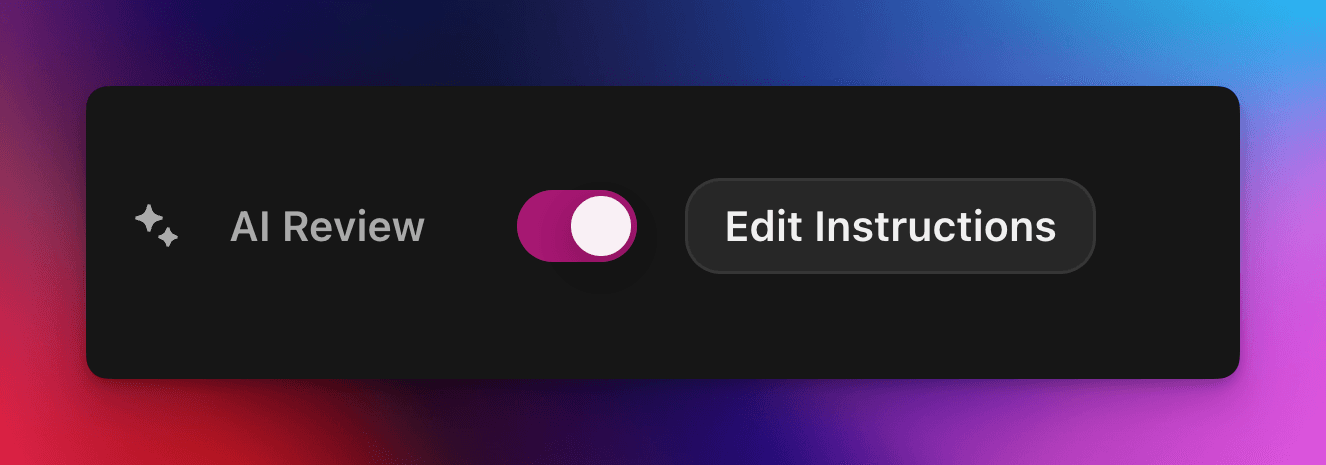
Đánh giá bằng AI giao quyết định đạt hay không đạt đối với yêu cầu nhiệm vụ trên Zealy cho một mô hình AI. Bật thuộc tính này trong bảng Properties của trình chỉnh sửa nhiệm vụ, sau đó viết lời nhắc mô tả một bài nộp thành công: các yêu cầu đáp ứng mọi tiêu chí sẽ được đánh dấu thành công, phần còn lại bị từ chối kèm lý do. Mọi quyết định vẫn có thể được ghi đè từ trang Reviews.
Tổng quan
Thuộc tính Đánh giá bằng AI cho phép bạn giao quyết định "đạt / không đạt" của một yêu cầu nhiệm vụ cho AI.
Thay vì kiểm tra thủ công từng ảnh chụp màn hình, tweet hay câu trả lời văn bản, bạn chỉ cần mô tả một bài nộp thành công phải chứa những gì.
Nếu mô hình tìm thấy bằng chứng rõ ràng rằng mọi tiêu chí đều được đáp ứng, yêu cầu sẽ được đánh dấu thành công. Ngược lại, nó sẽ bị từ chối kèm lý do.
Đánh giá bằng AI hoạt động tốt nhất với các nhiệm vụ mà bằng chứng có thể được đánh giá từ:
Ảnh chụp màn hình hoặc hình ảnh
Tweet (chỉ bài đăng đơn lẻ, chúng tôi tự động lấy nội dung của tweet được gửi, nhưng không thể mở rộng toàn bộ chuỗi)
Câu trả lời văn bản
Cơ bản
Bật Đánh giá bằng AI
Mở trình chỉnh sửa nhiệm vụ
Trong bảng Properties bảng điều khiển, bật/tắt Đánh giá bằng AI bật
Nhấp vào "Thêm lời nhắc" (hoặc "Chỉnh sửa lời nhắc") và viết hướng dẫn của bạn
Vậy là xong! Các yêu cầu mới sẽ được chuyển qua AI. Bạn vẫn có thể ghi đè thủ công bất kỳ quyết định nào từ trang Đánh giá thông thường.
Viết lời nhắc của bạn
Lời nhắc của bạn nên rõ ràng, dạng gạch đầu dòng hoạt động rất tốt:
– The screenshot must show the X interface– The name of account must be Zealy– Reject if anything is blurred or unreadable
Mô hình chỉ nhận được chỉ các bài nộp của người dùng (văn bản, hình ảnh, nội dung tweet, …).
Cụ thể với tweet, chúng tôi có thể tải nội dung của một tweet được cung cấp trong bài nộp. Chuỗi tweet hoặc các trả lời bổ sung không thể được AI tải hoặc đánh giá.
Mô hình không có quyền truy cập vào các trang web bên ngoài hoặc ngữ cảnh của riêng bạn, vì vậy hãy bao gồm mọi quy tắc mà nó cần để quyết định.
Tùy chọn nâng cao
Thêm bất kỳ chỉ thị nào sau đây vào đầu lời nhắc (mỗi chỉ thị trên một dòng riêng). Chúng thay đổi cách dịch vụ xử lý bài nộp trước khi chạy các hướng dẫn chính.
Chỉ thị
Mục đích
prerequisite: <text>
Chạy một bước kiểm tra trước bổ sung . Quá trình đánh giá chính chỉ diễn ra nếu bước này đạt. Hữu ích để nhanh chóng từ chối các claim rõ ràng sai.
image-needed
Tự động đánh trượt claim nếu nó chứa không có hình ảnh, hữu ích cho tweet có hình ảnh.
use-black-white-image
Chuyển ảnh chụp màn hình sang đen trắng trước khi phân tích – tiện lợi khi màu sắc khác nhau giữa chế độ tối/sáng.
use-zoom-in: <target>
Cắt một vùng phóng to quanh đối tượng / biểu tượng / từ được chỉ định và thêm nó làm hình ảnh bổ sung cho mô hình. Rất hữu ích cho các dấu tích nhỏ hoặc biểu tượng trạng thái.
Ví dụ với các chỉ thị
use-zoom-in: green check mark icon• Approve if the zoomed area clearly contains a green ✓ icon next to the text "Completed".• Reject otherwise.
Ví dụ thực tế
Dưới đây là một vài prompt thực tế mà các cộng đồng đang sử dụng hiện nay. Bạn có thể thoải mái sao chép và điều chỉnh chúng.
1. Tham gia một kênh telegram cụ thể và phản ứng với một tin nhắn
Hoạt động với nhiệm vụ tải tệp lên
image-neededuse-zoom-in:the reaction bar immediately below the relevant message. This bar displays emoji reactions and their respective countsYou will receive one screenshot. Decide whether the user has satisfied both conditions below. Base your decision only on what is clearly visible in the image. If either condition is missing, ambiguous, or uncertain, the attempt fails.Condition 1 – Joined Zealy’s official announcement channel:- The screenshot must clearly be taken from within the Telegram client (mobile or desktop).- The chat's title bar must explicitly display “Zealy” (exactly this name, no additional words), along with a visible subscriber count.- All visible messages must list “Zealy” as the author and clearly display Zealy’s official avatar (white “Z” on a dark-purple circle).- At least one visible message must explicitly mention “Zealy Sprint” or prizes/rewards.Condition 2 – User has added their own emoji reaction:- Locate the reaction bar immediately below the relevant message. This bar displays emoji reactions and their respective counts.- To confirm the user has personally reacted, at least one emoji reaction (the emoji icon itself and its associated count) must be visually highlighted or differentiated from other potential reactions on the same bar.- This visual differentiation **most commonly appears as the specific emoji and its count being enclosed within a distinct, often darker, pill-shaped background or container.** Other forms of differentiation could include a different background color or intensity for that specific emoji reaction compared to other unselected emojis or the general background of the reaction bar.- The highlighted emoji indicates the user's own reaction.- If all emoji reactions on the bar appear visually uniform (e.g., just the emoji and its count without any special background highlighting or container for any particular one), or if there are no reactions at all, condition 2 fails.If either condition is ambiguous or not definitively met by visual evidence, the entire attempt must fail.
2. Phân tích hình ảnh
Hoạt động với nhiệm vụ tải tệp lên
image-neededVerify whether the user has successfully completed the daily challenge based solely on the provided screenshot.To confirm success, ensure the following criteria are clearly visible in the screenshot: • The daily challenge window explicitly indicates the task is “Complete” or shows a checkmark indicating completion. • There is a visible countdown timer until the lottery draw. • A “Congratulations!” message confirming successful completion.If the screenshot instead displays phrases such as “Complete Challenge” or progress indicators like “0/3”, “1/3”, or “2/3”, this indicates incomplete status, and the verification should fail.
3. Xác minh chất lượng nội dung tweet
Hoạt động với nhiệm vụ tweet và nhiệm vụ trả lời tweet
(sử dụng siêu dữ liệu tweet mà chúng tôi tự động tải về)
Verify whether the user has successfully created a post on X (Twitter) that clearly highlights their personal experience using Zealy, including insightful feedback on the campaigns they've participated in, suggestions for improvements.
4. Thích video Youtube
Hoạt động với nhiệm vụ tải tệp lên
image-neededuse-zoom-in: the rating bar that contains the thumbs-up “Like” and thumbs-down “Dislike” buttons directly beneath the video• Approve the claim **only if at least one screenshot clearly shows, in the same frame**: 1. The standard YouTube interface (mobile app or desktop web). 2. The video title appears exactly as: “Me at the zoo” – The full title must be visible, readable, and match character-for-character. 3. In the zoomed rating bar: – The thumbs-up **Like** button is in its **liked/active** state (solid icon or visibly highlighted, often tinted blue, and/or labelled “Liked”). – The thumbs-down **Dislike** button is in its **inactive** state (outline icon, no highlight). – If the Like looks inactive, both icons look active, or the view is too blurry to distinguish, the attempt fails.• **Reject** the claim if any of the following is true:** – The video title is missing, truncated, blurred, or differs in wording. – The zoomed rating bar is absent or too low-resolution to verify icon states. – The Like button is inactive or ambiguous, or the Dislike button appears active. If any criterion is uncertain, reject and briefly state the reason (e.g., “Like button not highlighted” or “title cut off”).
5. Theo dõi Instagram
Hoạt động với nhiệm vụ tải tệp lên
image-neededuse-zoom-in: the top of the Instagram page with the Follow / Following button• **Approve** the claim **only if at least one screenshot clearly shows, in the same frame**: 1. The standard Instagram profile interface (mobile app or desktop web). – Navigation icons / left sidebar for desktop, bottom bar for mobile, and the circular avatar are all good indicators that the view is on Instagram. 2. The account handle (username) appears **exactly** as **zealy** — either in the header bar, next to the avatar, or in the browser URL. 3. In the zoom-in area: – The pill-shaped button reads **“Following”** (case-insensitive) and may include a small ▼ arrow. – “Follow”, “Requested”, “Follow Back”, or any other wording **does _not_ count**. – The text inside the button must be sharp enough to read without guessing.• **Reject** the claim if **any** of the following is true: – The handle is missing, blurred, truncated, or differs from **zealy** (even by one character). – The button reads “Follow”, “Requested”, “Follow Back”, shows only an icon, or is too fuzzy to determine the word. – The screenshot is from any other site or app (CoinMarketCap, X/Twitter, YouTube, Discord, etc.). – Image quality is so low that either the handle or the button text cannot be read with certainty.If any criterion is uncertain or ambiguous, reject and briefly state the reason (e.g., “button says ’Follow’” or “handle illegible”).
6. Tham gia Telegram và phản ứng
Hoạt động với nhiệm vụ tải tệp lên
image-neededprerequisite: The screenshot must clearly be taken from within the Telegram client (mobile or desktop).use-black-white-image use-zoom-in:the reaction bar immediately below the relevant message. This bar displays emoji reactions and their respective countsYou will receive one screenshot. Decide whether the user has satisfied both conditions below. Base your decision only on what is clearly visible in the image. If either condition is missing, ambiguous, or uncertain, the attempt fails.Condition 1 – Joined Zealy’s official announcement channel:- The screenshot must clearly be taken from within the Telegram client (mobile or desktop).- The chat's title bar must explicitly display “Zealy” (exactly this name, no additional words), along with a visible subscriber count.- All visible messages must list “Zealy” as the author and clearly display Zealy’s official avatar (white “Z” on a dark-purple circle).- At least one visible message must explicitly mention “Zealy Sprint” or prizes/rewards.Condition 2 – User has added their own emoji reaction:- Locate the reaction bar. This bar displays emoji reactions and their respective counts, in the zoomed image, the smallest one, it should be image 2.- To confirm the user has personally reacted, at least one emoji reaction (the emoji icon itself and its associated count) must be visually highlighted or differentiated from other potential reactions on the same bar.- This visual differentiation **most commonly appears as the specific emoji and its count being enclosed within a distinct, often darker, pill-shaped background or container.** Other forms of differentiation could include a different background color or intensity for that specific emoji reaction compared to other unselected emojis or the general background of the reaction bar.- The highlighted emoji indicates the user's own reaction.- If all emoji reactions on the bar appear visually uniform (e.g., just the emoji and its count without any special background highlighting or container for any particular one), or if there are no reactions at all, condition 2 fails.If either condition is ambiguous or not definitively met by visual evidence, the entire attempt must fail.
7. Theo dõi kênh Youtube
Hoạt động với nhiệm vụ tải tệp lên
image-neededuse-zoom-in: the pill-shaped subscription button that shows the user’s current state (e.g., “Subscribed”)You will receive one or more screenshots. Decide **pass / fail** based **only** on what is clearly visible in the images.PASS **only if at least one screenshot simultaneously shows all of the following:**• **YouTube interface** (mobile app or desktop web) — recognizable by the standard navigation bar, menus, or player controls. • It can be either the **channel header section** for the account or a youtube video page.• Channel **name** must appears exactly as **zealy** (all caps, no extra words). • If present, the Channel **handle** must be **@zealy_io** (case-insensitive, no extra characters). • In the zoom-in area, the pill-shaped **subscription button** reads **“Subscribed”** (or its localized equivalent that clearly indicates an active subscription, e.g., “Suscrito”, “Abonné”, etc.). – The button may include a ✅ checkmark or ▼ arrow; that is acceptable. – The word must be sharp enough to read without guessing.FAIL if **any** of the following is true (or uncertain): – The screenshot is not from YouTube. – The channel name is missing, unreadable, or differs from **zealy**. – The handle differs from **@zealy_io**. – The subscription button reads **“Subscribe”**, **“Join”**, shows only an icon, or is too blurry/obscured to confirm it says “Subscribed”. – Any required element is cropped out, blurred, or otherwise ambiguous.If multiple images are provided, you may use the clearest one to decide. If no image satisfies every criterion with certainty, reject and briefly state the missing/unclear element.
Thực hành tốt nhất
Hãy chỉ ra, đừng chỉ nói, bao gồm các từ phải xuất hiện, biểu tượng cần tìm, con số cần khớp.
Một prompt cho mỗi nhiệm vụ, mô hình kiểm tra tất cả các nhiệm vụ của claim cùng một lúc.
Giữ cách diễn đạt nhất quán, tránh các từ đồng nghĩa có thể gây nhầm lẫn cho mô hình.
Hạn chế
AI Review rất mạnh mẽ nhưng không hoàn hảo. Nó có thể gặp khó khăn với:
Hình ảnh có độ phân giải cực thấp hoặc bị mờ.
Văn bản viết tay hoặc phông chữ lạ.
Xác minh nội dung yêu cầu cuộn trang hoặc liên kết bên ngoài.