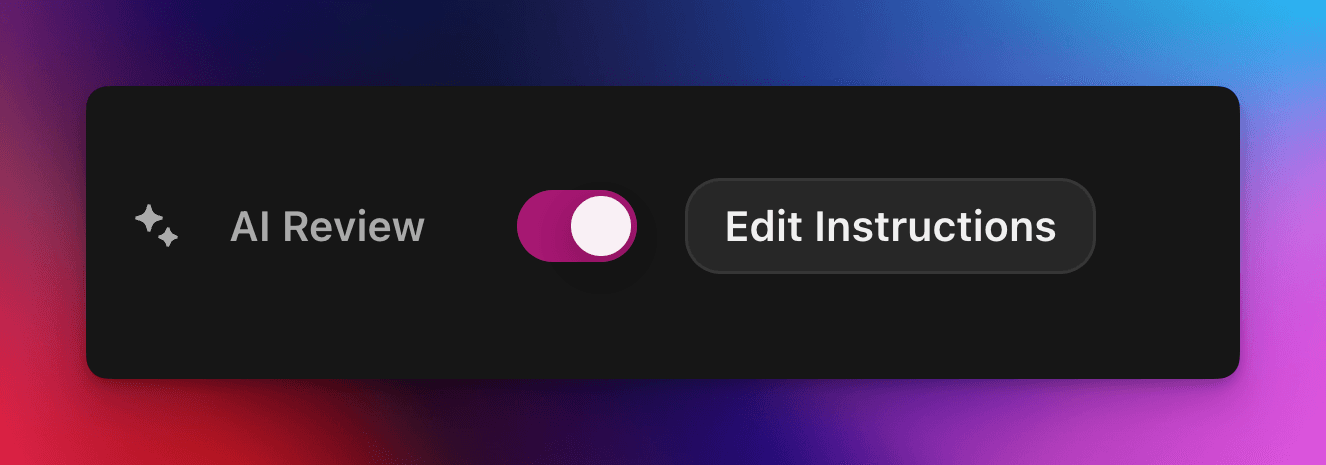
AI کی طاقت سے اپنی مرضی کے پرامپٹ کے ساتھ کوئسٹ دعووں کو خودکار طور پر قبول یا مسترد کریں۔
بذریعہ cedric
اس صفحے پر
AI Review ایک Zealy کوئسٹ دعوے پر پاس یا فیل کا فیصلہ AI ماڈل کے حوالے کرتا ہے۔ کوئسٹ ایڈیٹر کے Properties پینل میں یہ خصوصیت آن کریں، پھر کامیاب جمع کرانے کی وضاحت کرنے والا پرامپٹ لکھیں: ہر معیار پر پورا اترنے والے دعوے کامیاب قرار دیے جاتے ہیں، باقی وجہ کے ساتھ مسترد کر دیے جاتے ہیں۔ Reviews صفحے سے کسی بھی فیصلے کو پھر بھی تبدیل کیا جا سکتا ہے۔
جائزہ
The AI جائزہ خصوصیت آپ کو کوئسٹ دعوے کے "پاس / فیل" فیصلے کو AI کے حوالے کرنے دیتی ہے۔
اسکرین شاٹس، ٹویٹس یا متنی جوابات کو ایک ایک کر کے دستی طور پر جانچنے کے بجائے، آپ صرف بیان کریں کامیاب جمع کرانے میں کیا ہونا چاہیے.
اگر ماڈل کو مل جائے واضح ثبوت کہ تمام معیارات پورے ہو گئے ہیں، تو دعوے کو نشان زد کیا جاتا ہے کامیاب. بصورت دیگر اسے مسترد وجہ کے ساتھ۔
AI Review ان کوئسٹس کے لیے بہترین کام کرتا ہے جہاں ثبوت کا جائزہ ان سے لیا جا سکے:
اسکرین شاٹس یا تصاویر
ٹویٹس (صرف واحد پوسٹس، ہم جمع کردہ ٹویٹ کا مواد خودکار طور پر حاصل کرتے ہیں، لیکن مکمل تھریڈز نہیں کھول سکتے)
متنی جوابات
بنیادی باتیں
AI جائزہ فعال کرنا
کویسٹ ایڈیٹر کھولیں
دائیں جانب خصوصیات پینل، ٹوگل AI جائزہ آن
کلک کریں "پرامپٹ شامل کریں" (یا "پرامپٹ میں ترمیم کریں"") اور اپنی ہدایات لکھیں
بس اتنا ہی! نئے دعوے اب AI کے ذریعے روٹ کیے جائیں گے۔ آپ پھر بھی معمول کے جائزے صفحہ۔
اپنا پرامپٹ لکھنا
آپ کا پرامپٹ واضح ہونا چاہیے، بلٹ پوائنٹس بہت اچھے کام کرتے ہیں:
– The screenshot must show the X interface– The name of account must be Zealy– Reject if anything is blurred or unreadable
ماڈل وصول کرتا ہے صرف صارف کی جمع کردہ چیزیں (متن، تصاویر، ٹویٹ کا مواد، …)۔
خاص طور پر ٹویٹس کے لیے، ہم جمع کردہ ایک ٹویٹ کا مواد لوڈ کر سکتے ہیں۔ تھریڈز یا اضافی جوابات AI حاصل یا جائزہ نہیں لے سکتا۔
یہ نہیں بیرونی ویب سائٹس یا آپ کے اپنے سیاق تک رسائی رکھتا، لہٰذا شامل کریں ہر وہ قاعدہ جس کا اسے فیصلہ کرنے کے لیے ضرورت ہے۔
جدید اختیارات
درج ذیل میں سے کوئی بھی شامل کریں ہدایات پرامپٹ کے بالکل اوپر (ہر ایک اپنی الگ لائن میں)۔ یہ مرکزی ہدایات چلانے سے پہلے سروس کے جمع کرائے گئے مواد کو سنبھالنے کے طریقے میں تبدیلی کرتے ہیں۔
ہدایت
مقصد
prerequisite: <text>
ایک چلاتا ہے اضافی پیشگی جانچ۔ مرکزی جائزہ صرف اسی صورت میں ہوتا ہے جب یہ کامیاب ہو۔ واضح طور پر غلط دعووں کو فوری مسترد کرنے کے لیے مفید۔
image-needed
دعوے کو خودکار طور پر ناکام کر دیتا ہے اگر اس میں شامل ہو کوئی تصاویر نہیںتصویر کے ساتھ ٹویٹ کے لیے مفید۔
use-black-white-image
تجزیے سے پہلے اسکرین شاٹس کو سیاہ و سفید میں تبدیل کرتا ہے – جب ڈارک/لائٹ موڈ کے درمیان رنگ مختلف ہوں تو کارآمد ہے۔
use-zoom-in: <target>
مخصوص چیز کے گرد زوم شدہ منظر کاٹتا ہے آبجیکٹ / آئیکن / لفظ اور اسے ماڈل کے لیے اضافی تصویر کے طور پر شامل کرتا ہے۔ چھوٹے چیک مارکس یا اسٹیٹس آئیکنز کے لیے بہترین۔
ہدایات کے ساتھ مثال
use-zoom-in: green check mark icon• Approve if the zoomed area clearly contains a green ✓ icon next to the text "Completed".• Reject otherwise.
کام کرنے والی مثالیں
ذیل میں کچھ حقیقی پرامپٹس ہیں جو کمیونٹیز آج استعمال کر رہی ہیں۔ انہیں بلا جھجھک کاپی اور اپنائیں۔
1. ایک مخصوص ٹیلی گرام چینل جوائن کریں اور ایک پیغام پر ری ایکٹ کریں
فائل اپ لوڈ ٹاسک کے ساتھ کام کرتا ہے
image-neededuse-zoom-in:the reaction bar immediately below the relevant message. This bar displays emoji reactions and their respective countsYou will receive one screenshot. Decide whether the user has satisfied both conditions below. Base your decision only on what is clearly visible in the image. If either condition is missing, ambiguous, or uncertain, the attempt fails.Condition 1 – Joined Zealy’s official announcement channel:- The screenshot must clearly be taken from within the Telegram client (mobile or desktop).- The chat's title bar must explicitly display “Zealy” (exactly this name, no additional words), along with a visible subscriber count.- All visible messages must list “Zealy” as the author and clearly display Zealy’s official avatar (white “Z” on a dark-purple circle).- At least one visible message must explicitly mention “Zealy Sprint” or prizes/rewards.Condition 2 – User has added their own emoji reaction:- Locate the reaction bar immediately below the relevant message. This bar displays emoji reactions and their respective counts.- To confirm the user has personally reacted, at least one emoji reaction (the emoji icon itself and its associated count) must be visually highlighted or differentiated from other potential reactions on the same bar.- This visual differentiation **most commonly appears as the specific emoji and its count being enclosed within a distinct, often darker, pill-shaped background or container.** Other forms of differentiation could include a different background color or intensity for that specific emoji reaction compared to other unselected emojis or the general background of the reaction bar.- The highlighted emoji indicates the user's own reaction.- If all emoji reactions on the bar appear visually uniform (e.g., just the emoji and its count without any special background highlighting or container for any particular one), or if there are no reactions at all, condition 2 fails.If either condition is ambiguous or not definitively met by visual evidence, the entire attempt must fail.
2. تصویر کا تجزیہ
فائل اپ لوڈ ٹاسک کے ساتھ کام کرتا ہے
image-neededVerify whether the user has successfully completed the daily challenge based solely on the provided screenshot.To confirm success, ensure the following criteria are clearly visible in the screenshot: • The daily challenge window explicitly indicates the task is “Complete” or shows a checkmark indicating completion. • There is a visible countdown timer until the lottery draw. • A “Congratulations!” message confirming successful completion.If the screenshot instead displays phrases such as “Complete Challenge” or progress indicators like “0/3”, “1/3”, or “2/3”, this indicates incomplete status, and the verification should fail.
3. ٹویٹ مواد کے معیار کی تصدیق
ٹویٹ ٹاسک اور ٹویٹ جواب ٹاسک کے ساتھ کام کرتا ہے
(ہماری خودکار حاصل کردہ ٹویٹ میٹاڈیٹا استعمال کرتا ہے)
Verify whether the user has successfully created a post on X (Twitter) that clearly highlights their personal experience using Zealy, including insightful feedback on the campaigns they've participated in, suggestions for improvements.
4. یوٹیوب ویڈیو لائک
فائل اپ لوڈ ٹاسک کے ساتھ کام کرتا ہے
image-neededuse-zoom-in: the rating bar that contains the thumbs-up “Like” and thumbs-down “Dislike” buttons directly beneath the video• Approve the claim **only if at least one screenshot clearly shows, in the same frame**: 1. The standard YouTube interface (mobile app or desktop web). 2. The video title appears exactly as: “Me at the zoo” – The full title must be visible, readable, and match character-for-character. 3. In the zoomed rating bar: – The thumbs-up **Like** button is in its **liked/active** state (solid icon or visibly highlighted, often tinted blue, and/or labelled “Liked”). – The thumbs-down **Dislike** button is in its **inactive** state (outline icon, no highlight). – If the Like looks inactive, both icons look active, or the view is too blurry to distinguish, the attempt fails.• **Reject** the claim if any of the following is true:** – The video title is missing, truncated, blurred, or differs in wording. – The zoomed rating bar is absent or too low-resolution to verify icon states. – The Like button is inactive or ambiguous, or the Dislike button appears active. If any criterion is uncertain, reject and briefly state the reason (e.g., “Like button not highlighted” or “title cut off”).
5. Instagram Follow
فائل اپ لوڈ ٹاسک کے ساتھ کام کرتا ہے
image-neededuse-zoom-in: the top of the Instagram page with the Follow / Following button• **Approve** the claim **only if at least one screenshot clearly shows, in the same frame**: 1. The standard Instagram profile interface (mobile app or desktop web). – Navigation icons / left sidebar for desktop, bottom bar for mobile, and the circular avatar are all good indicators that the view is on Instagram. 2. The account handle (username) appears **exactly** as **zealy** — either in the header bar, next to the avatar, or in the browser URL. 3. In the zoom-in area: – The pill-shaped button reads **“Following”** (case-insensitive) and may include a small ▼ arrow. – “Follow”, “Requested”, “Follow Back”, or any other wording **does _not_ count**. – The text inside the button must be sharp enough to read without guessing.• **Reject** the claim if **any** of the following is true: – The handle is missing, blurred, truncated, or differs from **zealy** (even by one character). – The button reads “Follow”, “Requested”, “Follow Back”, shows only an icon, or is too fuzzy to determine the word. – The screenshot is from any other site or app (CoinMarketCap, X/Twitter, YouTube, Discord, etc.). – Image quality is so low that either the handle or the button text cannot be read with certainty.If any criterion is uncertain or ambiguous, reject and briefly state the reason (e.g., “button says ’Follow’” or “handle illegible”).
6. Telegram Join and React
فائل اپ لوڈ ٹاسک کے ساتھ کام کرتا ہے
image-neededprerequisite: The screenshot must clearly be taken from within the Telegram client (mobile or desktop).use-black-white-image use-zoom-in:the reaction bar immediately below the relevant message. This bar displays emoji reactions and their respective countsYou will receive one screenshot. Decide whether the user has satisfied both conditions below. Base your decision only on what is clearly visible in the image. If either condition is missing, ambiguous, or uncertain, the attempt fails.Condition 1 – Joined Zealy’s official announcement channel:- The screenshot must clearly be taken from within the Telegram client (mobile or desktop).- The chat's title bar must explicitly display “Zealy” (exactly this name, no additional words), along with a visible subscriber count.- All visible messages must list “Zealy” as the author and clearly display Zealy’s official avatar (white “Z” on a dark-purple circle).- At least one visible message must explicitly mention “Zealy Sprint” or prizes/rewards.Condition 2 – User has added their own emoji reaction:- Locate the reaction bar. This bar displays emoji reactions and their respective counts, in the zoomed image, the smallest one, it should be image 2.- To confirm the user has personally reacted, at least one emoji reaction (the emoji icon itself and its associated count) must be visually highlighted or differentiated from other potential reactions on the same bar.- This visual differentiation **most commonly appears as the specific emoji and its count being enclosed within a distinct, often darker, pill-shaped background or container.** Other forms of differentiation could include a different background color or intensity for that specific emoji reaction compared to other unselected emojis or the general background of the reaction bar.- The highlighted emoji indicates the user's own reaction.- If all emoji reactions on the bar appear visually uniform (e.g., just the emoji and its count without any special background highlighting or container for any particular one), or if there are no reactions at all, condition 2 fails.If either condition is ambiguous or not definitively met by visual evidence, the entire attempt must fail.
7. Follow Youtube channel
فائل اپ لوڈ ٹاسک کے ساتھ کام کرتا ہے
image-neededuse-zoom-in: the pill-shaped subscription button that shows the user’s current state (e.g., “Subscribed”)You will receive one or more screenshots. Decide **pass / fail** based **only** on what is clearly visible in the images.PASS **only if at least one screenshot simultaneously shows all of the following:**• **YouTube interface** (mobile app or desktop web) — recognizable by the standard navigation bar, menus, or player controls. • It can be either the **channel header section** for the account or a youtube video page.• Channel **name** must appears exactly as **zealy** (all caps, no extra words). • If present, the Channel **handle** must be **@zealy_io** (case-insensitive, no extra characters). • In the zoom-in area, the pill-shaped **subscription button** reads **“Subscribed”** (or its localized equivalent that clearly indicates an active subscription, e.g., “Suscrito”, “Abonné”, etc.). – The button may include a ✅ checkmark or ▼ arrow; that is acceptable. – The word must be sharp enough to read without guessing.FAIL if **any** of the following is true (or uncertain): – The screenshot is not from YouTube. – The channel name is missing, unreadable, or differs from **zealy**. – The handle differs from **@zealy_io**. – The subscription button reads **“Subscribe”**, **“Join”**, shows only an icon, or is too blurry/obscured to confirm it says “Subscribed”. – Any required element is cropped out, blurred, or otherwise ambiguous.If multiple images are provided, you may use the clearest one to decide. If no image satisfies every criterion with certainty, reject and briefly state the missing/unclear element.
بہترین طریقے
دکھائیں، بتائیں نہیں، وہ الفاظ شامل کریں جو لازماً آئیں، وہ آئیکنز جنہیں تلاش کرنا ہے، اور وہ نمبرز جنہیں ملانا ہے۔
ہر کوئسٹ کے لیے ایک پرامپٹ، ماڈل جانچتا ہے تمام claim کے ٹاسکس کو ایک ساتھ۔
الفاظ کو یکساں رکھیں، ایسے مترادفات سے بچیں جو ماڈل کو الجھا سکیں۔
حدود
AI Review طاقتور ہے مگر مکمل نہیں۔ اسے درج ذیل میں دشواری ہو سکتی ہے:
انتہائی کم ریزولوشن یا دھندلی تصاویر۔
ہاتھ سے لکھا متن یا غیر معمولی فونٹس۔
ایسی مواد کی تصدیق جس کے لیے اسکرولنگ یا بیرونی لنکس درکار ہوں۔