Автоматично приймайте або відхиляйте заявки на квести за допомогою власного запиту на основі ШІ.
Автор cedric
На цій сторінці
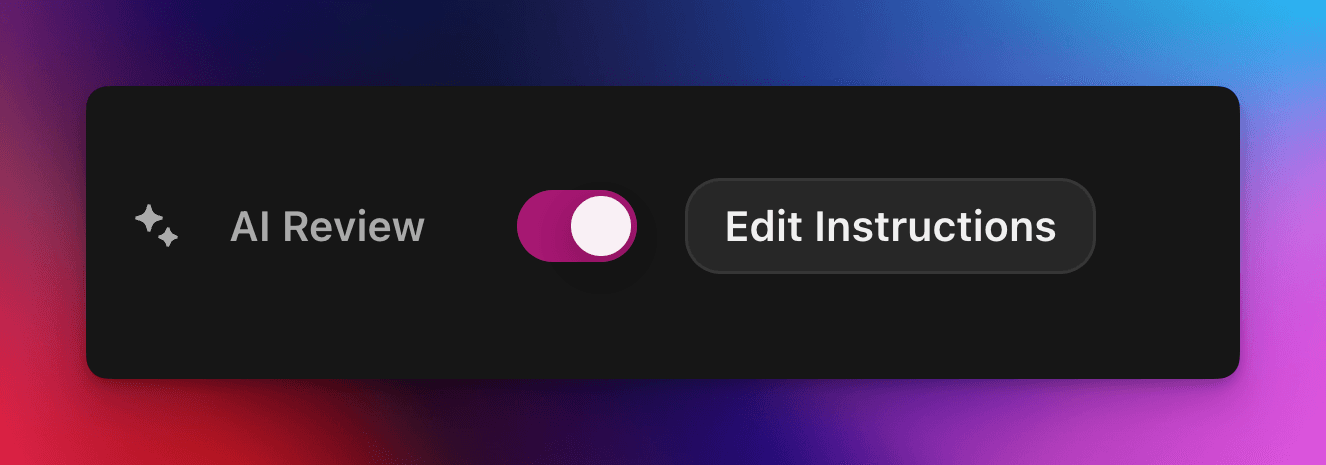
AI Review передає рішення про проходження чи непроходження заявки на квест Zealy моделі ШІ. Увімкніть цю властивість на панелі Properties у редакторі квесту, а потім напишіть запит, що описує успішну подачу: заявки, які відповідають усім критеріям, позначаються як успішні, решта відхиляються із зазначенням причини. Будь-яке рішення все ще можна змінити на сторінці Reviews.
Огляд
Властивість AI Review дозволяє делегувати рішення «пройдено / не пройдено» щодо заявки на квест ШІ.
Замість того, щоб вручну перевіряти скриншоти, твіти чи текстові відповіді одну за одною, ви просто описуєте, що має містити успішна подача.
Якщо модель знаходить чіткі докази того, що всі критерії виконано, заявка позначається як успішна. Інакше її відхилено із зазначенням причини.
AI Review найкраще працює для квестів, де докази можна оцінити за:
Скриншотами або зображеннями
Твітами (лише окремі дописи, ми автоматично отримуємо вміст поданого твіта, але не можемо розгортати повні треди)
Текстовими відповідями
Основи
Увімкнення AI Review
Відкрийте редактор квесту
На правій панелі Properties увімкніть AI Review увімкнено
Натисніть «Add prompt» (або «Edit prompt») і напишіть свої інструкції
Ось і все! Нові заявки тепер проходитимуть через ШІ. Ви все ще можете вручну змінити будь-яке рішення на звичайній сторінці Reviews .
Написання запиту
Ваш запит має бути чітким, марковані списки працюють чудово:
– The screenshot must show the X interface– The name of account must be Zealy– Reject if anything is blurred or unreadable
Модель отримує лише подання користувача (текст, зображення, вміст твіта, …).
Щодо твітів зокрема, ми можемо завантажити вміст окремого твіта, наданого в поданні. Треди або додаткові відповіді не можуть бути отримані чи переглянуті ШІ.
Вона не має доступу до зовнішніх вебсайтів чи вашого власного контексту, тому включіть кожне правило, потрібне їй для рішення.
Розширені параметри
Додайте будь-яку з наведених директив у самому верху запиту (кожну на окремому рядку). Вони змінюють те, як сервіс обробляє подання перед виконанням основних інструкцій.
Директива
Призначення
prerequisite: <text>
Виконує додаткову попередню перевірку. Основна перевірка відбувається лише якщо ця пройдена. Корисно для швидкого відхилення очевидно неправильних заявок.
image-needed
Автоматично відхиляє заявку, якщо вона містить жодних зображень, корисно для твіта із зображенням.
use-black-white-image
Перетворює скриншоти на чорно-білі перед аналізом – зручно, коли кольори різняться між темним/світлим режимом.
use-zoom-in: <target>
Обрізає збільшений вигляд навколо вказаного об'єкта / значка / слова і додає його як додаткове зображення для моделі. Чудово підходить для дрібних галочок або значків статусу.
Приклад із директивами
use-zoom-in: green check mark icon• Approve if the zoomed area clearly contains a green ✓ icon next to the text "Completed".• Reject otherwise.
Робочі приклади
Нижче наведено кілька реальних запитів, які спільноти використовують сьогодні. Не соромтеся копіювати та адаптувати їх.
1. Приєднатися до конкретного телеграм-каналу та відреагувати на одне повідомлення
Працює із завданням завантаження файлу
image-neededuse-zoom-in:the reaction bar immediately below the relevant message. This bar displays emoji reactions and their respective countsYou will receive one screenshot. Decide whether the user has satisfied both conditions below. Base your decision only on what is clearly visible in the image. If either condition is missing, ambiguous, or uncertain, the attempt fails.Condition 1 – Joined Zealy’s official announcement channel:- The screenshot must clearly be taken from within the Telegram client (mobile or desktop).- The chat's title bar must explicitly display “Zealy” (exactly this name, no additional words), along with a visible subscriber count.- All visible messages must list “Zealy” as the author and clearly display Zealy’s official avatar (white “Z” on a dark-purple circle).- At least one visible message must explicitly mention “Zealy Sprint” or prizes/rewards.Condition 2 – User has added their own emoji reaction:- Locate the reaction bar immediately below the relevant message. This bar displays emoji reactions and their respective counts.- To confirm the user has personally reacted, at least one emoji reaction (the emoji icon itself and its associated count) must be visually highlighted or differentiated from other potential reactions on the same bar.- This visual differentiation **most commonly appears as the specific emoji and its count being enclosed within a distinct, often darker, pill-shaped background or container.** Other forms of differentiation could include a different background color or intensity for that specific emoji reaction compared to other unselected emojis or the general background of the reaction bar.- The highlighted emoji indicates the user's own reaction.- If all emoji reactions on the bar appear visually uniform (e.g., just the emoji and its count without any special background highlighting or container for any particular one), or if there are no reactions at all, condition 2 fails.If either condition is ambiguous or not definitively met by visual evidence, the entire attempt must fail.
2. Аналіз зображень
Працює із завданням завантаження файлу
image-neededVerify whether the user has successfully completed the daily challenge based solely on the provided screenshot.To confirm success, ensure the following criteria are clearly visible in the screenshot: • The daily challenge window explicitly indicates the task is “Complete” or shows a checkmark indicating completion. • There is a visible countdown timer until the lottery draw. • A “Congratulations!” message confirming successful completion.If the screenshot instead displays phrases such as “Complete Challenge” or progress indicators like “0/3”, “1/3”, or “2/3”, this indicates incomplete status, and the verification should fail.
3. Перевірка якості вмісту твіта
Працює із завданням твіта та завданням відповіді на твіт
(використовує метадані твіта, які ми автоматично отримуємо)
Verify whether the user has successfully created a post on X (Twitter) that clearly highlights their personal experience using Zealy, including insightful feedback on the campaigns they've participated in, suggestions for improvements.
4. Вподобати відео на Youtube
Працює із завданням завантаження файлу
image-neededuse-zoom-in: the rating bar that contains the thumbs-up “Like” and thumbs-down “Dislike” buttons directly beneath the video• Approve the claim **only if at least one screenshot clearly shows, in the same frame**: 1. The standard YouTube interface (mobile app or desktop web). 2. The video title appears exactly as: “Me at the zoo” – The full title must be visible, readable, and match character-for-character. 3. In the zoomed rating bar: – The thumbs-up **Like** button is in its **liked/active** state (solid icon or visibly highlighted, often tinted blue, and/or labelled “Liked”). – The thumbs-down **Dislike** button is in its **inactive** state (outline icon, no highlight). – If the Like looks inactive, both icons look active, or the view is too blurry to distinguish, the attempt fails.• **Reject** the claim if any of the following is true:** – The video title is missing, truncated, blurred, or differs in wording. – The zoomed rating bar is absent or too low-resolution to verify icon states. – The Like button is inactive or ambiguous, or the Dislike button appears active. If any criterion is uncertain, reject and briefly state the reason (e.g., “Like button not highlighted” or “title cut off”).
5. Підписка в Instagram
Працює із завданням завантаження файлу
image-neededuse-zoom-in: the top of the Instagram page with the Follow / Following button• **Approve** the claim **only if at least one screenshot clearly shows, in the same frame**: 1. The standard Instagram profile interface (mobile app or desktop web). – Navigation icons / left sidebar for desktop, bottom bar for mobile, and the circular avatar are all good indicators that the view is on Instagram. 2. The account handle (username) appears **exactly** as **zealy** — either in the header bar, next to the avatar, or in the browser URL. 3. In the zoom-in area: – The pill-shaped button reads **“Following”** (case-insensitive) and may include a small ▼ arrow. – “Follow”, “Requested”, “Follow Back”, or any other wording **does _not_ count**. – The text inside the button must be sharp enough to read without guessing.• **Reject** the claim if **any** of the following is true: – The handle is missing, blurred, truncated, or differs from **zealy** (even by one character). – The button reads “Follow”, “Requested”, “Follow Back”, shows only an icon, or is too fuzzy to determine the word. – The screenshot is from any other site or app (CoinMarketCap, X/Twitter, YouTube, Discord, etc.). – Image quality is so low that either the handle or the button text cannot be read with certainty.If any criterion is uncertain or ambiguous, reject and briefly state the reason (e.g., “button says ’Follow’” or “handle illegible”).
6. Приєднатися до Telegram і відреагувати
Працює із завданням завантаження файлу
image-neededprerequisite: The screenshot must clearly be taken from within the Telegram client (mobile or desktop).use-black-white-image use-zoom-in:the reaction bar immediately below the relevant message. This bar displays emoji reactions and their respective countsYou will receive one screenshot. Decide whether the user has satisfied both conditions below. Base your decision only on what is clearly visible in the image. If either condition is missing, ambiguous, or uncertain, the attempt fails.Condition 1 – Joined Zealy’s official announcement channel:- The screenshot must clearly be taken from within the Telegram client (mobile or desktop).- The chat's title bar must explicitly display “Zealy” (exactly this name, no additional words), along with a visible subscriber count.- All visible messages must list “Zealy” as the author and clearly display Zealy’s official avatar (white “Z” on a dark-purple circle).- At least one visible message must explicitly mention “Zealy Sprint” or prizes/rewards.Condition 2 – User has added their own emoji reaction:- Locate the reaction bar. This bar displays emoji reactions and their respective counts, in the zoomed image, the smallest one, it should be image 2.- To confirm the user has personally reacted, at least one emoji reaction (the emoji icon itself and its associated count) must be visually highlighted or differentiated from other potential reactions on the same bar.- This visual differentiation **most commonly appears as the specific emoji and its count being enclosed within a distinct, often darker, pill-shaped background or container.** Other forms of differentiation could include a different background color or intensity for that specific emoji reaction compared to other unselected emojis or the general background of the reaction bar.- The highlighted emoji indicates the user's own reaction.- If all emoji reactions on the bar appear visually uniform (e.g., just the emoji and its count without any special background highlighting or container for any particular one), or if there are no reactions at all, condition 2 fails.If either condition is ambiguous or not definitively met by visual evidence, the entire attempt must fail.
7. Підписатися на канал Youtube
Працює із завданням завантаження файлу
image-neededuse-zoom-in: the pill-shaped subscription button that shows the user’s current state (e.g., “Subscribed”)You will receive one or more screenshots. Decide **pass / fail** based **only** on what is clearly visible in the images.PASS **only if at least one screenshot simultaneously shows all of the following:**• **YouTube interface** (mobile app or desktop web) — recognizable by the standard navigation bar, menus, or player controls. • It can be either the **channel header section** for the account or a youtube video page.• Channel **name** must appears exactly as **zealy** (all caps, no extra words). • If present, the Channel **handle** must be **@zealy_io** (case-insensitive, no extra characters). • In the zoom-in area, the pill-shaped **subscription button** reads **“Subscribed”** (or its localized equivalent that clearly indicates an active subscription, e.g., “Suscrito”, “Abonné”, etc.). – The button may include a ✅ checkmark or ▼ arrow; that is acceptable. – The word must be sharp enough to read without guessing.FAIL if **any** of the following is true (or uncertain): – The screenshot is not from YouTube. – The channel name is missing, unreadable, or differs from **zealy**. – The handle differs from **@zealy_io**. – The subscription button reads **“Subscribe”**, **“Join”**, shows only an icon, or is too blurry/obscured to confirm it says “Subscribed”. – Any required element is cropped out, blurred, or otherwise ambiguous.If multiple images are provided, you may use the clearest one to decide. If no image satisfies every criterion with certainty, reject and briefly state the missing/unclear element.
Найкращі практики
Показуйте, а не розповідайте, включайте слова, які мають з'явитися, значки, які слід шукати, числа, які мають збігатися.
Один запит на квест, модель перевіряє усі завдання заявки разом.
Дотримуйтеся послідовного формулювання, уникайте синонімів, які можуть заплутати модель.
Обмеження
AI Review потужний, але не ідеальний. Він може мати труднощі з:
Надзвичайно низькороздільними або розмитими зображеннями.
Рукописним текстом або екзотичними шрифтами.
Перевіркою вмісту, що вимагає прокручування або зовнішніх посилань.