Yapay zeka destekli özel bir istemle görev taleplerini otomatik olarak kabul edin veya reddedin.
Yazan cedric
Bu sayfada
AI İncelemesi, bir Zealy görev talebine ilişkin geçti/kaldı kararını bir yapay zeka modeline bırakır. Görev düzenleyicisinin Özellikler panelinde bu özelliği açın, ardından başarılı bir gönderimi tanımlayan bir istem yazın: tüm ölçütleri karşılayan talepler başarılı olarak işaretlenir, geri kalanlar bir gerekçeyle reddedilir. Her karar yine de İncelemeler sayfasından geçersiz kılınabilir.
Genel Bakış
The AI Review özelliği, bir görev talebinin "geçti / kaldı" kararını bir yapay zekaya devredebilmenizi sağlar.
Ekran görüntülerini, tweet'leri veya metin yanıtlarını tek tek elle kontrol etmek yerine, basitçe şunu tanımlarsınız: başarılı bir gönderimin içermesi gerekenler.
Model, tüm kriterlerin karşılandığına dair açık kanıt bulursa, talep başarılı olarak işaretlenir. Aksi takdirde reddedildi gerekçesiyle.
AI Review, kanıtların şunlardan değerlendirilebildiği görevler için en iyi sonucu verir:
Ekran görüntüleri veya görseller
Tweet'ler (yalnızca tek gönderiler; gönderilen tweet'in içeriğini otomatik olarak alırız ancak tam dizileri genişletemeyiz)
Metin yanıtları
Temel Bilgiler
AI Review'ı etkinleştirme
Görev düzenleyicisini açın
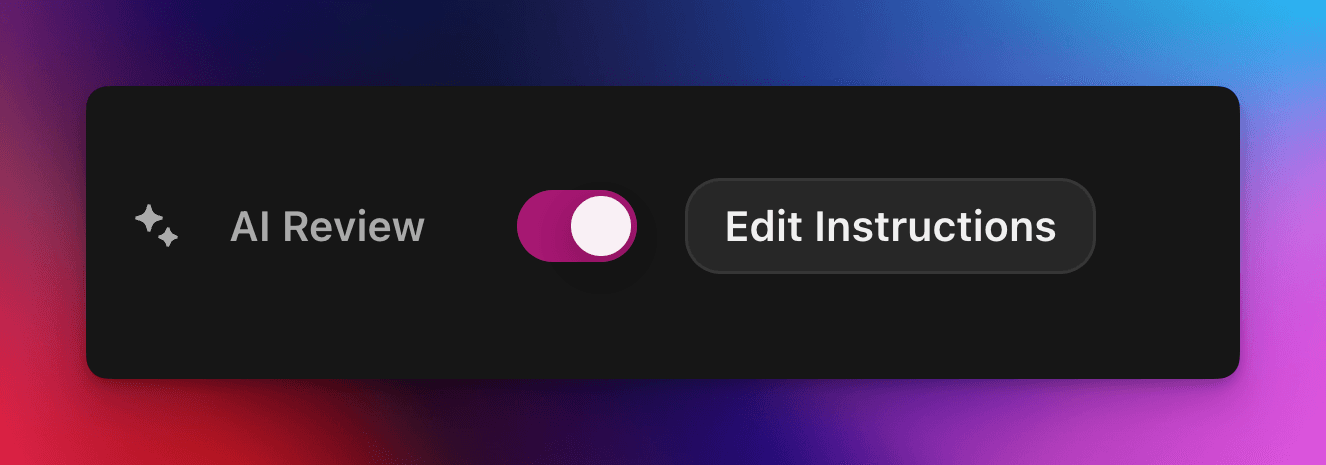
Sağ taraftaki Özellikler panel, aç/kapat AI İncelemesi açık
Tıkla "İstem ekle" (veya "İstemi düzenle") ve talimatlarını yaz
Hepsi bu! Yeni talepler artık AI üzerinden yönlendirilecek. Yine de herhangi bir kararı her zamanki İncelemeler sayfasından manuel olarak geçersiz kılabilirsin.
İstemini yazma
İstemin açık olması gerekir; madde işaretleri harika çalışır:
– The screenshot must show the X interface– The name of account must be Zealy– Reject if anything is blurred or unreadable
Model yalnızca yalnızca kullanıcının gönderimlerini (metin, görseller, tweet içeriği, …) alır.
Özellikle tweet'ler için, gönderimde sağlanan tek tweet'in içeriğini yükleyebiliriz. Thread'ler veya ek yanıtlar AI tarafından getirilemez veya incelenemez.
Harici web sitelerine veya kendi bağlamına erişimi yoktur yoktur, bu yüzden karar vermesi için gereken her kuralı ekle.
Gelişmiş seçenekler
Aşağıdaki direktiflerden herhangi birini istemin en üstüne ekle (her biri kendi satırında). Bunlar, ana talimatları çalıştırmadan önce hizmetin gönderimi nasıl ele aldığını değiştirir.
Direktif
Amaç
prerequisite: <text>
Bir ek ön kontrol çalıştırır. Ana inceleme yalnızca bu kontrol geçerse yapılır. Açıkça yanlış talepleri hızlıca reddetmek için kullanışlıdır.
image-needed
Talep şunları içeriyorsa otomatik olarak başarısız olur: görsel yok, görselli tweet için kullanışlıdır.
use-black-white-image
Analizden önce ekran görüntülerini siyah beyaza dönüştürür – renkler koyu/açık mod arasında değiştiğinde kullanışlıdır.
use-zoom-in: <target>
Belirtilen nesne / simge / kelime etrafında yakınlaştırılmış bir görünüm kırpar ve modele ek görsel olarak ekler. Küçük onay işaretleri veya durum simgeleri için harikadır.
Yönergelerle örnek
use-zoom-in: green check mark icon• Approve if the zoomed area clearly contains a green ✓ icon next to the text "Completed".• Reject otherwise.
Çalışan örnekler
Aşağıda toplulukların bugün kullandığı birkaç gerçek istem bulunmaktadır. Bunları kopyalayıp uyarlamaktan çekinmeyin.
1. Belirli bir telegram kanalına katılın ve bir mesaja tepki verin
Dosya yükleme göreviyle çalışır
image-neededuse-zoom-in:the reaction bar immediately below the relevant message. This bar displays emoji reactions and their respective countsYou will receive one screenshot. Decide whether the user has satisfied both conditions below. Base your decision only on what is clearly visible in the image. If either condition is missing, ambiguous, or uncertain, the attempt fails.Condition 1 – Joined Zealy’s official announcement channel:- The screenshot must clearly be taken from within the Telegram client (mobile or desktop).- The chat's title bar must explicitly display “Zealy” (exactly this name, no additional words), along with a visible subscriber count.- All visible messages must list “Zealy” as the author and clearly display Zealy’s official avatar (white “Z” on a dark-purple circle).- At least one visible message must explicitly mention “Zealy Sprint” or prizes/rewards.Condition 2 – User has added their own emoji reaction:- Locate the reaction bar immediately below the relevant message. This bar displays emoji reactions and their respective counts.- To confirm the user has personally reacted, at least one emoji reaction (the emoji icon itself and its associated count) must be visually highlighted or differentiated from other potential reactions on the same bar.- This visual differentiation **most commonly appears as the specific emoji and its count being enclosed within a distinct, often darker, pill-shaped background or container.** Other forms of differentiation could include a different background color or intensity for that specific emoji reaction compared to other unselected emojis or the general background of the reaction bar.- The highlighted emoji indicates the user's own reaction.- If all emoji reactions on the bar appear visually uniform (e.g., just the emoji and its count without any special background highlighting or container for any particular one), or if there are no reactions at all, condition 2 fails.If either condition is ambiguous or not definitively met by visual evidence, the entire attempt must fail.
2. Görsel analizi
Dosya yükleme göreviyle çalışır
image-neededVerify whether the user has successfully completed the daily challenge based solely on the provided screenshot.To confirm success, ensure the following criteria are clearly visible in the screenshot: • The daily challenge window explicitly indicates the task is “Complete” or shows a checkmark indicating completion. • There is a visible countdown timer until the lottery draw. • A “Congratulations!” message confirming successful completion.If the screenshot instead displays phrases such as “Complete Challenge” or progress indicators like “0/3”, “1/3”, or “2/3”, this indicates incomplete status, and the verification should fail.
3. Tweet içeriği kalite doğrulaması
Tweet görevi ve tweet yanıtı göreviyle çalışır
(otomatik olarak getirdiğimiz tweet meta verilerini kullanır)
Verify whether the user has successfully created a post on X (Twitter) that clearly highlights their personal experience using Zealy, including insightful feedback on the campaigns they've participated in, suggestions for improvements.
4. Youtube videosunu beğen
Dosya yükleme göreviyle çalışır
image-neededuse-zoom-in: the rating bar that contains the thumbs-up “Like” and thumbs-down “Dislike” buttons directly beneath the video• Approve the claim **only if at least one screenshot clearly shows, in the same frame**: 1. The standard YouTube interface (mobile app or desktop web). 2. The video title appears exactly as: “Me at the zoo” – The full title must be visible, readable, and match character-for-character. 3. In the zoomed rating bar: – The thumbs-up **Like** button is in its **liked/active** state (solid icon or visibly highlighted, often tinted blue, and/or labelled “Liked”). – The thumbs-down **Dislike** button is in its **inactive** state (outline icon, no highlight). – If the Like looks inactive, both icons look active, or the view is too blurry to distinguish, the attempt fails.• **Reject** the claim if any of the following is true:** – The video title is missing, truncated, blurred, or differs in wording. – The zoomed rating bar is absent or too low-resolution to verify icon states. – The Like button is inactive or ambiguous, or the Dislike button appears active. If any criterion is uncertain, reject and briefly state the reason (e.g., “Like button not highlighted” or “title cut off”).
5. Instagram Takip
Dosya yükleme göreviyle çalışır
image-neededuse-zoom-in: the top of the Instagram page with the Follow / Following button• **Approve** the claim **only if at least one screenshot clearly shows, in the same frame**: 1. The standard Instagram profile interface (mobile app or desktop web). – Navigation icons / left sidebar for desktop, bottom bar for mobile, and the circular avatar are all good indicators that the view is on Instagram. 2. The account handle (username) appears **exactly** as **zealy** — either in the header bar, next to the avatar, or in the browser URL. 3. In the zoom-in area: – The pill-shaped button reads **“Following”** (case-insensitive) and may include a small ▼ arrow. – “Follow”, “Requested”, “Follow Back”, or any other wording **does _not_ count**. – The text inside the button must be sharp enough to read without guessing.• **Reject** the claim if **any** of the following is true: – The handle is missing, blurred, truncated, or differs from **zealy** (even by one character). – The button reads “Follow”, “Requested”, “Follow Back”, shows only an icon, or is too fuzzy to determine the word. – The screenshot is from any other site or app (CoinMarketCap, X/Twitter, YouTube, Discord, etc.). – Image quality is so low that either the handle or the button text cannot be read with certainty.If any criterion is uncertain or ambiguous, reject and briefly state the reason (e.g., “button says ’Follow’” or “handle illegible”).
6. Telegram Katıl ve Tepki Ver
Dosya yükleme göreviyle çalışır
image-neededprerequisite: The screenshot must clearly be taken from within the Telegram client (mobile or desktop).use-black-white-image use-zoom-in:the reaction bar immediately below the relevant message. This bar displays emoji reactions and their respective countsYou will receive one screenshot. Decide whether the user has satisfied both conditions below. Base your decision only on what is clearly visible in the image. If either condition is missing, ambiguous, or uncertain, the attempt fails.Condition 1 – Joined Zealy’s official announcement channel:- The screenshot must clearly be taken from within the Telegram client (mobile or desktop).- The chat's title bar must explicitly display “Zealy” (exactly this name, no additional words), along with a visible subscriber count.- All visible messages must list “Zealy” as the author and clearly display Zealy’s official avatar (white “Z” on a dark-purple circle).- At least one visible message must explicitly mention “Zealy Sprint” or prizes/rewards.Condition 2 – User has added their own emoji reaction:- Locate the reaction bar. This bar displays emoji reactions and their respective counts, in the zoomed image, the smallest one, it should be image 2.- To confirm the user has personally reacted, at least one emoji reaction (the emoji icon itself and its associated count) must be visually highlighted or differentiated from other potential reactions on the same bar.- This visual differentiation **most commonly appears as the specific emoji and its count being enclosed within a distinct, often darker, pill-shaped background or container.** Other forms of differentiation could include a different background color or intensity for that specific emoji reaction compared to other unselected emojis or the general background of the reaction bar.- The highlighted emoji indicates the user's own reaction.- If all emoji reactions on the bar appear visually uniform (e.g., just the emoji and its count without any special background highlighting or container for any particular one), or if there are no reactions at all, condition 2 fails.If either condition is ambiguous or not definitively met by visual evidence, the entire attempt must fail.
7. Youtube kanalını takip et
Dosya yükleme göreviyle çalışır
image-neededuse-zoom-in: the pill-shaped subscription button that shows the user’s current state (e.g., “Subscribed”)You will receive one or more screenshots. Decide **pass / fail** based **only** on what is clearly visible in the images.PASS **only if at least one screenshot simultaneously shows all of the following:**• **YouTube interface** (mobile app or desktop web) — recognizable by the standard navigation bar, menus, or player controls. • It can be either the **channel header section** for the account or a youtube video page.• Channel **name** must appears exactly as **zealy** (all caps, no extra words). • If present, the Channel **handle** must be **@zealy_io** (case-insensitive, no extra characters). • In the zoom-in area, the pill-shaped **subscription button** reads **“Subscribed”** (or its localized equivalent that clearly indicates an active subscription, e.g., “Suscrito”, “Abonné”, etc.). – The button may include a ✅ checkmark or ▼ arrow; that is acceptable. – The word must be sharp enough to read without guessing.FAIL if **any** of the following is true (or uncertain): – The screenshot is not from YouTube. – The channel name is missing, unreadable, or differs from **zealy**. – The handle differs from **@zealy_io**. – The subscription button reads **“Subscribe”**, **“Join”**, shows only an icon, or is too blurry/obscured to confirm it says “Subscribed”. – Any required element is cropped out, blurred, or otherwise ambiguous.If multiple images are provided, you may use the clearest one to decide. If no image satisfies every criterion with certainty, reject and briefly state the missing/unclear element.
En iyi uygulamalar
Göster, anlatma, görünmesi gereken kelimeleri, aranacak simgeleri, eşleşecek sayıları ekleyin.
Görev başına bir istem, model talebin tüm görevlerini birlikte kontrol eder.
İfadeleri tutarlı tutun, modeli yanıltabilecek eş anlamlılardan kaçının.
Sınırlamalar
AI İncelemesi güçlüdür ancak kusursuz değildir. Şunlarla zorlanabilir:
Aşırı düşük çözünürlüklü veya bulanık görseller.
El yazısı metin veya egzotik yazı tipleri.
Kaydırma veya harici bağlantılar gerektiren içeriği doğrulama.