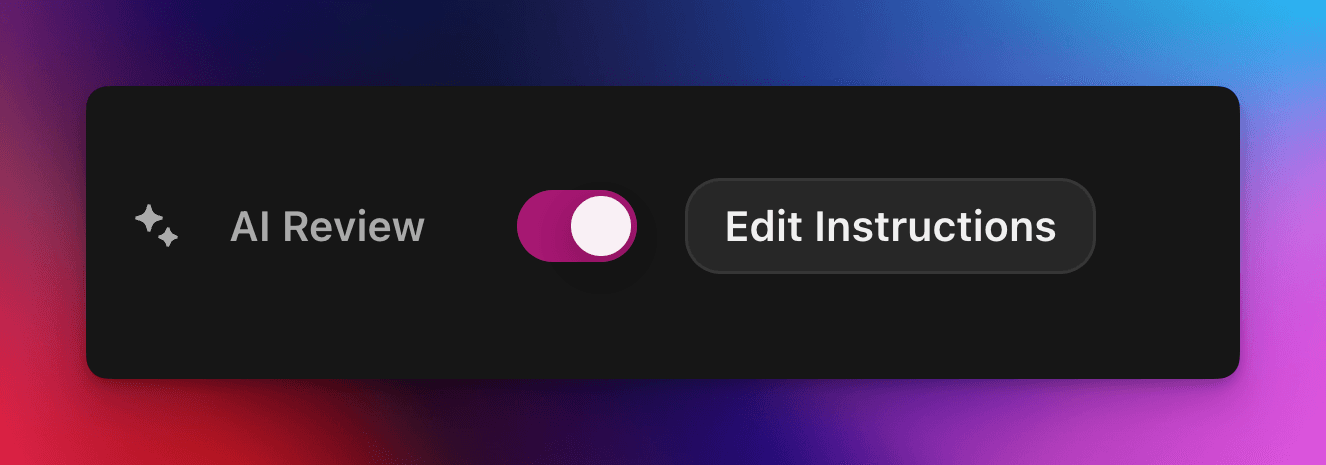
Автоматически принимайте или отклоняйте заявки на квесты с помощью пользовательского промпта на основе ИИ.
Автор cedric
На этой странице
ИИ-проверка передаёт решение о прохождении или непрохождении заявки на квест Zealy модели ИИ. Включите это свойство на панели «Свойства» в редакторе квеста, затем напишите промпт с описанием успешной отправки: заявки, соответствующие всем критериям, помечаются как успешные, остальные отклоняются с указанием причины. Любое решение по-прежнему можно переопределить на странице «Проверки».
Обзор
Свойство ИИ-проверка позволяет делегировать решение «пройдено / не пройдено» по заявке на квест ИИ.
Вместо того чтобы вручную проверять скриншоты, твиты или текстовые ответы по одному, вы просто описываете, что должна содержать успешная отправка.
Если модель находит явные доказательства того, что все критерии выполнены, заявка помечается как успешная. В противном случае она отклоняется с указанием причины.
ИИ-проверка лучше всего работает для квестов, где доказательства можно оценить по:
Скриншотам или изображениям
Твитам (только отдельные посты; мы автоматически загружаем содержимое отправленного твита, но не можем разворачивать полные ветки)
Текстовым ответам
Основы
Включение ИИ-проверки
Откройте редактор квеста
На правой панели Свойства переключите ИИ-проверка во включённое положение
Нажмите «Добавить промпт» (или «Изменить промпт») и напишите инструкции
Вот и всё! Новые заявки теперь будут проходить через ИИ. Вы по-прежнему можете вручную переопределить любое решение на обычной странице Проверки .
Написание промпта
Ваш промпт должен быть однозначным; маркированные списки отлично работают:
– The screenshot must show the X interface– The name of account must be Zealy– Reject if anything is blurred or unreadable
Модель получает только отправки пользователя (текст, изображения, содержимое твита, …).
Для твитов в частности мы можем загрузить содержимое отдельного твита, указанного в отправке. Ветки или дополнительные ответы не могут быть загружены или проверены ИИ.
У неё нет доступа к внешним сайтам или вашему собственному контексту, поэтому включите каждое правило, необходимое для решения.
Дополнительные параметры
Добавьте любую из следующих директив в самом начале промпта (каждую на отдельной строке). Они изменяют то, как сервис обрабатывает отправку перед выполнением основных инструкций.
Директива
Назначение
prerequisite: <text>
Выполняет дополнительную предварительную проверку. Основная проверка выполняется только при её прохождении. Полезно для быстрого отклонения явно неверных заявок.
image-needed
Автоматически отклоняет заявку, если она содержит изображения отсутствуют, полезно для твита с изображением.
use-black-white-image
Преобразует скриншоты в чёрно-белый формат перед анализом — удобно, когда цвета различаются в тёмном/светлом режиме.
use-zoom-in: <target>
Обрезает увеличенный вид вокруг указанного объекта / значка / слова и добавляет его как дополнительное изображение для модели. Отлично подходит для мелких галочек или значков статуса.
Пример с директивами
use-zoom-in: green check mark icon• Approve if the zoomed area clearly contains a green ✓ icon next to the text "Completed".• Reject otherwise.
Рабочие примеры
Ниже приведены несколько реальных промптов, которые сообщества используют сегодня. Не стесняйтесь копировать и адаптировать их.
1. Вступить в определённый telegram-канал и отреагировать на одно сообщение
Работает с задачей загрузки файла
image-neededuse-zoom-in:the reaction bar immediately below the relevant message. This bar displays emoji reactions and their respective countsYou will receive one screenshot. Decide whether the user has satisfied both conditions below. Base your decision only on what is clearly visible in the image. If either condition is missing, ambiguous, or uncertain, the attempt fails.Condition 1 – Joined Zealy’s official announcement channel:- The screenshot must clearly be taken from within the Telegram client (mobile or desktop).- The chat's title bar must explicitly display “Zealy” (exactly this name, no additional words), along with a visible subscriber count.- All visible messages must list “Zealy” as the author and clearly display Zealy’s official avatar (white “Z” on a dark-purple circle).- At least one visible message must explicitly mention “Zealy Sprint” or prizes/rewards.Condition 2 – User has added their own emoji reaction:- Locate the reaction bar immediately below the relevant message. This bar displays emoji reactions and their respective counts.- To confirm the user has personally reacted, at least one emoji reaction (the emoji icon itself and its associated count) must be visually highlighted or differentiated from other potential reactions on the same bar.- This visual differentiation **most commonly appears as the specific emoji and its count being enclosed within a distinct, often darker, pill-shaped background or container.** Other forms of differentiation could include a different background color or intensity for that specific emoji reaction compared to other unselected emojis or the general background of the reaction bar.- The highlighted emoji indicates the user's own reaction.- If all emoji reactions on the bar appear visually uniform (e.g., just the emoji and its count without any special background highlighting or container for any particular one), or if there are no reactions at all, condition 2 fails.If either condition is ambiguous or not definitively met by visual evidence, the entire attempt must fail.
2. Анализ изображения
Работает с задачей загрузки файла
image-neededVerify whether the user has successfully completed the daily challenge based solely on the provided screenshot.To confirm success, ensure the following criteria are clearly visible in the screenshot: • The daily challenge window explicitly indicates the task is “Complete” or shows a checkmark indicating completion. • There is a visible countdown timer until the lottery draw. • A “Congratulations!” message confirming successful completion.If the screenshot instead displays phrases such as “Complete Challenge” or progress indicators like “0/3”, “1/3”, or “2/3”, this indicates incomplete status, and the verification should fail.
3. Проверка качества содержимого твита
Работает с задачей твита и задачей ответа на твит
(использует метаданные твита, которые мы загружаем автоматически)
Verify whether the user has successfully created a post on X (Twitter) that clearly highlights their personal experience using Zealy, including insightful feedback on the campaigns they've participated in, suggestions for improvements.
4. Лайк видео на Youtube
Работает с задачей загрузки файла
image-neededuse-zoom-in: the rating bar that contains the thumbs-up “Like” and thumbs-down “Dislike” buttons directly beneath the video• Approve the claim **only if at least one screenshot clearly shows, in the same frame**: 1. The standard YouTube interface (mobile app or desktop web). 2. The video title appears exactly as: “Me at the zoo” – The full title must be visible, readable, and match character-for-character. 3. In the zoomed rating bar: – The thumbs-up **Like** button is in its **liked/active** state (solid icon or visibly highlighted, often tinted blue, and/or labelled “Liked”). – The thumbs-down **Dislike** button is in its **inactive** state (outline icon, no highlight). – If the Like looks inactive, both icons look active, or the view is too blurry to distinguish, the attempt fails.• **Reject** the claim if any of the following is true:** – The video title is missing, truncated, blurred, or differs in wording. – The zoomed rating bar is absent or too low-resolution to verify icon states. – The Like button is inactive or ambiguous, or the Dislike button appears active. If any criterion is uncertain, reject and briefly state the reason (e.g., “Like button not highlighted” or “title cut off”).
5. Подписка в Instagram
Работает с задачей загрузки файла
image-neededuse-zoom-in: the top of the Instagram page with the Follow / Following button• **Approve** the claim **only if at least one screenshot clearly shows, in the same frame**: 1. The standard Instagram profile interface (mobile app or desktop web). – Navigation icons / left sidebar for desktop, bottom bar for mobile, and the circular avatar are all good indicators that the view is on Instagram. 2. The account handle (username) appears **exactly** as **zealy** — either in the header bar, next to the avatar, or in the browser URL. 3. In the zoom-in area: – The pill-shaped button reads **“Following”** (case-insensitive) and may include a small ▼ arrow. – “Follow”, “Requested”, “Follow Back”, or any other wording **does _not_ count**. – The text inside the button must be sharp enough to read without guessing.• **Reject** the claim if **any** of the following is true: – The handle is missing, blurred, truncated, or differs from **zealy** (even by one character). – The button reads “Follow”, “Requested”, “Follow Back”, shows only an icon, or is too fuzzy to determine the word. – The screenshot is from any other site or app (CoinMarketCap, X/Twitter, YouTube, Discord, etc.). – Image quality is so low that either the handle or the button text cannot be read with certainty.If any criterion is uncertain or ambiguous, reject and briefly state the reason (e.g., “button says ’Follow’” or “handle illegible”).
6. Вступление в Telegram и реакция
Работает с задачей загрузки файла
image-neededprerequisite: The screenshot must clearly be taken from within the Telegram client (mobile or desktop).use-black-white-image use-zoom-in:the reaction bar immediately below the relevant message. This bar displays emoji reactions and their respective countsYou will receive one screenshot. Decide whether the user has satisfied both conditions below. Base your decision only on what is clearly visible in the image. If either condition is missing, ambiguous, or uncertain, the attempt fails.Condition 1 – Joined Zealy’s official announcement channel:- The screenshot must clearly be taken from within the Telegram client (mobile or desktop).- The chat's title bar must explicitly display “Zealy” (exactly this name, no additional words), along with a visible subscriber count.- All visible messages must list “Zealy” as the author and clearly display Zealy’s official avatar (white “Z” on a dark-purple circle).- At least one visible message must explicitly mention “Zealy Sprint” or prizes/rewards.Condition 2 – User has added their own emoji reaction:- Locate the reaction bar. This bar displays emoji reactions and their respective counts, in the zoomed image, the smallest one, it should be image 2.- To confirm the user has personally reacted, at least one emoji reaction (the emoji icon itself and its associated count) must be visually highlighted or differentiated from other potential reactions on the same bar.- This visual differentiation **most commonly appears as the specific emoji and its count being enclosed within a distinct, often darker, pill-shaped background or container.** Other forms of differentiation could include a different background color or intensity for that specific emoji reaction compared to other unselected emojis or the general background of the reaction bar.- The highlighted emoji indicates the user's own reaction.- If all emoji reactions on the bar appear visually uniform (e.g., just the emoji and its count without any special background highlighting or container for any particular one), or if there are no reactions at all, condition 2 fails.If either condition is ambiguous or not definitively met by visual evidence, the entire attempt must fail.
7. Подписка на канал Youtube
Работает с задачей загрузки файла
image-neededuse-zoom-in: the pill-shaped subscription button that shows the user’s current state (e.g., “Subscribed”)You will receive one or more screenshots. Decide **pass / fail** based **only** on what is clearly visible in the images.PASS **only if at least one screenshot simultaneously shows all of the following:**• **YouTube interface** (mobile app or desktop web) — recognizable by the standard navigation bar, menus, or player controls. • It can be either the **channel header section** for the account or a youtube video page.• Channel **name** must appears exactly as **zealy** (all caps, no extra words). • If present, the Channel **handle** must be **@zealy_io** (case-insensitive, no extra characters). • In the zoom-in area, the pill-shaped **subscription button** reads **“Subscribed”** (or its localized equivalent that clearly indicates an active subscription, e.g., “Suscrito”, “Abonné”, etc.). – The button may include a ✅ checkmark or ▼ arrow; that is acceptable. – The word must be sharp enough to read without guessing.FAIL if **any** of the following is true (or uncertain): – The screenshot is not from YouTube. – The channel name is missing, unreadable, or differs from **zealy**. – The handle differs from **@zealy_io**. – The subscription button reads **“Subscribe”**, **“Join”**, shows only an icon, or is too blurry/obscured to confirm it says “Subscribed”. – Any required element is cropped out, blurred, or otherwise ambiguous.If multiple images are provided, you may use the clearest one to decide. If no image satisfies every criterion with certainty, reject and briefly state the missing/unclear element.
Рекомендации
Показывайте, а не рассказывайте, включайте слова, которые должны появиться, значки, которые нужно искать, числа, которые нужно сопоставить.
Один промпт на квест, модель проверяет все задачи заявки вместе.
Придерживайтесь единообразных формулировок, избегайте синонимов, которые могут запутать модель.
Ограничения
ИИ-проверка мощная, но не идеальная. Она может испытывать трудности с:
Изображениями крайне низкого разрешения или размытыми.
Рукописным текстом или экзотическими шрифтами.
Проверкой содержимого, требующего прокрутки или внешних ссылок.