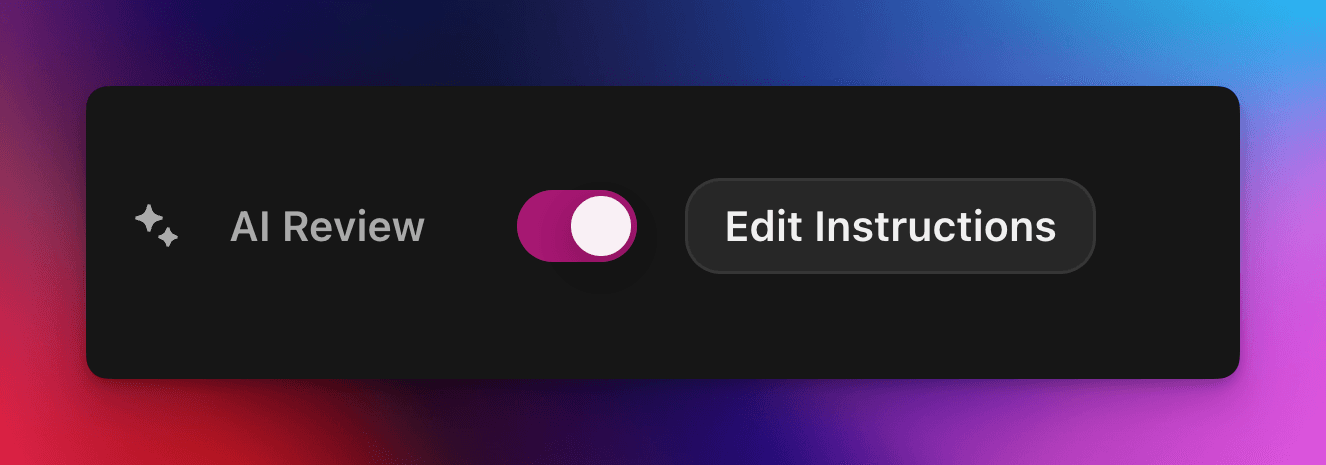
Acceptă sau respinge automat revendicările questurilor cu un prompt personalizat alimentat de AI.
De cedric
Pe această pagină
Verificarea AI încredințează decizia de admitere sau respingere a unei revendicări de quest Zealy unui model AI. Activează proprietatea în panoul Properties al editorului de questuri, apoi scrie un prompt care descrie o trimitere reușită: revendicările care îndeplinesc toate criteriile sunt marcate ca reușite, iar restul sunt respinse cu un motiv. Orice decizie poate fi totuși suprascrisă din pagina Reviews.
Prezentare generală
Proprietatea Verificare AI îți permite să delegi decizia de admitere/respingere a unei revendicări de quest unui AI.
În loc să verifici manual capturi de ecran, tweeturi sau răspunsuri text una câte una, descrii pur și simplu ce trebuie să conțină o trimitere reușită.
Dacă modelul găsește dovezi clare că toate criteriile sunt îndeplinite, revendicarea este marcată succes. În caz contrar, este respinsă cu motivul.
AI Review funcționează cel mai bine pentru questurile în care dovezile pot fi evaluate din:
Capturi de ecran sau imagini
Tweet-uri (doar postări individuale, preluăm automat conținutul tweet-ului trimis, dar nu putem extinde firele complete)
Răspunsuri text
Noțiuni de bază
Activarea verificării AI
Deschide editorul de questuri
În partea dreaptă Proprietăți panou, comutare Evaluare AI activat
Click „Adaugă prompt” (sau „Editează prompt”) și scrie instrucțiunile tale
Asta e tot! Revendicările noi vor fi direcționate prin AI. Poți încă suprascrie manual orice decizie din secțiunea obișnuită Recenzii pagină.
Scrierea promptului tău
Promptul tău ar trebui să fie explicit, punctele de tip bullet funcționează excelent:
– The screenshot must show the X interface– The name of account must be Zealy– Reject if anything is blurred or unreadable
Modelul primește doar trimiterile utilizatorului (text, imagini, conținutul tweet-ului, …).
Pentru tweet-uri în mod specific, putem încărca conținutul tweet-ului unic furnizat în trimitere. Firele sau răspunsurile suplimentare nu pot fi preluate sau analizate de AI.
Acesta nu nu are acces la site-uri web externe sau la propriul tău context, așa că include fiecare regulă de care are nevoie pentru a decide.
Opțiuni avansate
Adaugă oricare dintre următoarele directive la începutul promptului (fiecare pe linia sa). Ele modifică modul în care serviciul tratează trimiterea înainte de a rula instrucțiunile principale.
Directivă
Scop
prerequisite: <text>
Rulează o extra verificare prealabilă. Verificarea principală are loc doar dacă aceasta trece. Utilă pentru a respinge rapid cererile evident greșite.
image-needed
Respinge automat cererea dacă conține fără imagini, util pentru tweet cu imagine.
use-black-white-image
Convertește capturile de ecran în alb-negru înainte de analiză – util când culorile variază între modul întunecat/luminos.
use-zoom-in: <target>
Decupează o vizualizare mărită în jurul elementului specificat obiect / pictogramă / cuvânt și îl adaugă ca imagine suplimentară pentru model. Ideal pentru bife sau pictograme de stare mici.
Exemplu cu directive
use-zoom-in: green check mark icon• Approve if the zoomed area clearly contains a green ✓ icon next to the text "Completed".• Reject otherwise.
Exemple funcționale
Mai jos sunt câteva prompturi reale pe care comunitățile le folosesc astăzi. Poți să le copiezi și să le adaptezi.
1. Alătură-te unui canal Telegram specific și reacționează la un mesaj
Funcționează cu sarcina de încărcare a fișierului
image-neededuse-zoom-in:the reaction bar immediately below the relevant message. This bar displays emoji reactions and their respective countsYou will receive one screenshot. Decide whether the user has satisfied both conditions below. Base your decision only on what is clearly visible in the image. If either condition is missing, ambiguous, or uncertain, the attempt fails.Condition 1 – Joined Zealy’s official announcement channel:- The screenshot must clearly be taken from within the Telegram client (mobile or desktop).- The chat's title bar must explicitly display “Zealy” (exactly this name, no additional words), along with a visible subscriber count.- All visible messages must list “Zealy” as the author and clearly display Zealy’s official avatar (white “Z” on a dark-purple circle).- At least one visible message must explicitly mention “Zealy Sprint” or prizes/rewards.Condition 2 – User has added their own emoji reaction:- Locate the reaction bar immediately below the relevant message. This bar displays emoji reactions and their respective counts.- To confirm the user has personally reacted, at least one emoji reaction (the emoji icon itself and its associated count) must be visually highlighted or differentiated from other potential reactions on the same bar.- This visual differentiation **most commonly appears as the specific emoji and its count being enclosed within a distinct, often darker, pill-shaped background or container.** Other forms of differentiation could include a different background color or intensity for that specific emoji reaction compared to other unselected emojis or the general background of the reaction bar.- The highlighted emoji indicates the user's own reaction.- If all emoji reactions on the bar appear visually uniform (e.g., just the emoji and its count without any special background highlighting or container for any particular one), or if there are no reactions at all, condition 2 fails.If either condition is ambiguous or not definitively met by visual evidence, the entire attempt must fail.
2. Analiza imaginii
Funcționează cu sarcina de încărcare a fișierului
image-neededVerify whether the user has successfully completed the daily challenge based solely on the provided screenshot.To confirm success, ensure the following criteria are clearly visible in the screenshot: • The daily challenge window explicitly indicates the task is “Complete” or shows a checkmark indicating completion. • There is a visible countdown timer until the lottery draw. • A “Congratulations!” message confirming successful completion.If the screenshot instead displays phrases such as “Complete Challenge” or progress indicators like “0/3”, “1/3”, or “2/3”, this indicates incomplete status, and the verification should fail.
3. Verificarea calității conținutului tweet-ului
Funcționează cu sarcina tweet și sarcina de răspuns la tweet
(folosește metadatele tweet-ului pe care le preluăm automat)
Verify whether the user has successfully created a post on X (Twitter) that clearly highlights their personal experience using Zealy, including insightful feedback on the campaigns they've participated in, suggestions for improvements.
4. Like la videoclipul YouTube
Funcționează cu sarcina de încărcare a fișierului
image-neededuse-zoom-in: the rating bar that contains the thumbs-up “Like” and thumbs-down “Dislike” buttons directly beneath the video• Approve the claim **only if at least one screenshot clearly shows, in the same frame**: 1. The standard YouTube interface (mobile app or desktop web). 2. The video title appears exactly as: “Me at the zoo” – The full title must be visible, readable, and match character-for-character. 3. In the zoomed rating bar: – The thumbs-up **Like** button is in its **liked/active** state (solid icon or visibly highlighted, often tinted blue, and/or labelled “Liked”). – The thumbs-down **Dislike** button is in its **inactive** state (outline icon, no highlight). – If the Like looks inactive, both icons look active, or the view is too blurry to distinguish, the attempt fails.• **Reject** the claim if any of the following is true:** – The video title is missing, truncated, blurred, or differs in wording. – The zoomed rating bar is absent or too low-resolution to verify icon states. – The Like button is inactive or ambiguous, or the Dislike button appears active. If any criterion is uncertain, reject and briefly state the reason (e.g., “Like button not highlighted” or “title cut off”).
5. Urmărește pe Instagram
Funcționează cu sarcina de încărcare a fișierului
image-neededuse-zoom-in: the top of the Instagram page with the Follow / Following button• **Approve** the claim **only if at least one screenshot clearly shows, in the same frame**: 1. The standard Instagram profile interface (mobile app or desktop web). – Navigation icons / left sidebar for desktop, bottom bar for mobile, and the circular avatar are all good indicators that the view is on Instagram. 2. The account handle (username) appears **exactly** as **zealy** — either in the header bar, next to the avatar, or in the browser URL. 3. In the zoom-in area: – The pill-shaped button reads **“Following”** (case-insensitive) and may include a small ▼ arrow. – “Follow”, “Requested”, “Follow Back”, or any other wording **does _not_ count**. – The text inside the button must be sharp enough to read without guessing.• **Reject** the claim if **any** of the following is true: – The handle is missing, blurred, truncated, or differs from **zealy** (even by one character). – The button reads “Follow”, “Requested”, “Follow Back”, shows only an icon, or is too fuzzy to determine the word. – The screenshot is from any other site or app (CoinMarketCap, X/Twitter, YouTube, Discord, etc.). – Image quality is so low that either the handle or the button text cannot be read with certainty.If any criterion is uncertain or ambiguous, reject and briefly state the reason (e.g., “button says ’Follow’” or “handle illegible”).
6. Alătură-te pe Telegram și reacționează
Funcționează cu sarcina de încărcare a fișierului
image-neededprerequisite: The screenshot must clearly be taken from within the Telegram client (mobile or desktop).use-black-white-image use-zoom-in:the reaction bar immediately below the relevant message. This bar displays emoji reactions and their respective countsYou will receive one screenshot. Decide whether the user has satisfied both conditions below. Base your decision only on what is clearly visible in the image. If either condition is missing, ambiguous, or uncertain, the attempt fails.Condition 1 – Joined Zealy’s official announcement channel:- The screenshot must clearly be taken from within the Telegram client (mobile or desktop).- The chat's title bar must explicitly display “Zealy” (exactly this name, no additional words), along with a visible subscriber count.- All visible messages must list “Zealy” as the author and clearly display Zealy’s official avatar (white “Z” on a dark-purple circle).- At least one visible message must explicitly mention “Zealy Sprint” or prizes/rewards.Condition 2 – User has added their own emoji reaction:- Locate the reaction bar. This bar displays emoji reactions and their respective counts, in the zoomed image, the smallest one, it should be image 2.- To confirm the user has personally reacted, at least one emoji reaction (the emoji icon itself and its associated count) must be visually highlighted or differentiated from other potential reactions on the same bar.- This visual differentiation **most commonly appears as the specific emoji and its count being enclosed within a distinct, often darker, pill-shaped background or container.** Other forms of differentiation could include a different background color or intensity for that specific emoji reaction compared to other unselected emojis or the general background of the reaction bar.- The highlighted emoji indicates the user's own reaction.- If all emoji reactions on the bar appear visually uniform (e.g., just the emoji and its count without any special background highlighting or container for any particular one), or if there are no reactions at all, condition 2 fails.If either condition is ambiguous or not definitively met by visual evidence, the entire attempt must fail.
7. Urmărește canalul de Youtube
Funcționează cu sarcina de încărcare a fișierului
image-neededuse-zoom-in: the pill-shaped subscription button that shows the user’s current state (e.g., “Subscribed”)You will receive one or more screenshots. Decide **pass / fail** based **only** on what is clearly visible in the images.PASS **only if at least one screenshot simultaneously shows all of the following:**• **YouTube interface** (mobile app or desktop web) — recognizable by the standard navigation bar, menus, or player controls. • It can be either the **channel header section** for the account or a youtube video page.• Channel **name** must appears exactly as **zealy** (all caps, no extra words). • If present, the Channel **handle** must be **@zealy_io** (case-insensitive, no extra characters). • In the zoom-in area, the pill-shaped **subscription button** reads **“Subscribed”** (or its localized equivalent that clearly indicates an active subscription, e.g., “Suscrito”, “Abonné”, etc.). – The button may include a ✅ checkmark or ▼ arrow; that is acceptable. – The word must be sharp enough to read without guessing.FAIL if **any** of the following is true (or uncertain): – The screenshot is not from YouTube. – The channel name is missing, unreadable, or differs from **zealy**. – The handle differs from **@zealy_io**. – The subscription button reads **“Subscribe”**, **“Join”**, shows only an icon, or is too blurry/obscured to confirm it says “Subscribed”. – Any required element is cropped out, blurred, or otherwise ambiguous.If multiple images are provided, you may use the clearest one to decide. If no image satisfies every criterion with certainty, reject and briefly state the missing/unclear element.
Bune practici
Arată, nu spune, includeți cuvintele care trebuie să apară, pictogramele de căutat, numerele de potrivit.
Un prompt per quest, modelul verifică toate sarcinile claim-ului împreună.
Păstrați formularea consecventă, evitați sinonimele care ar putea confunda modelul.
Limitări
AI Review este puternic, dar nu perfect. Poate întâmpina dificultăți cu:
Imagini cu rezoluție extrem de mică sau neclare.
Text scris de mână sau fonturi exotice.
Verificarea conținutului care necesită derulare sau linkuri externe.