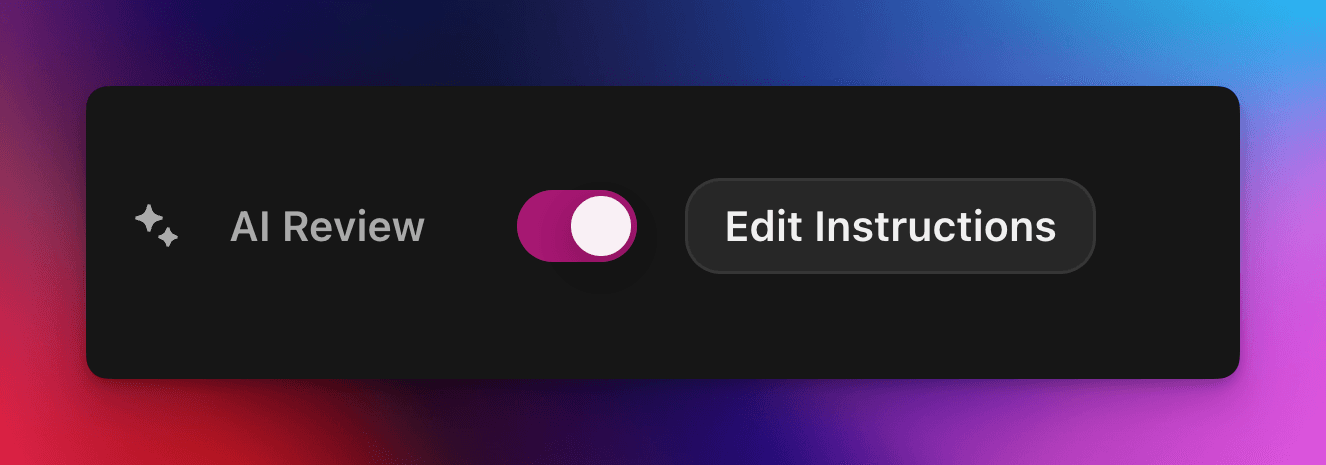
Aceite ou rejeite automaticamente as reivindicações de quests com um prompt personalizado com tecnologia de IA.
Por cedric
Nesta página
A Revisão por IA delega a decisão de aprovação ou reprovação de uma reivindicação de quest do Zealy a um modelo de IA. Ative a propriedade no painel Propriedades do editor de quests e escreva um prompt descrevendo uma submissão bem-sucedida: as reivindicações que atendem a todos os critérios são marcadas como sucesso, e as demais são rejeitadas com um motivo. Qualquer decisão ainda pode ser substituída na página Revisões.
Visão geral
A Revisão por IA é uma propriedade que permite delegar a decisão de "aprovar / reprovar" de uma reivindicação de quest a uma IA.
Em vez de verificar manualmente capturas de tela, tweets ou respostas de texto uma por uma, basta descrever o que uma submissão bem-sucedida deve conter.
Se o modelo encontrar evidências claras de que todos os critérios foram atendidos, a reivindicação é marcada como sucesso. Caso contrário, é rejeitada com o motivo.
A Revisão por IA funciona melhor para quests em que as evidências podem ser avaliadas a partir de:
Capturas de tela ou imagens
Tweets (somente posts individuais; buscamos automaticamente o conteúdo do tweet enviado, mas não conseguimos expandir threads completas)
Respostas de texto
Noções básicas
Ativar a Revisão por IA
Abra o editor de quests
No painel à direita, Propriedades painel, alternar Revisão por IA ativado
Clique em "Adicionar prompt" (ou "Editar prompt") e escreva suas instruções
É isso! Novas claims agora serão encaminhadas pela IA. Você ainda pode substituir manualmente qualquer decisão na página usual de Revisões .
Escrevendo seu prompt
Seu prompt deve ser explícito; tópicos funcionam muito bem:
– The screenshot must show the X interface– The name of account must be Zealy– Reject if anything is blurred or unreadable
O modelo recebe apenas as submissões do usuário (texto, imagens, conteúdo de tweet, …).
Especificamente para tweets, podemos carregar o conteúdo do único tweet fornecido na submissão. Threads ou respostas adicionais não podem ser buscadas ou revisadas pela IA.
Ele não tem acesso a sites externos ou ao seu próprio contexto, então inclua todas as regras necessárias para a decisão.
Opções avançadas
Adicione qualquer uma das seguintes diretivas no topo do prompt (cada uma em sua própria linha). Elas modificam como o serviço trata a submissão antes de executar as instruções principais.
Diretiva
Finalidade
prerequisite: <text>
Executa uma verificação prévia extra. A revisão principal só acontece se esta passar. Útil para rejeitar rapidamente claims obviamente errados.
image-needed
Falha automaticamente o claim se ele não contiver imagens, útil para tweet com imagem.
use-black-white-image
Converte capturas de tela para preto e branco antes da análise – útil quando as cores variam entre modo escuro/claro.
use-zoom-in: <target>
Recorta uma visão ampliada ao redor do objeto / ícone / palavra especificado e a adiciona como imagem extra para o modelo. Ótimo para check-marks ou ícones de status minúsculos.
Exemplo com diretivas
use-zoom-in: green check mark icon• Approve if the zoomed area clearly contains a green ✓ icon next to the text "Completed".• Reject otherwise.
Exemplos funcionais
Abaixo estão alguns prompts reais que as comunidades usam hoje. Fique à vontade para copiá-los e adaptá-los.
1. Entrar em um canal específico do Telegram e reagir a uma mensagem
Funciona com tarefa de upload de arquivo
image-neededuse-zoom-in:the reaction bar immediately below the relevant message. This bar displays emoji reactions and their respective countsYou will receive one screenshot. Decide whether the user has satisfied both conditions below. Base your decision only on what is clearly visible in the image. If either condition is missing, ambiguous, or uncertain, the attempt fails.Condition 1 – Joined Zealy’s official announcement channel:- The screenshot must clearly be taken from within the Telegram client (mobile or desktop).- The chat's title bar must explicitly display “Zealy” (exactly this name, no additional words), along with a visible subscriber count.- All visible messages must list “Zealy” as the author and clearly display Zealy’s official avatar (white “Z” on a dark-purple circle).- At least one visible message must explicitly mention “Zealy Sprint” or prizes/rewards.Condition 2 – User has added their own emoji reaction:- Locate the reaction bar immediately below the relevant message. This bar displays emoji reactions and their respective counts.- To confirm the user has personally reacted, at least one emoji reaction (the emoji icon itself and its associated count) must be visually highlighted or differentiated from other potential reactions on the same bar.- This visual differentiation **most commonly appears as the specific emoji and its count being enclosed within a distinct, often darker, pill-shaped background or container.** Other forms of differentiation could include a different background color or intensity for that specific emoji reaction compared to other unselected emojis or the general background of the reaction bar.- The highlighted emoji indicates the user's own reaction.- If all emoji reactions on the bar appear visually uniform (e.g., just the emoji and its count without any special background highlighting or container for any particular one), or if there are no reactions at all, condition 2 fails.If either condition is ambiguous or not definitively met by visual evidence, the entire attempt must fail.
2. Análise de imagem
Funciona com tarefa de upload de arquivo
image-neededVerify whether the user has successfully completed the daily challenge based solely on the provided screenshot.To confirm success, ensure the following criteria are clearly visible in the screenshot: • The daily challenge window explicitly indicates the task is “Complete” or shows a checkmark indicating completion. • There is a visible countdown timer until the lottery draw. • A “Congratulations!” message confirming successful completion.If the screenshot instead displays phrases such as “Complete Challenge” or progress indicators like “0/3”, “1/3”, or “2/3”, this indicates incomplete status, and the verification should fail.
3. Verificação de qualidade do conteúdo do tweet
Funciona com tarefa de tweet e tarefa de resposta a tweet
(usa os metadados do tweet que buscamos automaticamente)
Verify whether the user has successfully created a post on X (Twitter) that clearly highlights their personal experience using Zealy, including insightful feedback on the campaigns they've participated in, suggestions for improvements.
4. Curtir vídeo do YouTube
Funciona com tarefa de upload de arquivo
image-neededuse-zoom-in: the rating bar that contains the thumbs-up “Like” and thumbs-down “Dislike” buttons directly beneath the video• Approve the claim **only if at least one screenshot clearly shows, in the same frame**: 1. The standard YouTube interface (mobile app or desktop web). 2. The video title appears exactly as: “Me at the zoo” – The full title must be visible, readable, and match character-for-character. 3. In the zoomed rating bar: – The thumbs-up **Like** button is in its **liked/active** state (solid icon or visibly highlighted, often tinted blue, and/or labelled “Liked”). – The thumbs-down **Dislike** button is in its **inactive** state (outline icon, no highlight). – If the Like looks inactive, both icons look active, or the view is too blurry to distinguish, the attempt fails.• **Reject** the claim if any of the following is true:** – The video title is missing, truncated, blurred, or differs in wording. – The zoomed rating bar is absent or too low-resolution to verify icon states. – The Like button is inactive or ambiguous, or the Dislike button appears active. If any criterion is uncertain, reject and briefly state the reason (e.g., “Like button not highlighted” or “title cut off”).
5. Seguir no Instagram
Funciona com tarefa de upload de arquivo
image-neededuse-zoom-in: the top of the Instagram page with the Follow / Following button• **Approve** the claim **only if at least one screenshot clearly shows, in the same frame**: 1. The standard Instagram profile interface (mobile app or desktop web). – Navigation icons / left sidebar for desktop, bottom bar for mobile, and the circular avatar are all good indicators that the view is on Instagram. 2. The account handle (username) appears **exactly** as **zealy** — either in the header bar, next to the avatar, or in the browser URL. 3. In the zoom-in area: – The pill-shaped button reads **“Following”** (case-insensitive) and may include a small ▼ arrow. – “Follow”, “Requested”, “Follow Back”, or any other wording **does _not_ count**. – The text inside the button must be sharp enough to read without guessing.• **Reject** the claim if **any** of the following is true: – The handle is missing, blurred, truncated, or differs from **zealy** (even by one character). – The button reads “Follow”, “Requested”, “Follow Back”, shows only an icon, or is too fuzzy to determine the word. – The screenshot is from any other site or app (CoinMarketCap, X/Twitter, YouTube, Discord, etc.). – Image quality is so low that either the handle or the button text cannot be read with certainty.If any criterion is uncertain or ambiguous, reject and briefly state the reason (e.g., “button says ’Follow’” or “handle illegible”).
6. Entrar no Telegram e reagir
Funciona com tarefa de upload de arquivo
image-neededprerequisite: The screenshot must clearly be taken from within the Telegram client (mobile or desktop).use-black-white-image use-zoom-in:the reaction bar immediately below the relevant message. This bar displays emoji reactions and their respective countsYou will receive one screenshot. Decide whether the user has satisfied both conditions below. Base your decision only on what is clearly visible in the image. If either condition is missing, ambiguous, or uncertain, the attempt fails.Condition 1 – Joined Zealy’s official announcement channel:- The screenshot must clearly be taken from within the Telegram client (mobile or desktop).- The chat's title bar must explicitly display “Zealy” (exactly this name, no additional words), along with a visible subscriber count.- All visible messages must list “Zealy” as the author and clearly display Zealy’s official avatar (white “Z” on a dark-purple circle).- At least one visible message must explicitly mention “Zealy Sprint” or prizes/rewards.Condition 2 – User has added their own emoji reaction:- Locate the reaction bar. This bar displays emoji reactions and their respective counts, in the zoomed image, the smallest one, it should be image 2.- To confirm the user has personally reacted, at least one emoji reaction (the emoji icon itself and its associated count) must be visually highlighted or differentiated from other potential reactions on the same bar.- This visual differentiation **most commonly appears as the specific emoji and its count being enclosed within a distinct, often darker, pill-shaped background or container.** Other forms of differentiation could include a different background color or intensity for that specific emoji reaction compared to other unselected emojis or the general background of the reaction bar.- The highlighted emoji indicates the user's own reaction.- If all emoji reactions on the bar appear visually uniform (e.g., just the emoji and its count without any special background highlighting or container for any particular one), or if there are no reactions at all, condition 2 fails.If either condition is ambiguous or not definitively met by visual evidence, the entire attempt must fail.
7. Seguir canal do YouTube
Funciona com tarefa de upload de arquivo
image-neededuse-zoom-in: the pill-shaped subscription button that shows the user’s current state (e.g., “Subscribed”)You will receive one or more screenshots. Decide **pass / fail** based **only** on what is clearly visible in the images.PASS **only if at least one screenshot simultaneously shows all of the following:**• **YouTube interface** (mobile app or desktop web) — recognizable by the standard navigation bar, menus, or player controls. • It can be either the **channel header section** for the account or a youtube video page.• Channel **name** must appears exactly as **zealy** (all caps, no extra words). • If present, the Channel **handle** must be **@zealy_io** (case-insensitive, no extra characters). • In the zoom-in area, the pill-shaped **subscription button** reads **“Subscribed”** (or its localized equivalent that clearly indicates an active subscription, e.g., “Suscrito”, “Abonné”, etc.). – The button may include a ✅ checkmark or ▼ arrow; that is acceptable. – The word must be sharp enough to read without guessing.FAIL if **any** of the following is true (or uncertain): – The screenshot is not from YouTube. – The channel name is missing, unreadable, or differs from **zealy**. – The handle differs from **@zealy_io**. – The subscription button reads **“Subscribe”**, **“Join”**, shows only an icon, or is too blurry/obscured to confirm it says “Subscribed”. – Any required element is cropped out, blurred, or otherwise ambiguous.If multiple images are provided, you may use the clearest one to decide. If no image satisfies every criterion with certainty, reject and briefly state the missing/unclear element.
Boas práticas
Mostre, não apenas diga, inclua palavras que devem aparecer, ícones a procurar, números a corresponder.
Um prompt por quest, o modelo verifica todas as tarefas do claim juntas.
Mantenha a redação consistente, evite sinônimos que possam confundir o modelo.
Limitações
A Revisão por IA é poderosa, mas não perfeita. Ela pode ter dificuldades com:
Imagens de resolução extremamente baixa ou desfocadas.
Texto manuscrito ou fontes exóticas.
Verificar conteúdo que exige rolagem ou links externos.