Keur questclaims automatisch goed of af met een aangepaste prompt, aangedreven door AI.
Door cedric
Op deze pagina
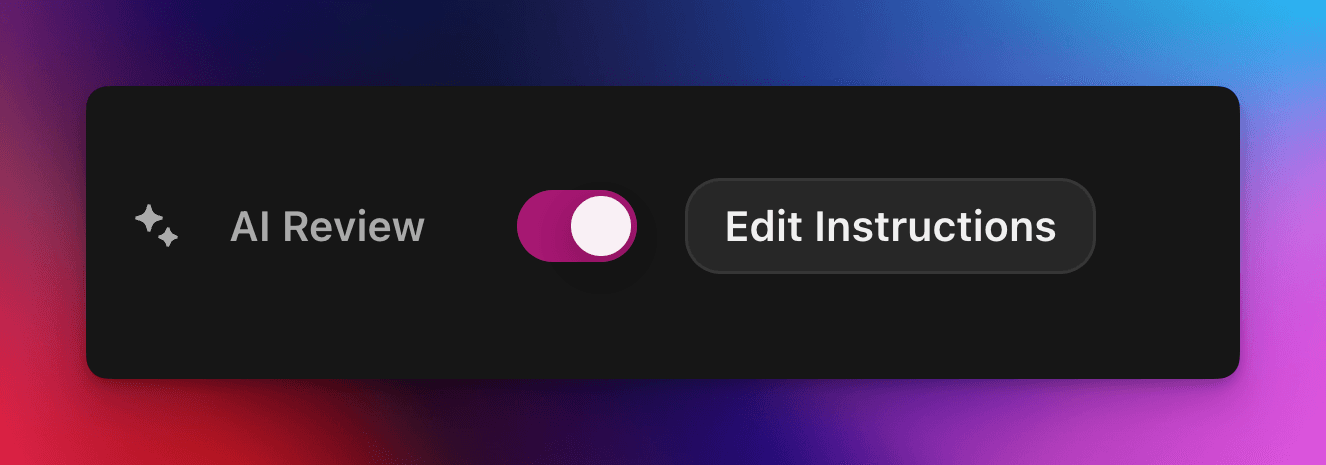
AI Review laat een AI-model beslissen of een Zealy-questclaim slaagt of faalt. Schakel de eigenschap in via het paneel Eigenschappen van de quest-editor en schrijf vervolgens een prompt die een geslaagde inzending beschrijft: claims die aan elk criterium voldoen, worden als geslaagd gemarkeerd; de rest wordt met een reden afgekeurd. Elke beslissing kan nog steeds worden overschreven via de pagina Reviews.
Overzicht
De AI Review -eigenschap laat je de beslissing "geslaagd / gefaald" over een questclaim delegeren aan een AI.
In plaats van screenshots, tweets of tekstantwoorden één voor één handmatig te controleren, beschrijf je eenvoudig wat een geslaagde inzending moet bevatten.
Als het model duidelijk bewijs vindt dat aan alle criteria is voldaan, wordt de claim gemarkeerd als geslaagd. Anders wordt deze afgewezen met de reden.
AI Review werkt het beste voor quests waarbij het bewijs kan worden beoordeeld op basis van:
Screenshots of afbeeldingen
Tweets (alleen losse posts; we halen automatisch de inhoud van de ingediende tweet op, maar kunnen volledige threads niet uitklappen)
Tekstantwoorden
Basis
AI-beoordeling inschakelen
Open de quest-editor
In het rechterpaneel Eigenschappen paneel, schakelen AI-beoordeling aan
Klik "Prompt toevoegen" (of "Prompt bewerken") en schrijf je instructies
Dat is alles! Nieuwe claims worden nu via de AI gerouteerd. Je kunt elke beslissing nog steeds handmatig overschrijven via de gebruikelijke Beoordelingen pagina.
Je prompt schrijven
Je prompt moet expliciet zijn, opsommingstekens werken goed:
– The screenshot must show the X interface– The name of account must be Zealy– Reject if anything is blurred or unreadable
Het model ontvangt alleen de inzendingen van de gebruiker (tekst, afbeeldingen, tweetinhoud, …).
Voor tweets specifiek kunnen we de inhoud laden van de enkele tweet die in de inzending is opgenomen. Threads of aanvullende reacties kunnen niet door de AI worden opgehaald of beoordeeld.
Het heeft geen toegang tot externe websites of je eigen context, dus voeg elke regel toe die het nodig heeft om te beslissen.
Geavanceerde opties
Voeg een van de volgende richtlijnen toe helemaal bovenaan de prompt (elk op een eigen regel). Ze wijzigen hoe de service de inzending behandelt voordat de hoofdinstructions worden uitgevoerd.
Richtlijn
Doel
prerequisite: <text>
Voert een extra pre-check uit. De hoofdbeoordeling vindt alleen plaats als dit slaagt. Handig om foutieve claims snel af te wijzen.
image-needed
Laat de claim automatisch mislukken als deze bevat geen afbeeldingen, handig voor een tweet met afbeelding.
use-black-white-image
Zet screenshots om naar zwart-wit vóór de analyse – handig wanneer kleuren verschillen tussen donkere en lichte modus.
use-zoom-in: <target>
Snijdt een ingezoomde weergave uit rond het opgegeven object / pictogram / woord en voegt die toe als extra afbeelding voor het model. Ideaal voor kleine vinkjes of statuspictogrammen.
Voorbeeld met richtlijnen
use-zoom-in: green check mark icon• Approve if the zoomed area clearly contains a green ✓ icon next to the text "Completed".• Reject otherwise.
Werkende voorbeelden
Hieronder staan een paar echte prompts die communities vandaag gebruiken. Kopieer en pas ze gerust aan.
1. Word lid van een specifiek Telegram-kanaal en reageer op één bericht
Werkt met bestandsupload-taak
image-neededuse-zoom-in:the reaction bar immediately below the relevant message. This bar displays emoji reactions and their respective countsYou will receive one screenshot. Decide whether the user has satisfied both conditions below. Base your decision only on what is clearly visible in the image. If either condition is missing, ambiguous, or uncertain, the attempt fails.Condition 1 – Joined Zealy’s official announcement channel:- The screenshot must clearly be taken from within the Telegram client (mobile or desktop).- The chat's title bar must explicitly display “Zealy” (exactly this name, no additional words), along with a visible subscriber count.- All visible messages must list “Zealy” as the author and clearly display Zealy’s official avatar (white “Z” on a dark-purple circle).- At least one visible message must explicitly mention “Zealy Sprint” or prizes/rewards.Condition 2 – User has added their own emoji reaction:- Locate the reaction bar immediately below the relevant message. This bar displays emoji reactions and their respective counts.- To confirm the user has personally reacted, at least one emoji reaction (the emoji icon itself and its associated count) must be visually highlighted or differentiated from other potential reactions on the same bar.- This visual differentiation **most commonly appears as the specific emoji and its count being enclosed within a distinct, often darker, pill-shaped background or container.** Other forms of differentiation could include a different background color or intensity for that specific emoji reaction compared to other unselected emojis or the general background of the reaction bar.- The highlighted emoji indicates the user's own reaction.- If all emoji reactions on the bar appear visually uniform (e.g., just the emoji and its count without any special background highlighting or container for any particular one), or if there are no reactions at all, condition 2 fails.If either condition is ambiguous or not definitively met by visual evidence, the entire attempt must fail.
2. Afbeeldingsanalyse
Werkt met bestandsupload-taak
image-neededVerify whether the user has successfully completed the daily challenge based solely on the provided screenshot.To confirm success, ensure the following criteria are clearly visible in the screenshot: • The daily challenge window explicitly indicates the task is “Complete” or shows a checkmark indicating completion. • There is a visible countdown timer until the lottery draw. • A “Congratulations!” message confirming successful completion.If the screenshot instead displays phrases such as “Complete Challenge” or progress indicators like “0/3”, “1/3”, or “2/3”, this indicates incomplete status, and the verification should fail.
3. Verificatie van tweet-inhoudskwaliteit
Werkt met tweet-taak en tweet-antwoordtaak
(gebruikt de tweet-metadata die we automatisch ophalen)
Verify whether the user has successfully created a post on X (Twitter) that clearly highlights their personal experience using Zealy, including insightful feedback on the campaigns they've participated in, suggestions for improvements.
4. Youtube-video liken
Werkt met taak voor bestandsupload
image-neededuse-zoom-in: the rating bar that contains the thumbs-up “Like” and thumbs-down “Dislike” buttons directly beneath the video• Approve the claim **only if at least one screenshot clearly shows, in the same frame**: 1. The standard YouTube interface (mobile app or desktop web). 2. The video title appears exactly as: “Me at the zoo” – The full title must be visible, readable, and match character-for-character. 3. In the zoomed rating bar: – The thumbs-up **Like** button is in its **liked/active** state (solid icon or visibly highlighted, often tinted blue, and/or labelled “Liked”). – The thumbs-down **Dislike** button is in its **inactive** state (outline icon, no highlight). – If the Like looks inactive, both icons look active, or the view is too blurry to distinguish, the attempt fails.• **Reject** the claim if any of the following is true:** – The video title is missing, truncated, blurred, or differs in wording. – The zoomed rating bar is absent or too low-resolution to verify icon states. – The Like button is inactive or ambiguous, or the Dislike button appears active. If any criterion is uncertain, reject and briefly state the reason (e.g., “Like button not highlighted” or “title cut off”).
5. Instagram volgen
Werkt met taak voor bestandsupload
image-neededuse-zoom-in: the top of the Instagram page with the Follow / Following button• **Approve** the claim **only if at least one screenshot clearly shows, in the same frame**: 1. The standard Instagram profile interface (mobile app or desktop web). – Navigation icons / left sidebar for desktop, bottom bar for mobile, and the circular avatar are all good indicators that the view is on Instagram. 2. The account handle (username) appears **exactly** as **zealy** — either in the header bar, next to the avatar, or in the browser URL. 3. In the zoom-in area: – The pill-shaped button reads **“Following”** (case-insensitive) and may include a small ▼ arrow. – “Follow”, “Requested”, “Follow Back”, or any other wording **does _not_ count**. – The text inside the button must be sharp enough to read without guessing.• **Reject** the claim if **any** of the following is true: – The handle is missing, blurred, truncated, or differs from **zealy** (even by one character). – The button reads “Follow”, “Requested”, “Follow Back”, shows only an icon, or is too fuzzy to determine the word. – The screenshot is from any other site or app (CoinMarketCap, X/Twitter, YouTube, Discord, etc.). – Image quality is so low that either the handle or the button text cannot be read with certainty.If any criterion is uncertain or ambiguous, reject and briefly state the reason (e.g., “button says ’Follow’” or “handle illegible”).
6. Telegram joinen en reageren
Werkt met taak voor bestandsupload
image-neededprerequisite: The screenshot must clearly be taken from within the Telegram client (mobile or desktop).use-black-white-image use-zoom-in:the reaction bar immediately below the relevant message. This bar displays emoji reactions and their respective countsYou will receive one screenshot. Decide whether the user has satisfied both conditions below. Base your decision only on what is clearly visible in the image. If either condition is missing, ambiguous, or uncertain, the attempt fails.Condition 1 – Joined Zealy’s official announcement channel:- The screenshot must clearly be taken from within the Telegram client (mobile or desktop).- The chat's title bar must explicitly display “Zealy” (exactly this name, no additional words), along with a visible subscriber count.- All visible messages must list “Zealy” as the author and clearly display Zealy’s official avatar (white “Z” on a dark-purple circle).- At least one visible message must explicitly mention “Zealy Sprint” or prizes/rewards.Condition 2 – User has added their own emoji reaction:- Locate the reaction bar. This bar displays emoji reactions and their respective counts, in the zoomed image, the smallest one, it should be image 2.- To confirm the user has personally reacted, at least one emoji reaction (the emoji icon itself and its associated count) must be visually highlighted or differentiated from other potential reactions on the same bar.- This visual differentiation **most commonly appears as the specific emoji and its count being enclosed within a distinct, often darker, pill-shaped background or container.** Other forms of differentiation could include a different background color or intensity for that specific emoji reaction compared to other unselected emojis or the general background of the reaction bar.- The highlighted emoji indicates the user's own reaction.- If all emoji reactions on the bar appear visually uniform (e.g., just the emoji and its count without any special background highlighting or container for any particular one), or if there are no reactions at all, condition 2 fails.If either condition is ambiguous or not definitively met by visual evidence, the entire attempt must fail.
7. Youtube-kanaal volgen
Werkt met taak voor bestandsupload
image-neededuse-zoom-in: the pill-shaped subscription button that shows the user’s current state (e.g., “Subscribed”)You will receive one or more screenshots. Decide **pass / fail** based **only** on what is clearly visible in the images.PASS **only if at least one screenshot simultaneously shows all of the following:**• **YouTube interface** (mobile app or desktop web) — recognizable by the standard navigation bar, menus, or player controls. • It can be either the **channel header section** for the account or a youtube video page.• Channel **name** must appears exactly as **zealy** (all caps, no extra words). • If present, the Channel **handle** must be **@zealy_io** (case-insensitive, no extra characters). • In the zoom-in area, the pill-shaped **subscription button** reads **“Subscribed”** (or its localized equivalent that clearly indicates an active subscription, e.g., “Suscrito”, “Abonné”, etc.). – The button may include a ✅ checkmark or ▼ arrow; that is acceptable. – The word must be sharp enough to read without guessing.FAIL if **any** of the following is true (or uncertain): – The screenshot is not from YouTube. – The channel name is missing, unreadable, or differs from **zealy**. – The handle differs from **@zealy_io**. – The subscription button reads **“Subscribe”**, **“Join”**, shows only an icon, or is too blurry/obscured to confirm it says “Subscribed”. – Any required element is cropped out, blurred, or otherwise ambiguous.If multiple images are provided, you may use the clearest one to decide. If no image satisfies every criterion with certainty, reject and briefly state the missing/unclear element.
Best practices
Toon, vertel niet, voeg woorden toe die moeten verschijnen, pictogrammen om naar te zoeken, getallen die moeten overeenkomen.
Eén prompt per quest, het model controleert alle taken van de claim samen.
Houd de formulering consistent, vermijd synoniemen die het model kunnen verwarren.
Beperkingen
AI Review is krachtig, maar niet perfect. Het kan moeite hebben met:
Extreem lage resolutie of wazige afbeeldingen.
Handgeschreven tekst of exotische lettertypen.
Het verifiëren van content waarvoor gescrold moet worden of externe links nodig zijn.