Acceptez ou refusez automatiquement les claims de quêtes grâce à un prompt personnalisé propulsé par l'IA.
Par cedric
Sur cette page
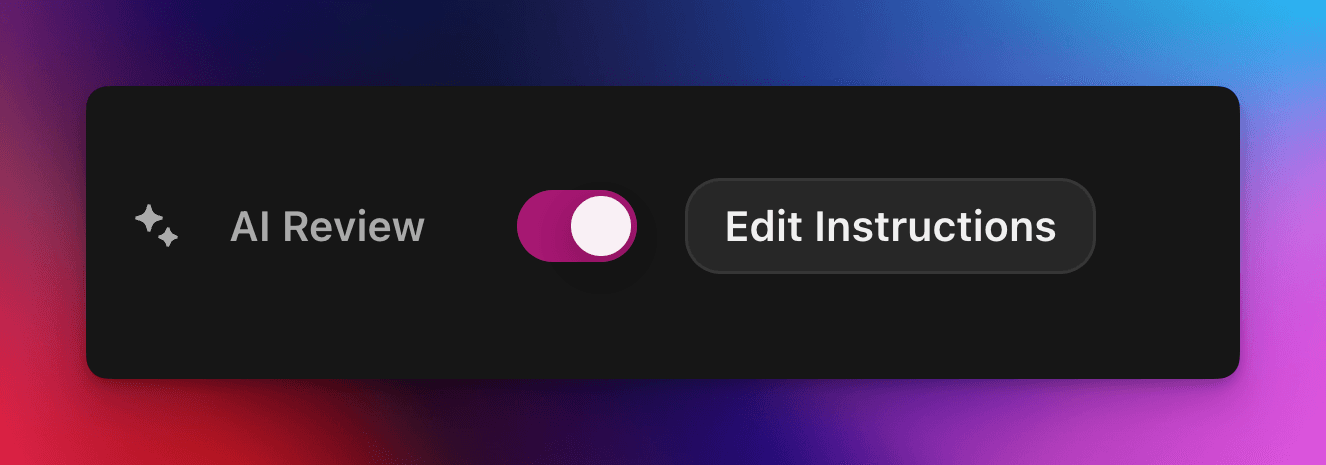
La Vérification IA confie la décision de réussite ou d'échec d'un claim de quête Zealy à un modèle d'IA. Activez la propriété dans le panneau Propriétés de l'éditeur de quête, puis rédigez un prompt décrivant une soumission réussie : les claims remplissant tous les critères sont marqués comme réussis, les autres sont refusés avec une raison. Toute décision peut toujours être modifiée depuis la page Vérifications.
Aperçu
La propriété Vérification IA vous permet de déléguer à une IA la décision « réussite / échec » d'un claim de quête.
Au lieu de vérifier manuellement les captures d'écran, tweets ou réponses textuelles un par un, vous décrivez simplement ce que doit contenir une soumission réussie.
Si le modèle trouve des preuves claires que tous les critères sont remplis, le claim est marqué comme réussi. Sinon, il est refusé avec la raison.
La Vérification IA fonctionne mieux pour les quêtes dont les preuves peuvent être évaluées à partir de :
Captures d'écran ou images
Tweets (posts uniques uniquement, nous récupérons automatiquement le contenu du tweet soumis, mais ne pouvons pas développer les fils complets)
Réponses textuelles
Bases
Activer la Vérification IA
Ouvrez l'éditeur de quête
Dans le panneau Propriétés à droite, activez Vérification IA Activé
Cliquez sur « Ajouter un prompt » (ou « Modifier le prompt ») et rédigez vos instructions
C'est tout ! Les nouveaux claims seront désormais traités par l'IA. Vous pouvez toujours modifier manuellement toute décision depuis la page Vérifications habituelle.
Rédiger votre prompt
Votre prompt doit être explicite, les listes à puces fonctionnent très bien :
– The screenshot must show the X interface– The name of account must be Zealy– Reject if anything is blurred or unreadable
Le modèle reçoit uniquement les soumissions de l'utilisateur (texte, images, contenu du tweet, …).
Pour les tweets spécifiquement, nous pouvons charger le contenu du tweet unique fourni dans la soumission. Les fils ou réponses supplémentaires ne peuvent pas être récupérés ni vérifiés par l'IA.
Il n'a pas accès à des sites externes ni à votre propre contexte, donc incluez chaque règle nécessaire à sa décision.
Options avancées
Ajoutez l'une des directives suivantes tout en haut du prompt (chacune sur sa propre ligne). Elles modifient la façon dont le service traite la soumission avant d'exécuter les instructions principales.
Directive
Objectif
prerequisite: <text>
Exécute une vérification préalable supplémentaire. La vérification principale n'a lieu que si celle-ci réussit. Utile pour refuser rapidement les claims manifestement erronés.
image-needed
Fait échouer automatiquement le claim s'il ne contient aucune image, utile pour un tweet avec image.
use-black-white-image
Convertit les captures d'écran en noir et blanc avant l'analyse – pratique lorsque les couleurs varient entre le mode sombre et clair.
use-zoom-in: <target>
Recadre une vue zoomée autour de l' objet / icône / mot spécifié et l'ajoute comme image supplémentaire pour le modèle. Idéal pour les petites coches ou icônes de statut.
Exemple avec directives
use-zoom-in: green check mark icon• Approve if the zoomed area clearly contains a green ✓ icon next to the text "Completed".• Reject otherwise.
Exemples fonctionnels
Voici quelques prompts réels utilisés aujourd'hui par des communautés. N'hésitez pas à les copier et les adapter.
1. Rejoindre un canal Telegram spécifique et réagir à un message
Fonctionne avec une tâche de téléversement de fichier
image-neededuse-zoom-in:the reaction bar immediately below the relevant message. This bar displays emoji reactions and their respective countsYou will receive one screenshot. Decide whether the user has satisfied both conditions below. Base your decision only on what is clearly visible in the image. If either condition is missing, ambiguous, or uncertain, the attempt fails.Condition 1 – Joined Zealy’s official announcement channel:- The screenshot must clearly be taken from within the Telegram client (mobile or desktop).- The chat's title bar must explicitly display “Zealy” (exactly this name, no additional words), along with a visible subscriber count.- All visible messages must list “Zealy” as the author and clearly display Zealy’s official avatar (white “Z” on a dark-purple circle).- At least one visible message must explicitly mention “Zealy Sprint” or prizes/rewards.Condition 2 – User has added their own emoji reaction:- Locate the reaction bar immediately below the relevant message. This bar displays emoji reactions and their respective counts.- To confirm the user has personally reacted, at least one emoji reaction (the emoji icon itself and its associated count) must be visually highlighted or differentiated from other potential reactions on the same bar.- This visual differentiation **most commonly appears as the specific emoji and its count being enclosed within a distinct, often darker, pill-shaped background or container.** Other forms of differentiation could include a different background color or intensity for that specific emoji reaction compared to other unselected emojis or the general background of the reaction bar.- The highlighted emoji indicates the user's own reaction.- If all emoji reactions on the bar appear visually uniform (e.g., just the emoji and its count without any special background highlighting or container for any particular one), or if there are no reactions at all, condition 2 fails.If either condition is ambiguous or not definitively met by visual evidence, the entire attempt must fail.
2. Analyse d'image
Fonctionne avec une tâche de téléversement de fichier
image-neededVerify whether the user has successfully completed the daily challenge based solely on the provided screenshot.To confirm success, ensure the following criteria are clearly visible in the screenshot: • The daily challenge window explicitly indicates the task is “Complete” or shows a checkmark indicating completion. • There is a visible countdown timer until the lottery draw. • A “Congratulations!” message confirming successful completion.If the screenshot instead displays phrases such as “Complete Challenge” or progress indicators like “0/3”, “1/3”, or “2/3”, this indicates incomplete status, and the verification should fail.
3. Vérification de la qualité du contenu d'un tweet
Fonctionne avec une tâche de tweet et une tâche de réponse à un tweet
(utilise les métadonnées du tweet que nous récupérons automatiquement)
Verify whether the user has successfully created a post on X (Twitter) that clearly highlights their personal experience using Zealy, including insightful feedback on the campaigns they've participated in, suggestions for improvements.
4. Like d'une vidéo YouTube
Fonctionne avec une tâche de téléversement de fichier
image-neededuse-zoom-in: the rating bar that contains the thumbs-up “Like” and thumbs-down “Dislike” buttons directly beneath the video• Approve the claim **only if at least one screenshot clearly shows, in the same frame**: 1. The standard YouTube interface (mobile app or desktop web). 2. The video title appears exactly as: “Me at the zoo” – The full title must be visible, readable, and match character-for-character. 3. In the zoomed rating bar: – The thumbs-up **Like** button is in its **liked/active** state (solid icon or visibly highlighted, often tinted blue, and/or labelled “Liked”). – The thumbs-down **Dislike** button is in its **inactive** state (outline icon, no highlight). – If the Like looks inactive, both icons look active, or the view is too blurry to distinguish, the attempt fails.• **Reject** the claim if any of the following is true:** – The video title is missing, truncated, blurred, or differs in wording. – The zoomed rating bar is absent or too low-resolution to verify icon states. – The Like button is inactive or ambiguous, or the Dislike button appears active. If any criterion is uncertain, reject and briefly state the reason (e.g., “Like button not highlighted” or “title cut off”).
5. Abonnement Instagram
Fonctionne avec une tâche de téléversement de fichier
image-neededuse-zoom-in: the top of the Instagram page with the Follow / Following button• **Approve** the claim **only if at least one screenshot clearly shows, in the same frame**: 1. The standard Instagram profile interface (mobile app or desktop web). – Navigation icons / left sidebar for desktop, bottom bar for mobile, and the circular avatar are all good indicators that the view is on Instagram. 2. The account handle (username) appears **exactly** as **zealy** — either in the header bar, next to the avatar, or in the browser URL. 3. In the zoom-in area: – The pill-shaped button reads **“Following”** (case-insensitive) and may include a small ▼ arrow. – “Follow”, “Requested”, “Follow Back”, or any other wording **does _not_ count**. – The text inside the button must be sharp enough to read without guessing.• **Reject** the claim if **any** of the following is true: – The handle is missing, blurred, truncated, or differs from **zealy** (even by one character). – The button reads “Follow”, “Requested”, “Follow Back”, shows only an icon, or is too fuzzy to determine the word. – The screenshot is from any other site or app (CoinMarketCap, X/Twitter, YouTube, Discord, etc.). – Image quality is so low that either the handle or the button text cannot be read with certainty.If any criterion is uncertain or ambiguous, reject and briefly state the reason (e.g., “button says ’Follow’” or “handle illegible”).
6. Rejoindre Telegram et réagir
Fonctionne avec une tâche de téléversement de fichier
image-neededprerequisite: The screenshot must clearly be taken from within the Telegram client (mobile or desktop).use-black-white-image use-zoom-in:the reaction bar immediately below the relevant message. This bar displays emoji reactions and their respective countsYou will receive one screenshot. Decide whether the user has satisfied both conditions below. Base your decision only on what is clearly visible in the image. If either condition is missing, ambiguous, or uncertain, the attempt fails.Condition 1 – Joined Zealy’s official announcement channel:- The screenshot must clearly be taken from within the Telegram client (mobile or desktop).- The chat's title bar must explicitly display “Zealy” (exactly this name, no additional words), along with a visible subscriber count.- All visible messages must list “Zealy” as the author and clearly display Zealy’s official avatar (white “Z” on a dark-purple circle).- At least one visible message must explicitly mention “Zealy Sprint” or prizes/rewards.Condition 2 – User has added their own emoji reaction:- Locate the reaction bar. This bar displays emoji reactions and their respective counts, in the zoomed image, the smallest one, it should be image 2.- To confirm the user has personally reacted, at least one emoji reaction (the emoji icon itself and its associated count) must be visually highlighted or differentiated from other potential reactions on the same bar.- This visual differentiation **most commonly appears as the specific emoji and its count being enclosed within a distinct, often darker, pill-shaped background or container.** Other forms of differentiation could include a different background color or intensity for that specific emoji reaction compared to other unselected emojis or the general background of the reaction bar.- The highlighted emoji indicates the user's own reaction.- If all emoji reactions on the bar appear visually uniform (e.g., just the emoji and its count without any special background highlighting or container for any particular one), or if there are no reactions at all, condition 2 fails.If either condition is ambiguous or not definitively met by visual evidence, the entire attempt must fail.
7. S'abonner à une chaîne YouTube
Fonctionne avec une tâche de téléversement de fichier
image-neededuse-zoom-in: the pill-shaped subscription button that shows the user’s current state (e.g., “Subscribed”)You will receive one or more screenshots. Decide **pass / fail** based **only** on what is clearly visible in the images.PASS **only if at least one screenshot simultaneously shows all of the following:**• **YouTube interface** (mobile app or desktop web) — recognizable by the standard navigation bar, menus, or player controls. • It can be either the **channel header section** for the account or a youtube video page.• Channel **name** must appears exactly as **zealy** (all caps, no extra words). • If present, the Channel **handle** must be **@zealy_io** (case-insensitive, no extra characters). • In the zoom-in area, the pill-shaped **subscription button** reads **“Subscribed”** (or its localized equivalent that clearly indicates an active subscription, e.g., “Suscrito”, “Abonné”, etc.). – The button may include a ✅ checkmark or ▼ arrow; that is acceptable. – The word must be sharp enough to read without guessing.FAIL if **any** of the following is true (or uncertain): – The screenshot is not from YouTube. – The channel name is missing, unreadable, or differs from **zealy**. – The handle differs from **@zealy_io**. – The subscription button reads **“Subscribe”**, **“Join”**, shows only an icon, or is too blurry/obscured to confirm it says “Subscribed”. – Any required element is cropped out, blurred, or otherwise ambiguous.If multiple images are provided, you may use the clearest one to decide. If no image satisfies every criterion with certainty, reject and briefly state the missing/unclear element.
Bonnes pratiques
Montrez plutôt que d'expliquer, incluez les mots qui doivent apparaître, les icônes à rechercher, les nombres à faire correspondre.
Un prompt par quête, le modèle vérifie toutes les tâches du claim ensemble.
Gardez une formulation cohérente, évitez les synonymes qui pourraient confondre le modèle.
Limites
La Vérification IA est puissante mais pas parfaite. Elle peut avoir du mal avec :
Les images extrêmement basse résolution ou floues.
Le texte manuscrit ou les polices exotiques.
La vérification de contenu nécessitant un défilement ou des liens externes.