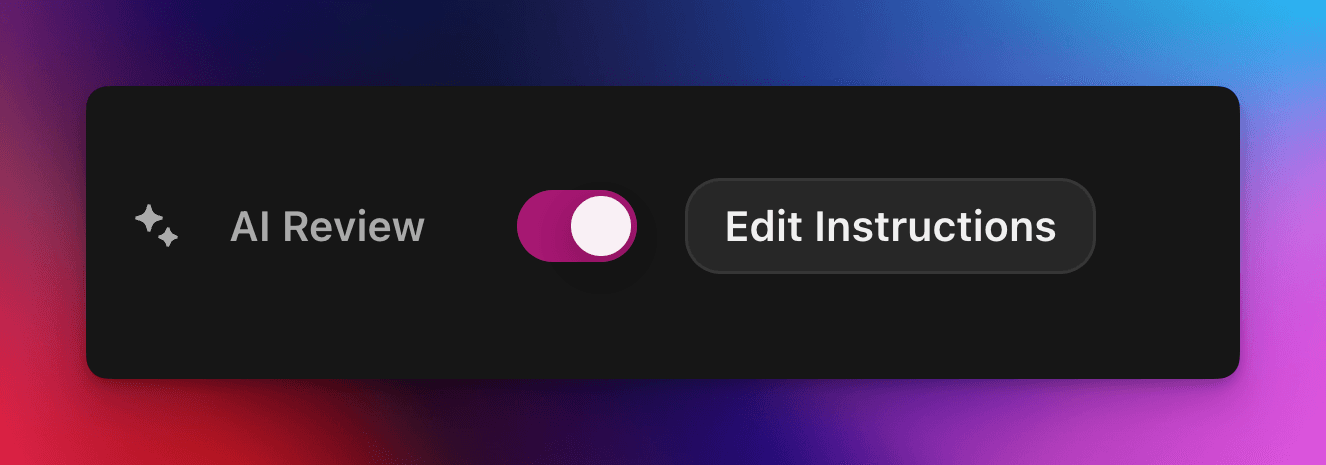
پذیرش یا رد خودکار ادعاهای کوئست با یک پرامپت سفارشی مبتنی بر هوش مصنوعی.
توسط cedric
در این صفحه
بررسی هوش مصنوعی تصمیم قبولی یا رد یک ادعای کوئست Zealy را به یک مدل هوش مصنوعی میسپارد. این ویژگی را در پنل Properties ویرایشگر کوئست فعال کنید، سپس پرامپتی بنویسید که یک ارسال موفق را توصیف کند: ادعاهایی که همه معیارها را برآورده کنند موفق علامت میخورند و بقیه با ذکر دلیل رد میشوند. هر تصمیمی همچنان از صفحه Reviews قابل تغییر است.
نمای کلی
ویژگی بررسی هوش مصنوعی به شما امکان میدهد تصمیم قبولی/رد یک ادعای کوئست را به هوش مصنوعی بسپارید.
بهجای بررسی دستی اسکرینشاتها، توییتها یا پاسخهای متنی یکییکی، کافی است توصیف کنید که یک ارسال موفق باید شامل چه چیزی باشد.
اگر مدل پیدا کند شواهد روشن که همه معیارها برآورده شدهاند، ادعا علامتگذاری میشود بهعنوان موفق. در غیر این صورت رد میشود همراه با دلیل.
بازبینی هوش مصنوعی برای کوئستهایی بهترین کارایی را دارد که شواهد از این منابع قابل ارزیابی باشند:
اسکرینشاتها یا تصاویر
توییتها (فقط پستهای تکی؛ ما بهطور خودکار محتوای توییت ارسالشده را دریافت میکنیم، اما نمیتوانیم رشتههای کامل را باز کنیم)
پاسخهای متنی
مبانی
فعالسازی بررسی هوش مصنوعی
ویرایشگر کوئست را باز کنید
در سمت راست ویژگیها پنل، تغییر وضعیت بازبینی هوش مصنوعی روشن
کلیک «افزودن دستور» (یا **«ویرایش دستور»**و دستورالعملهای خود را بنویسید
همین! اکنون درخواستهای جدید از طریق هوش مصنوعی مسیریابی میشوند. همچنان میتوانید هر تصمیمی را بهصورت دستی از بخش معمول بازبینیها صفحه بازنویسی کنید.
نوشتن پرامپت شما
پرامپت شما باید صریح باشد؛ نقطههای گلولهای عالی کار میکنند:
– The screenshot must show the X interface– The name of account must be Zealy– Reject if anything is blurred or unreadable
مدل دریافت میکند فقط ارسالهای کاربر (متن، تصاویر، محتوای توییت، …).
بهطور خاص برای توییتها، میتوانیم محتوای همان توییت ارائهشده در ارسال را بارگذاری کنیم. رشتهتوییتها یا پاسخهای اضافی توسط هوش مصنوعی قابل دریافت یا بررسی نیستند.
این نه به وبسایتهای خارجی یا بافت خودتان دسترسی دارد، پس شامل هر قاعدهای باشد که برای تصمیمگیری نیاز دارد.
گزینههای پیشرفته
هر یک از موارد زیر را اضافه کنید دستورها در بالاترین بخش پرامپت (هر کدام در یک خط جداگانه). آنها نحوه برخورد سرویس با ارسال را پیش از اجرای دستورالعملهای اصلی تغییر میدهند.
دستورالعمل
هدف
prerequisite: <text>
یک اضافی پیشبررسی اجرا میکند. بررسی اصلی فقط در صورت موفقیت این مرحله انجام میشود. برای رد سریع ادعاهای آشکارا نادرست مفید است.
image-needed
ادعا را بهطور خودکار رد میکند اگر شامل بدون تصویر، برای توییت همراه با تصویر مفید است.
use-black-white-image
اسکرینشاتها را پیش از تحلیل به سیاهوسفید تبدیل میکند – زمانی که رنگها بین حالت تاریک/روشن متفاوتاند کاربردی است.
use-zoom-in: <target>
نمای بزرگنماییشدهای حول مورد مشخصشده برش میدهد شیء / آیکون / واژه و آن را بهعنوان تصویری اضافی برای مدل اضافه میکند. عالی برای تیکهای کوچک یا آیکونهای وضعیت.
نمونه با دستورها
use-zoom-in: green check mark icon• Approve if the zoomed area clearly contains a green ✓ icon next to the text "Completed".• Reject otherwise.
نمونههای کاربردی
در ادامه چند پرامپت واقعی است که جوامع امروز از آنها استفاده میکنند. با خیال راحت آنها را کپی و سازگار کنید.
۱. عضویت در یک کانال تلگرام مشخص و واکنش به یک پیام
با وظیفه بارگذاری فایل کار میکند
image-neededuse-zoom-in:the reaction bar immediately below the relevant message. This bar displays emoji reactions and their respective countsYou will receive one screenshot. Decide whether the user has satisfied both conditions below. Base your decision only on what is clearly visible in the image. If either condition is missing, ambiguous, or uncertain, the attempt fails.Condition 1 – Joined Zealy’s official announcement channel:- The screenshot must clearly be taken from within the Telegram client (mobile or desktop).- The chat's title bar must explicitly display “Zealy” (exactly this name, no additional words), along with a visible subscriber count.- All visible messages must list “Zealy” as the author and clearly display Zealy’s official avatar (white “Z” on a dark-purple circle).- At least one visible message must explicitly mention “Zealy Sprint” or prizes/rewards.Condition 2 – User has added their own emoji reaction:- Locate the reaction bar immediately below the relevant message. This bar displays emoji reactions and their respective counts.- To confirm the user has personally reacted, at least one emoji reaction (the emoji icon itself and its associated count) must be visually highlighted or differentiated from other potential reactions on the same bar.- This visual differentiation **most commonly appears as the specific emoji and its count being enclosed within a distinct, often darker, pill-shaped background or container.** Other forms of differentiation could include a different background color or intensity for that specific emoji reaction compared to other unselected emojis or the general background of the reaction bar.- The highlighted emoji indicates the user's own reaction.- If all emoji reactions on the bar appear visually uniform (e.g., just the emoji and its count without any special background highlighting or container for any particular one), or if there are no reactions at all, condition 2 fails.If either condition is ambiguous or not definitively met by visual evidence, the entire attempt must fail.
۲. تحلیل تصویر
با وظیفه بارگذاری فایل کار میکند
image-neededVerify whether the user has successfully completed the daily challenge based solely on the provided screenshot.To confirm success, ensure the following criteria are clearly visible in the screenshot: • The daily challenge window explicitly indicates the task is “Complete” or shows a checkmark indicating completion. • There is a visible countdown timer until the lottery draw. • A “Congratulations!” message confirming successful completion.If the screenshot instead displays phrases such as “Complete Challenge” or progress indicators like “0/3”, “1/3”, or “2/3”, this indicates incomplete status, and the verification should fail.
۳. بررسی کیفیت محتوای توییت
با وظیفه توییت و وظیفه پاسخ توییت کار میکند
(از فراداده توییت که بهطور خودکار دریافت میکنیم استفاده میکند)
Verify whether the user has successfully created a post on X (Twitter) that clearly highlights their personal experience using Zealy, including insightful feedback on the campaigns they've participated in, suggestions for improvements.
۴. لایک ویدیوی یوتیوب
با وظیفه بارگذاری فایل کار میکند
image-neededuse-zoom-in: the rating bar that contains the thumbs-up “Like” and thumbs-down “Dislike” buttons directly beneath the video• Approve the claim **only if at least one screenshot clearly shows, in the same frame**: 1. The standard YouTube interface (mobile app or desktop web). 2. The video title appears exactly as: “Me at the zoo” – The full title must be visible, readable, and match character-for-character. 3. In the zoomed rating bar: – The thumbs-up **Like** button is in its **liked/active** state (solid icon or visibly highlighted, often tinted blue, and/or labelled “Liked”). – The thumbs-down **Dislike** button is in its **inactive** state (outline icon, no highlight). – If the Like looks inactive, both icons look active, or the view is too blurry to distinguish, the attempt fails.• **Reject** the claim if any of the following is true:** – The video title is missing, truncated, blurred, or differs in wording. – The zoomed rating bar is absent or too low-resolution to verify icon states. – The Like button is inactive or ambiguous, or the Dislike button appears active. If any criterion is uncertain, reject and briefly state the reason (e.g., “Like button not highlighted” or “title cut off”).
۵. دنبال کردن اینستاگرام
با وظیفه بارگذاری فایل کار میکند
image-neededuse-zoom-in: the top of the Instagram page with the Follow / Following button• **Approve** the claim **only if at least one screenshot clearly shows, in the same frame**: 1. The standard Instagram profile interface (mobile app or desktop web). – Navigation icons / left sidebar for desktop, bottom bar for mobile, and the circular avatar are all good indicators that the view is on Instagram. 2. The account handle (username) appears **exactly** as **zealy** — either in the header bar, next to the avatar, or in the browser URL. 3. In the zoom-in area: – The pill-shaped button reads **“Following”** (case-insensitive) and may include a small ▼ arrow. – “Follow”, “Requested”, “Follow Back”, or any other wording **does _not_ count**. – The text inside the button must be sharp enough to read without guessing.• **Reject** the claim if **any** of the following is true: – The handle is missing, blurred, truncated, or differs from **zealy** (even by one character). – The button reads “Follow”, “Requested”, “Follow Back”, shows only an icon, or is too fuzzy to determine the word. – The screenshot is from any other site or app (CoinMarketCap, X/Twitter, YouTube, Discord, etc.). – Image quality is so low that either the handle or the button text cannot be read with certainty.If any criterion is uncertain or ambiguous, reject and briefly state the reason (e.g., “button says ’Follow’” or “handle illegible”).
۶. عضویت در Telegram و واکنش
با وظیفه بارگذاری فایل کار میکند
image-neededprerequisite: The screenshot must clearly be taken from within the Telegram client (mobile or desktop).use-black-white-image use-zoom-in:the reaction bar immediately below the relevant message. This bar displays emoji reactions and their respective countsYou will receive one screenshot. Decide whether the user has satisfied both conditions below. Base your decision only on what is clearly visible in the image. If either condition is missing, ambiguous, or uncertain, the attempt fails.Condition 1 – Joined Zealy’s official announcement channel:- The screenshot must clearly be taken from within the Telegram client (mobile or desktop).- The chat's title bar must explicitly display “Zealy” (exactly this name, no additional words), along with a visible subscriber count.- All visible messages must list “Zealy” as the author and clearly display Zealy’s official avatar (white “Z” on a dark-purple circle).- At least one visible message must explicitly mention “Zealy Sprint” or prizes/rewards.Condition 2 – User has added their own emoji reaction:- Locate the reaction bar. This bar displays emoji reactions and their respective counts, in the zoomed image, the smallest one, it should be image 2.- To confirm the user has personally reacted, at least one emoji reaction (the emoji icon itself and its associated count) must be visually highlighted or differentiated from other potential reactions on the same bar.- This visual differentiation **most commonly appears as the specific emoji and its count being enclosed within a distinct, often darker, pill-shaped background or container.** Other forms of differentiation could include a different background color or intensity for that specific emoji reaction compared to other unselected emojis or the general background of the reaction bar.- The highlighted emoji indicates the user's own reaction.- If all emoji reactions on the bar appear visually uniform (e.g., just the emoji and its count without any special background highlighting or container for any particular one), or if there are no reactions at all, condition 2 fails.If either condition is ambiguous or not definitively met by visual evidence, the entire attempt must fail.
۷. دنبال کردن کانال Youtube
با وظیفه بارگذاری فایل کار میکند
image-neededuse-zoom-in: the pill-shaped subscription button that shows the user’s current state (e.g., “Subscribed”)You will receive one or more screenshots. Decide **pass / fail** based **only** on what is clearly visible in the images.PASS **only if at least one screenshot simultaneously shows all of the following:**• **YouTube interface** (mobile app or desktop web) — recognizable by the standard navigation bar, menus, or player controls. • It can be either the **channel header section** for the account or a youtube video page.• Channel **name** must appears exactly as **zealy** (all caps, no extra words). • If present, the Channel **handle** must be **@zealy_io** (case-insensitive, no extra characters). • In the zoom-in area, the pill-shaped **subscription button** reads **“Subscribed”** (or its localized equivalent that clearly indicates an active subscription, e.g., “Suscrito”, “Abonné”, etc.). – The button may include a ✅ checkmark or ▼ arrow; that is acceptable. – The word must be sharp enough to read without guessing.FAIL if **any** of the following is true (or uncertain): – The screenshot is not from YouTube. – The channel name is missing, unreadable, or differs from **zealy**. – The handle differs from **@zealy_io**. – The subscription button reads **“Subscribe”**, **“Join”**, shows only an icon, or is too blurry/obscured to confirm it says “Subscribed”. – Any required element is cropped out, blurred, or otherwise ambiguous.If multiple images are provided, you may use the clearest one to decide. If no image satisfies every criterion with certainty, reject and briefly state the missing/unclear element.
بهترین شیوهها
نشان بده، نگو، شامل واژههایی که باید ظاهر شوند، آیکونهایی که باید جستجو شوند، اعدادی که باید مطابقت داشته باشند.
یک پرامپت برای هر کوئست، مدل بررسی میکند همه وظایف این ادعا را با هم.
واژهگزینی را یکدست نگه دارید و از مترادفهایی که ممکن است مدل را گیج کنند پرهیز کنید.
محدودیتها
بررسی هوش مصنوعی قدرتمند است اما بینقص نیست. ممکن است در این موارد دچار مشکل شود:
تصاویر با وضوح بسیار پایین یا تار.
متن دستنویس یا فونتهای غیرمعمول.
تأیید محتوایی که نیاز به اسکرول یا پیوندهای خارجی دارد.