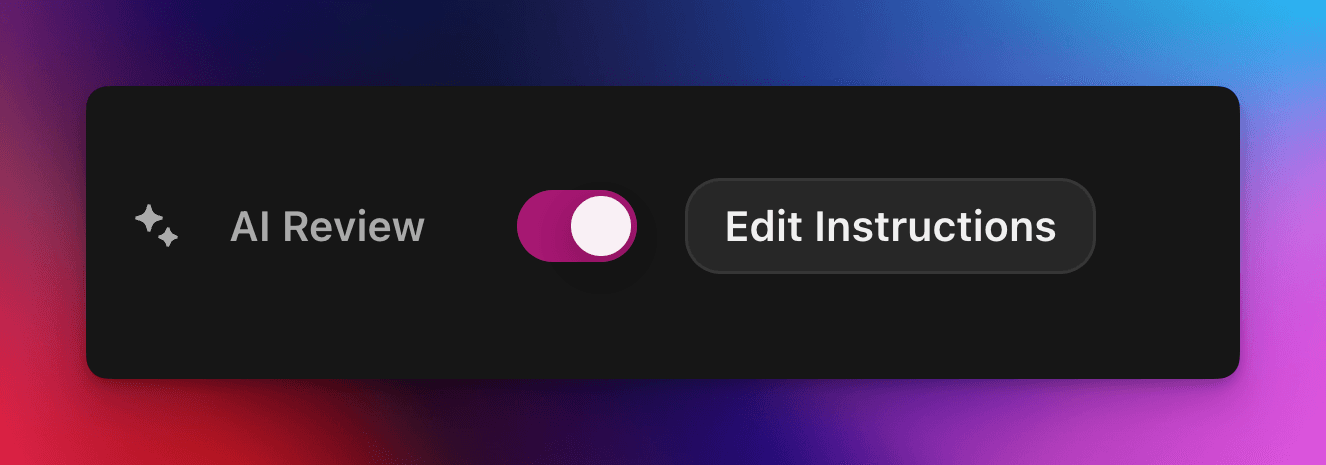
Acepta o rechaza automáticamente las reclamaciones de misiones con un prompt personalizado impulsado por IA.
Por cedric
En esta página
La Revisión con IA delega en un modelo de IA la decisión de aprobar o rechazar una reclamación de una misión de Zealy. Activa la propiedad en el panel Propiedades del editor de misiones y luego escribe un prompt que describa una entrega válida: las reclamaciones que cumplan todos los criterios se marcan como exitosas y el resto se rechazan con un motivo. Cualquier decisión se puede seguir modificando desde la página de Revisiones.
Descripción general
La propiedad Revisión con IA te permite delegar en una IA la decisión de "aprobar / rechazar" una reclamación de misión.
En lugar de revisar manualmente capturas de pantalla, tuits o respuestas de texto una por una, simplemente describes qué debe contener una entrega válida.
Si el modelo encuentra evidencia clara de que se cumplen todos los criterios, la reclamación se marca como exitosa. De lo contrario, se rechaza con el motivo.
La Revisión con IA funciona mejor en misiones donde la evidencia se puede evaluar a partir de:
Capturas de pantalla o imágenes
Tuits (solo publicaciones individuales; obtenemos automáticamente el contenido del tuit enviado, pero no podemos expandir hilos completos)
Respuestas de texto
Conceptos básicos
Activar la Revisión con IA
Abre el editor de misiones
En el panel Propiedades de la derecha, activa Revisión con IA Activado
Haz clic en "Añadir prompt" (o "Editar prompt") y escribe tus instrucciones
¡Eso es todo! Las nuevas reclamaciones se enviarán ahora a la IA. Aún puedes modificar manualmente cualquier decisión desde la página habitual de Revisiones .
Escribir tu prompt
Tu prompt debe ser explícito; las viñetas funcionan muy bien:
– The screenshot must show the X interface– The name of account must be Zealy– Reject if anything is blurred or unreadable
El modelo recibe solo las entregas del usuario (texto, imágenes, contenido de tuits, …).
En el caso de los tuits, podemos cargar el contenido del tuit individual proporcionado en la entrega. La IA no puede obtener ni revisar hilos ni respuestas adicionales. No tiene acceso a sitios web externos ni a tu propio contexto, así que incluye todas las reglas que necesite para decidir.
Opciones avanzadas
Añade cualquiera de las siguientes directivas al principio del prompt (cada una en su propia línea). Modifican cómo el servicio trata la entrega antes de ejecutar las instrucciones principales.
Directiva
Propósito
prerequisite: <text>
Ejecuta una extra precomprobación. La revisión principal solo ocurre si esta pasa. Útil para rechazar rápidamente reclamaciones obviamente incorrectas.
image-needed
Rechaza automáticamente la reclamación si contiene no images, útil para tweet con imagen.
use-black-white-image
Convierte las capturas de pantalla a blanco y negro antes del análisis; práctico cuando los colores varían entre modo oscuro y claro.
use-zoom-in: <target>
Recorta una vista ampliada alrededor del objeto / icono / palabra especificado y la añade como imagen extra para el modelo. Ideal para marcas de verificación o iconos de estado diminutos.
Ejemplo con directivas
use-zoom-in: green check mark icon• Approve if the zoomed area clearly contains a green ✓ icon next to the text "Completed".• Reject otherwise.
Ejemplos funcionales
A continuación se muestran algunos prompts reales que las comunidades usan hoy. Siéntete libre de copiarlos y adaptarlos.
1. Unirse a un canal de Telegram específico y reaccionar a un mensaje
Funciona con la tarea de subir archivo
image-neededuse-zoom-in:the reaction bar immediately below the relevant message. This bar displays emoji reactions and their respective countsYou will receive one screenshot. Decide whether the user has satisfied both conditions below. Base your decision only on what is clearly visible in the image. If either condition is missing, ambiguous, or uncertain, the attempt fails.Condition 1 – Joined Zealy’s official announcement channel:- The screenshot must clearly be taken from within the Telegram client (mobile or desktop).- The chat's title bar must explicitly display “Zealy” (exactly this name, no additional words), along with a visible subscriber count.- All visible messages must list “Zealy” as the author and clearly display Zealy’s official avatar (white “Z” on a dark-purple circle).- At least one visible message must explicitly mention “Zealy Sprint” or prizes/rewards.Condition 2 – User has added their own emoji reaction:- Locate the reaction bar immediately below the relevant message. This bar displays emoji reactions and their respective counts.- To confirm the user has personally reacted, at least one emoji reaction (the emoji icon itself and its associated count) must be visually highlighted or differentiated from other potential reactions on the same bar.- This visual differentiation **most commonly appears as the specific emoji and its count being enclosed within a distinct, often darker, pill-shaped background or container.** Other forms of differentiation could include a different background color or intensity for that specific emoji reaction compared to other unselected emojis or the general background of the reaction bar.- The highlighted emoji indicates the user's own reaction.- If all emoji reactions on the bar appear visually uniform (e.g., just the emoji and its count without any special background highlighting or container for any particular one), or if there are no reactions at all, condition 2 fails.If either condition is ambiguous or not definitively met by visual evidence, the entire attempt must fail.
2. Análisis de imágenes
Funciona con la tarea de subir archivo
image-neededVerify whether the user has successfully completed the daily challenge based solely on the provided screenshot.To confirm success, ensure the following criteria are clearly visible in the screenshot: • The daily challenge window explicitly indicates the task is “Complete” or shows a checkmark indicating completion. • There is a visible countdown timer until the lottery draw. • A “Congratulations!” message confirming successful completion.If the screenshot instead displays phrases such as “Complete Challenge” or progress indicators like “0/3”, “1/3”, or “2/3”, this indicates incomplete status, and the verification should fail.
3. Verificación de la calidad del contenido de un tweet
Funciona con la tarea de tweet y la tarea de respuesta a tweet
(usa los metadatos del tweet que obtenemos automáticamente)
Verify whether the user has successfully created a post on X (Twitter) that clearly highlights their personal experience using Zealy, including insightful feedback on the campaigns they've participated in, suggestions for improvements.
4. Me gusta en un video de YouTube
Funciona con la tarea de subir archivo
image-neededuse-zoom-in: the rating bar that contains the thumbs-up “Like” and thumbs-down “Dislike” buttons directly beneath the video• Approve the claim **only if at least one screenshot clearly shows, in the same frame**: 1. The standard YouTube interface (mobile app or desktop web). 2. The video title appears exactly as: “Me at the zoo” – The full title must be visible, readable, and match character-for-character. 3. In the zoomed rating bar: – The thumbs-up **Like** button is in its **liked/active** state (solid icon or visibly highlighted, often tinted blue, and/or labelled “Liked”). – The thumbs-down **Dislike** button is in its **inactive** state (outline icon, no highlight). – If the Like looks inactive, both icons look active, or the view is too blurry to distinguish, the attempt fails.• **Reject** the claim if any of the following is true:** – The video title is missing, truncated, blurred, or differs in wording. – The zoomed rating bar is absent or too low-resolution to verify icon states. – The Like button is inactive or ambiguous, or the Dislike button appears active. If any criterion is uncertain, reject and briefly state the reason (e.g., “Like button not highlighted” or “title cut off”).
5. Seguir en Instagram
Funciona con la tarea de subir archivo
image-neededuse-zoom-in: the top of the Instagram page with the Follow / Following button• **Approve** the claim **only if at least one screenshot clearly shows, in the same frame**: 1. The standard Instagram profile interface (mobile app or desktop web). – Navigation icons / left sidebar for desktop, bottom bar for mobile, and the circular avatar are all good indicators that the view is on Instagram. 2. The account handle (username) appears **exactly** as **zealy** — either in the header bar, next to the avatar, or in the browser URL. 3. In the zoom-in area: – The pill-shaped button reads **“Following”** (case-insensitive) and may include a small ▼ arrow. – “Follow”, “Requested”, “Follow Back”, or any other wording **does _not_ count**. – The text inside the button must be sharp enough to read without guessing.• **Reject** the claim if **any** of the following is true: – The handle is missing, blurred, truncated, or differs from **zealy** (even by one character). – The button reads “Follow”, “Requested”, “Follow Back”, shows only an icon, or is too fuzzy to determine the word. – The screenshot is from any other site or app (CoinMarketCap, X/Twitter, YouTube, Discord, etc.). – Image quality is so low that either the handle or the button text cannot be read with certainty.If any criterion is uncertain or ambiguous, reject and briefly state the reason (e.g., “button says ’Follow’” or “handle illegible”).
6. Unirse a Telegram y reaccionar
Funciona con la tarea de subir archivo
image-neededprerequisite: The screenshot must clearly be taken from within the Telegram client (mobile or desktop).use-black-white-image use-zoom-in:the reaction bar immediately below the relevant message. This bar displays emoji reactions and their respective countsYou will receive one screenshot. Decide whether the user has satisfied both conditions below. Base your decision only on what is clearly visible in the image. If either condition is missing, ambiguous, or uncertain, the attempt fails.Condition 1 – Joined Zealy’s official announcement channel:- The screenshot must clearly be taken from within the Telegram client (mobile or desktop).- The chat's title bar must explicitly display “Zealy” (exactly this name, no additional words), along with a visible subscriber count.- All visible messages must list “Zealy” as the author and clearly display Zealy’s official avatar (white “Z” on a dark-purple circle).- At least one visible message must explicitly mention “Zealy Sprint” or prizes/rewards.Condition 2 – User has added their own emoji reaction:- Locate the reaction bar. This bar displays emoji reactions and their respective counts, in the zoomed image, the smallest one, it should be image 2.- To confirm the user has personally reacted, at least one emoji reaction (the emoji icon itself and its associated count) must be visually highlighted or differentiated from other potential reactions on the same bar.- This visual differentiation **most commonly appears as the specific emoji and its count being enclosed within a distinct, often darker, pill-shaped background or container.** Other forms of differentiation could include a different background color or intensity for that specific emoji reaction compared to other unselected emojis or the general background of the reaction bar.- The highlighted emoji indicates the user's own reaction.- If all emoji reactions on the bar appear visually uniform (e.g., just the emoji and its count without any special background highlighting or container for any particular one), or if there are no reactions at all, condition 2 fails.If either condition is ambiguous or not definitively met by visual evidence, the entire attempt must fail.
7. Seguir un canal de YouTube
Funciona con la tarea de subir archivo
image-neededuse-zoom-in: the pill-shaped subscription button that shows the user’s current state (e.g., “Subscribed”)You will receive one or more screenshots. Decide **pass / fail** based **only** on what is clearly visible in the images.PASS **only if at least one screenshot simultaneously shows all of the following:**• **YouTube interface** (mobile app or desktop web) — recognizable by the standard navigation bar, menus, or player controls. • It can be either the **channel header section** for the account or a youtube video page.• Channel **name** must appears exactly as **zealy** (all caps, no extra words). • If present, the Channel **handle** must be **@zealy_io** (case-insensitive, no extra characters). • In the zoom-in area, the pill-shaped **subscription button** reads **“Subscribed”** (or its localized equivalent that clearly indicates an active subscription, e.g., “Suscrito”, “Abonné”, etc.). – The button may include a ✅ checkmark or ▼ arrow; that is acceptable. – The word must be sharp enough to read without guessing.FAIL if **any** of the following is true (or uncertain): – The screenshot is not from YouTube. – The channel name is missing, unreadable, or differs from **zealy**. – The handle differs from **@zealy_io**. – The subscription button reads **“Subscribe”**, **“Join”**, shows only an icon, or is too blurry/obscured to confirm it says “Subscribed”. – Any required element is cropped out, blurred, or otherwise ambiguous.If multiple images are provided, you may use the clearest one to decide. If no image satisfies every criterion with certainty, reject and briefly state the missing/unclear element.
Buenas prácticas
Muestra, no cuentes, incluye palabras que deben aparecer, iconos que buscar, números que coincidir.
Un prompt por misión, el modelo comprueba todas las tareas de la reclamación juntas.
Mantén una redacción consistente, evita sinónimos que puedan confundir al modelo.
Limitaciones
La revisión con IA es potente pero no perfecta. Puede tener dificultades con:
Imágenes de muy baja resolución o borrosas.
Texto escrito a mano o fuentes exóticas.
Verificar contenido que requiere desplazamiento o enlaces externos.