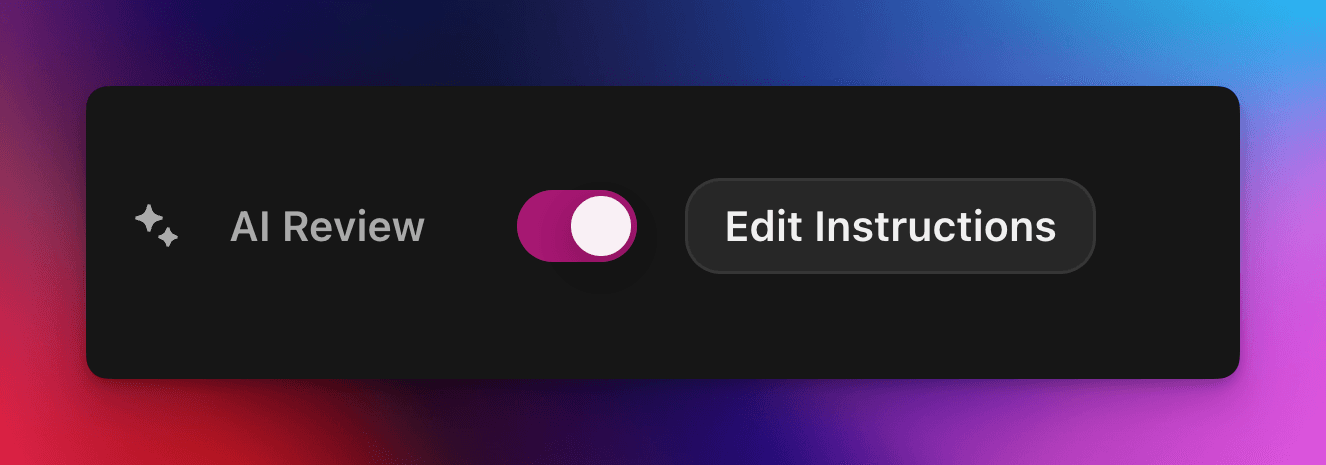
Akzeptiere oder lehne Quest-Claims automatisch mit einem benutzerdefinierten, KI-gestützten Prompt ab.
Von cedric
Auf dieser Seite
Die KI-Überprüfung übergibt die Bestanden/Nicht-bestanden-Entscheidung über einen Zealy-Quest-Claim an ein KI-Modell. Aktiviere die Eigenschaft im Eigenschaften-Panel des Quest-Editors und schreibe dann einen Prompt, der eine erfolgreiche Einreichung beschreibt: Claims, die alle Kriterien erfüllen, werden als Erfolg markiert, die übrigen mit einer Begründung abgelehnt. Jede Entscheidung kann weiterhin auf der Seite Reviews überschrieben werden.
Übersicht
Die KI-Überprüfung -Eigenschaft ermöglicht es dir, die „Bestanden / Nicht bestanden“-Entscheidung eines Quest-Claims an eine KI zu delegieren.
Anstatt Screenshots, Tweets oder Textantworten einzeln manuell zu prüfen, beschreibst du einfach, was eine erfolgreiche Einreichung enthalten muss.
Wenn das Modell klare Belege dafür findet, dass alle Kriterien erfüllt sind, wird der Claim als Erfolgmarkiert. Andernfalls wird er abgelehnt – mit Begründung.
Die KI-Überprüfung eignet sich am besten für Quests, bei denen die Belege anhand folgender Inhalte bewertet werden können:
Screenshots oder Bilder
Tweets (nur einzelne Posts; wir rufen automatisch den Inhalt des eingereichten Tweets ab, können aber keine vollständigen Threads erweitern)
Textantworten
Grundlagen
KI-Überprüfung aktivieren
Öffne den Quest-Editor
Schalte im rechten Eigenschaften -Panel KI-Überprüfung ein
Klicke auf „Prompt hinzufügen“ (oder „Prompt bearbeiten“) und schreibe deine Anweisungen
Das war's! Neue Claims werden nun durch die KI geleitet. Du kannst jede Entscheidung weiterhin manuell auf der üblichen Reviews -Seite überschreiben.
Deinen Prompt schreiben
Dein Prompt sollte explizit sein; Aufzählungspunkte funktionieren hervorragend:
– The screenshot must show the X interface– The name of account must be Zealy– Reject if anything is blurred or unreadable
Das Modell erhält nur die Einreichungen des Nutzers (Text, Bilder, Tweet-Inhalt, …).
Speziell bei Tweets können wir den Inhalt des einzelnen in der Einreichung angegebenen Tweets laden. Threads oder zusätzliche Antworten können von der KI nicht abgerufen oder überprüft werden.
Es hat keinen Zugriff auf externe Websites oder deinen eigenen Kontext, also füge jede Regel hinzu, die es zur Entscheidung benötigt.
Erweiterte Optionen
Füge eine der folgenden Direktiven ganz oben im Prompt hinzu (jeweils in einer eigenen Zeile). Sie ändern, wie der Dienst die Einreichung vor der Ausführung der Hauptanweisungen behandelt.
Direktive
Zweck
prerequisite: <text>
Führt eine zusätzliche Vorprüfung durch. Die Hauptüberprüfung erfolgt nur, wenn diese besteht. Nützlich, um offensichtlich falsche Claims schnell abzulehnen.
image-needed
Lässt den Claim automatisch fehlschlagen, wenn er keine Bilderenthält – nützlich für Tweets mit Bild.
use-black-white-image
Wandelt Screenshots vor der Analyse in Schwarzweiß um – praktisch, wenn sich die Farben zwischen Dark- und Light-Modus unterscheiden.
use-zoom-in: <target>
Schneidet eine vergrößerte Ansicht um das angegebene Objekt / Icon / Wort aus und fügt sie dem Modell als zusätzliches Bild hinzu. Ideal für winzige Häkchen oder Status-Icons.
Beispiel mit Direktiven
use-zoom-in: green check mark icon• Approve if the zoomed area clearly contains a green ✓ icon next to the text "Completed".• Reject otherwise.
Funktionierende Beispiele
Nachfolgend findest du einige echte Prompts, die Communities heute verwenden. Du kannst sie gerne kopieren und anpassen.
1. Einem bestimmten Telegram-Kanal beitreten und auf eine Nachricht reagieren
Funktioniert mit der Aufgabe „Datei-Upload“
image-neededuse-zoom-in:the reaction bar immediately below the relevant message. This bar displays emoji reactions and their respective countsYou will receive one screenshot. Decide whether the user has satisfied both conditions below. Base your decision only on what is clearly visible in the image. If either condition is missing, ambiguous, or uncertain, the attempt fails.Condition 1 – Joined Zealy’s official announcement channel:- The screenshot must clearly be taken from within the Telegram client (mobile or desktop).- The chat's title bar must explicitly display “Zealy” (exactly this name, no additional words), along with a visible subscriber count.- All visible messages must list “Zealy” as the author and clearly display Zealy’s official avatar (white “Z” on a dark-purple circle).- At least one visible message must explicitly mention “Zealy Sprint” or prizes/rewards.Condition 2 – User has added their own emoji reaction:- Locate the reaction bar immediately below the relevant message. This bar displays emoji reactions and their respective counts.- To confirm the user has personally reacted, at least one emoji reaction (the emoji icon itself and its associated count) must be visually highlighted or differentiated from other potential reactions on the same bar.- This visual differentiation **most commonly appears as the specific emoji and its count being enclosed within a distinct, often darker, pill-shaped background or container.** Other forms of differentiation could include a different background color or intensity for that specific emoji reaction compared to other unselected emojis or the general background of the reaction bar.- The highlighted emoji indicates the user's own reaction.- If all emoji reactions on the bar appear visually uniform (e.g., just the emoji and its count without any special background highlighting or container for any particular one), or if there are no reactions at all, condition 2 fails.If either condition is ambiguous or not definitively met by visual evidence, the entire attempt must fail.
2. Bildanalyse
Funktioniert mit der Aufgabe „Datei-Upload“
image-neededVerify whether the user has successfully completed the daily challenge based solely on the provided screenshot.To confirm success, ensure the following criteria are clearly visible in the screenshot: • The daily challenge window explicitly indicates the task is “Complete” or shows a checkmark indicating completion. • There is a visible countdown timer until the lottery draw. • A “Congratulations!” message confirming successful completion.If the screenshot instead displays phrases such as “Complete Challenge” or progress indicators like “0/3”, “1/3”, or “2/3”, this indicates incomplete status, and the verification should fail.
3. Überprüfung der Tweet-Inhaltsqualität
Funktioniert mit der Aufgabe „Tweet“ und der Aufgabe „Tweet-Antwort“
(nutzt die Tweet-Metadaten, die wir automatisch abrufen)
Verify whether the user has successfully created a post on X (Twitter) that clearly highlights their personal experience using Zealy, including insightful feedback on the campaigns they've participated in, suggestions for improvements.
4. YouTube-Video liken
Funktioniert mit der Aufgabe „Datei-Upload“
image-neededuse-zoom-in: the rating bar that contains the thumbs-up “Like” and thumbs-down “Dislike” buttons directly beneath the video• Approve the claim **only if at least one screenshot clearly shows, in the same frame**: 1. The standard YouTube interface (mobile app or desktop web). 2. The video title appears exactly as: “Me at the zoo” – The full title must be visible, readable, and match character-for-character. 3. In the zoomed rating bar: – The thumbs-up **Like** button is in its **liked/active** state (solid icon or visibly highlighted, often tinted blue, and/or labelled “Liked”). – The thumbs-down **Dislike** button is in its **inactive** state (outline icon, no highlight). – If the Like looks inactive, both icons look active, or the view is too blurry to distinguish, the attempt fails.• **Reject** the claim if any of the following is true:** – The video title is missing, truncated, blurred, or differs in wording. – The zoomed rating bar is absent or too low-resolution to verify icon states. – The Like button is inactive or ambiguous, or the Dislike button appears active. If any criterion is uncertain, reject and briefly state the reason (e.g., “Like button not highlighted” or “title cut off”).
5. Instagram folgen
Funktioniert mit der Aufgabe „Datei-Upload“
image-neededuse-zoom-in: the top of the Instagram page with the Follow / Following button• **Approve** the claim **only if at least one screenshot clearly shows, in the same frame**: 1. The standard Instagram profile interface (mobile app or desktop web). – Navigation icons / left sidebar for desktop, bottom bar for mobile, and the circular avatar are all good indicators that the view is on Instagram. 2. The account handle (username) appears **exactly** as **zealy** — either in the header bar, next to the avatar, or in the browser URL. 3. In the zoom-in area: – The pill-shaped button reads **“Following”** (case-insensitive) and may include a small ▼ arrow. – “Follow”, “Requested”, “Follow Back”, or any other wording **does _not_ count**. – The text inside the button must be sharp enough to read without guessing.• **Reject** the claim if **any** of the following is true: – The handle is missing, blurred, truncated, or differs from **zealy** (even by one character). – The button reads “Follow”, “Requested”, “Follow Back”, shows only an icon, or is too fuzzy to determine the word. – The screenshot is from any other site or app (CoinMarketCap, X/Twitter, YouTube, Discord, etc.). – Image quality is so low that either the handle or the button text cannot be read with certainty.If any criterion is uncertain or ambiguous, reject and briefly state the reason (e.g., “button says ’Follow’” or “handle illegible”).
6. Telegram beitreten und reagieren
Funktioniert mit der Aufgabe „Datei-Upload“
image-neededprerequisite: The screenshot must clearly be taken from within the Telegram client (mobile or desktop).use-black-white-image use-zoom-in:the reaction bar immediately below the relevant message. This bar displays emoji reactions and their respective countsYou will receive one screenshot. Decide whether the user has satisfied both conditions below. Base your decision only on what is clearly visible in the image. If either condition is missing, ambiguous, or uncertain, the attempt fails.Condition 1 – Joined Zealy’s official announcement channel:- The screenshot must clearly be taken from within the Telegram client (mobile or desktop).- The chat's title bar must explicitly display “Zealy” (exactly this name, no additional words), along with a visible subscriber count.- All visible messages must list “Zealy” as the author and clearly display Zealy’s official avatar (white “Z” on a dark-purple circle).- At least one visible message must explicitly mention “Zealy Sprint” or prizes/rewards.Condition 2 – User has added their own emoji reaction:- Locate the reaction bar. This bar displays emoji reactions and their respective counts, in the zoomed image, the smallest one, it should be image 2.- To confirm the user has personally reacted, at least one emoji reaction (the emoji icon itself and its associated count) must be visually highlighted or differentiated from other potential reactions on the same bar.- This visual differentiation **most commonly appears as the specific emoji and its count being enclosed within a distinct, often darker, pill-shaped background or container.** Other forms of differentiation could include a different background color or intensity for that specific emoji reaction compared to other unselected emojis or the general background of the reaction bar.- The highlighted emoji indicates the user's own reaction.- If all emoji reactions on the bar appear visually uniform (e.g., just the emoji and its count without any special background highlighting or container for any particular one), or if there are no reactions at all, condition 2 fails.If either condition is ambiguous or not definitively met by visual evidence, the entire attempt must fail.
7. YouTube-Kanal folgen
Funktioniert mit der Aufgabe „Datei-Upload“
image-neededuse-zoom-in: the pill-shaped subscription button that shows the user’s current state (e.g., “Subscribed”)You will receive one or more screenshots. Decide **pass / fail** based **only** on what is clearly visible in the images.PASS **only if at least one screenshot simultaneously shows all of the following:**• **YouTube interface** (mobile app or desktop web) — recognizable by the standard navigation bar, menus, or player controls. • It can be either the **channel header section** for the account or a youtube video page.• Channel **name** must appears exactly as **zealy** (all caps, no extra words). • If present, the Channel **handle** must be **@zealy_io** (case-insensitive, no extra characters). • In the zoom-in area, the pill-shaped **subscription button** reads **“Subscribed”** (or its localized equivalent that clearly indicates an active subscription, e.g., “Suscrito”, “Abonné”, etc.). – The button may include a ✅ checkmark or ▼ arrow; that is acceptable. – The word must be sharp enough to read without guessing.FAIL if **any** of the following is true (or uncertain): – The screenshot is not from YouTube. – The channel name is missing, unreadable, or differs from **zealy**. – The handle differs from **@zealy_io**. – The subscription button reads **“Subscribe”**, **“Join”**, shows only an icon, or is too blurry/obscured to confirm it says “Subscribed”. – Any required element is cropped out, blurred, or otherwise ambiguous.If multiple images are provided, you may use the clearest one to decide. If no image satisfies every criterion with certainty, reject and briefly state the missing/unclear element.
Best Practices
Zeigen statt erzählen, gib Wörter an, die erscheinen müssen, Icons, nach denen gesucht werden soll, Zahlen, die übereinstimmen müssen.
Ein Prompt pro Quest, das Modell prüft alle Aufgaben des Claims zusammen.
Halte die Formulierungen konsistent und vermeide Synonyme, die das Modell verwirren könnten.
Einschränkungen
Die KI-Überprüfung ist leistungsstark, aber nicht perfekt. Sie kann Schwierigkeiten haben mit:
Extrem niedrig aufgelösten oder unscharfen Bildern.
Handschriftlichem Text oder exotischen Schriftarten.
Der Überprüfung von Inhalten, die Scrollen oder externe Links erfordern.