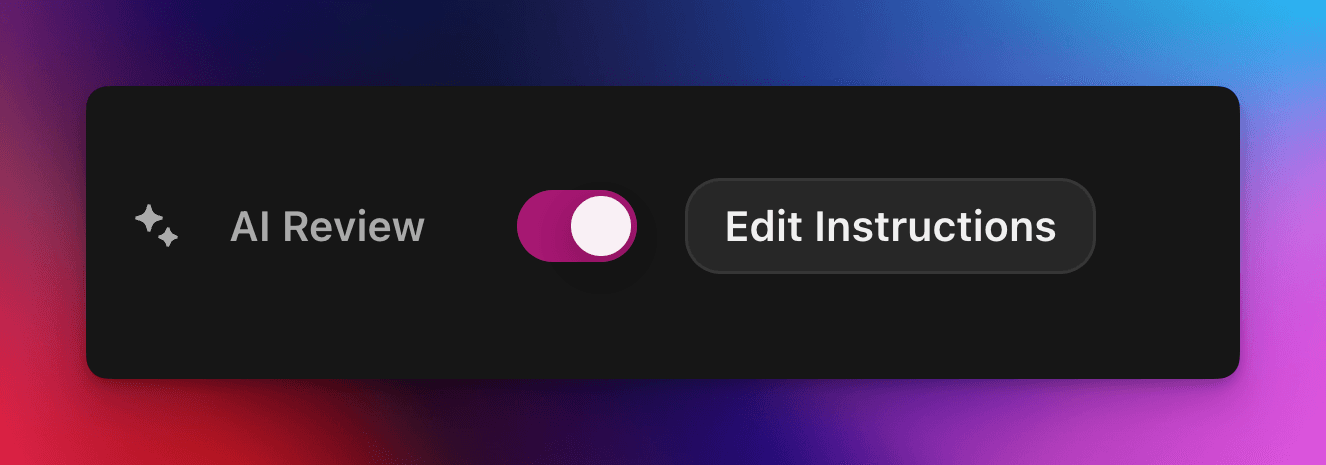
قبول أو رفض مطالبات المهام تلقائيًا باستخدام توجيه مخصص مدعوم بالذكاء الاصطناعي.
بواسطة cedric
في هذه الصفحة
تسند مراجعة الذكاء الاصطناعي قرار النجاح أو الفشل في مطالبة مهمة Zealy إلى نموذج ذكاء اصطناعي. فعّل الخاصية في لوحة Properties بمحرر المهام، ثم اكتب توجيهًا يصف الإرسال الناجح: تُعلَّم المطالبات المستوفية لكل معيار بالنجاح، وتُرفض البقية مع ذكر السبب. ويمكن دائمًا تجاوز أي قرار من صفحة Reviews.
نظرة عامة
تتيح لك خاصية مراجعة الذكاء الاصطناعي تفويض قرار "النجاح / الفشل" في مطالبة مهمة إلى الذكاء الاصطناعي.
بدلًا من فحص لقطات الشاشة أو التغريدات أو الإجابات النصية يدويًا واحدة تلو الأخرى، ما عليك سوى وصف ما يجب أن يتضمنه الإرسال الناجح.
إذا وجد النموذج دليلًا واضحًا على استيفاء جميع المعايير، تُعلَّم المطالبة كـ ناجحة. وإلا فتُعلَّم كـ مرفوضة مع ذكر السبب.
تعمل المراجعة بالذكاء الاصطناعي على أفضل وجه في المهام التي يمكن تقييم الأدلة فيها من:
لقطات الشاشة أو الصور
التغريدات (منشورات فردية فقط، نجلب محتوى التغريدة المرسلة تلقائيًا، لكن لا يمكننا توسيع سلاسل المحادثات الكاملة)
إجابات نصية
الأساسيات
تفعيل مراجعة الذكاء الاصطناعي
افتح محرر المهمة
في الجانب الأيمن الخصائص لوحة، تبديل مراجعة الذكاء الاصطناعي مفعّل
انقر "إضافة موجه" (أو "تعديل الموجه") واكتب تعليماتك
هذا كل شيء! ستُوجَّه المطالبات الجديدة الآن عبر الذكاء الاصطناعي. لا يزال بإمكانك تجاوز أي قرار يدويًا من المراجعات صفحة.
كتابة الموجّه الخاص بك
يجب أن يكون الموجّه الخاص بك صريحًا، فالنقاط النقطية رائعة:
– The screenshot must show the X interface– The name of account must be Zealy– Reject if anything is blurred or unreadable
يتلقى النموذج فقط مشاركات المستخدم (النصوص، الصور، محتوى التغريدات، …).
بالنسبة للتغريدات تحديدًا، يمكننا تحميل محتوى التغريدة الواحدة المقدمة في المشاركة. لا يمكن للذكاء الاصطناعي جلب السلاسل أو الردود الإضافية أو مراجعتها.
وهو لا لا يملك وصولًا إلى مواقع خارجية أو إلى سياقك الخاص، لذا أدرج كل قاعدة يحتاجها لاتخاذ القرار.
خيارات متقدمة
أضف أيًا من التوجيهات التالية في أعلى المطالبة تمامًا (كل واحدة في سطر مستقل). تُعدّل كيفية تعامل الخدمة مع الإرسال قبل تشغيل التعليمات الرئيسية.
توجيه
الغرض
prerequisite: <text>
يشغّل إضافي فحصًا مسبقًا. لا تجري المراجعة الرئيسية إلا إذا نجح هذا الفحص. مفيد لرفض المطالبات الخاطئة بوضوح بسرعة.
image-needed
يفشل المطالبة تلقائيًا إذا كانت تحتوي على لا توجد صور، مفيد للتغريدات مع صورة.
use-black-white-image
يحوّل لقطات الشاشة إلى الأبيض والأسود قبل التحليل – مفيد عندما تختلف الألوان بين الوضع الداكن والفاتح.
use-zoom-in: <target>
يقتطع عرضًا مكبّرًا حول الكائن / الأيقونة / الكلمة ويضيفه كصورة إضافية للنموذج. رائع لعلامات الاختيار الصغيرة أو أيقونات الحالة.
مثال مع التوجيهات
use-zoom-in: green check mark icon• Approve if the zoomed area clearly contains a green ✓ icon next to the text "Completed".• Reject otherwise.
أمثلة عملية
فيما يلي بعض الأوامر النصية الحقيقية التي تستخدمها المجتمعات اليوم. لا تتردد في نسخها وتكييفها.
1. الانضمام إلى قناة Telegram محددة والتفاعل مع رسالة واحدة
يعمل مع مهمة رفع الملفات
image-neededuse-zoom-in:the reaction bar immediately below the relevant message. This bar displays emoji reactions and their respective countsYou will receive one screenshot. Decide whether the user has satisfied both conditions below. Base your decision only on what is clearly visible in the image. If either condition is missing, ambiguous, or uncertain, the attempt fails.Condition 1 – Joined Zealy’s official announcement channel:- The screenshot must clearly be taken from within the Telegram client (mobile or desktop).- The chat's title bar must explicitly display “Zealy” (exactly this name, no additional words), along with a visible subscriber count.- All visible messages must list “Zealy” as the author and clearly display Zealy’s official avatar (white “Z” on a dark-purple circle).- At least one visible message must explicitly mention “Zealy Sprint” or prizes/rewards.Condition 2 – User has added their own emoji reaction:- Locate the reaction bar immediately below the relevant message. This bar displays emoji reactions and their respective counts.- To confirm the user has personally reacted, at least one emoji reaction (the emoji icon itself and its associated count) must be visually highlighted or differentiated from other potential reactions on the same bar.- This visual differentiation **most commonly appears as the specific emoji and its count being enclosed within a distinct, often darker, pill-shaped background or container.** Other forms of differentiation could include a different background color or intensity for that specific emoji reaction compared to other unselected emojis or the general background of the reaction bar.- The highlighted emoji indicates the user's own reaction.- If all emoji reactions on the bar appear visually uniform (e.g., just the emoji and its count without any special background highlighting or container for any particular one), or if there are no reactions at all, condition 2 fails.If either condition is ambiguous or not definitively met by visual evidence, the entire attempt must fail.
2. تحليل الصور
يعمل مع مهمة رفع الملفات
image-neededVerify whether the user has successfully completed the daily challenge based solely on the provided screenshot.To confirm success, ensure the following criteria are clearly visible in the screenshot: • The daily challenge window explicitly indicates the task is “Complete” or shows a checkmark indicating completion. • There is a visible countdown timer until the lottery draw. • A “Congratulations!” message confirming successful completion.If the screenshot instead displays phrases such as “Complete Challenge” or progress indicators like “0/3”, “1/3”, or “2/3”, this indicates incomplete status, and the verification should fail.
3. التحقق من جودة محتوى التغريدة
يعمل مع مهمة التغريدة ومهمة الرد على التغريدة
(يستخدم بيانات التغريدة الوصفية التي نجلبها تلقائيًا)
Verify whether the user has successfully created a post on X (Twitter) that clearly highlights their personal experience using Zealy, including insightful feedback on the campaigns they've participated in, suggestions for improvements.
4. الإعجاب بفيديو Youtube
يعمل مع مهمة رفع الملفات
image-neededuse-zoom-in: the rating bar that contains the thumbs-up “Like” and thumbs-down “Dislike” buttons directly beneath the video• Approve the claim **only if at least one screenshot clearly shows, in the same frame**: 1. The standard YouTube interface (mobile app or desktop web). 2. The video title appears exactly as: “Me at the zoo” – The full title must be visible, readable, and match character-for-character. 3. In the zoomed rating bar: – The thumbs-up **Like** button is in its **liked/active** state (solid icon or visibly highlighted, often tinted blue, and/or labelled “Liked”). – The thumbs-down **Dislike** button is in its **inactive** state (outline icon, no highlight). – If the Like looks inactive, both icons look active, or the view is too blurry to distinguish, the attempt fails.• **Reject** the claim if any of the following is true:** – The video title is missing, truncated, blurred, or differs in wording. – The zoomed rating bar is absent or too low-resolution to verify icon states. – The Like button is inactive or ambiguous, or the Dislike button appears active. If any criterion is uncertain, reject and briefly state the reason (e.g., “Like button not highlighted” or “title cut off”).
5. متابعة Instagram
يعمل مع مهمة رفع الملفات
image-neededuse-zoom-in: the top of the Instagram page with the Follow / Following button• **Approve** the claim **only if at least one screenshot clearly shows, in the same frame**: 1. The standard Instagram profile interface (mobile app or desktop web). – Navigation icons / left sidebar for desktop, bottom bar for mobile, and the circular avatar are all good indicators that the view is on Instagram. 2. The account handle (username) appears **exactly** as **zealy** — either in the header bar, next to the avatar, or in the browser URL. 3. In the zoom-in area: – The pill-shaped button reads **“Following”** (case-insensitive) and may include a small ▼ arrow. – “Follow”, “Requested”, “Follow Back”, or any other wording **does _not_ count**. – The text inside the button must be sharp enough to read without guessing.• **Reject** the claim if **any** of the following is true: – The handle is missing, blurred, truncated, or differs from **zealy** (even by one character). – The button reads “Follow”, “Requested”, “Follow Back”, shows only an icon, or is too fuzzy to determine the word. – The screenshot is from any other site or app (CoinMarketCap, X/Twitter, YouTube, Discord, etc.). – Image quality is so low that either the handle or the button text cannot be read with certainty.If any criterion is uncertain or ambiguous, reject and briefly state the reason (e.g., “button says ’Follow’” or “handle illegible”).
6. الانضمام إلى Telegram والتفاعل
يعمل مع مهمة رفع الملفات
image-neededprerequisite: The screenshot must clearly be taken from within the Telegram client (mobile or desktop).use-black-white-image use-zoom-in:the reaction bar immediately below the relevant message. This bar displays emoji reactions and their respective countsYou will receive one screenshot. Decide whether the user has satisfied both conditions below. Base your decision only on what is clearly visible in the image. If either condition is missing, ambiguous, or uncertain, the attempt fails.Condition 1 – Joined Zealy’s official announcement channel:- The screenshot must clearly be taken from within the Telegram client (mobile or desktop).- The chat's title bar must explicitly display “Zealy” (exactly this name, no additional words), along with a visible subscriber count.- All visible messages must list “Zealy” as the author and clearly display Zealy’s official avatar (white “Z” on a dark-purple circle).- At least one visible message must explicitly mention “Zealy Sprint” or prizes/rewards.Condition 2 – User has added their own emoji reaction:- Locate the reaction bar. This bar displays emoji reactions and their respective counts, in the zoomed image, the smallest one, it should be image 2.- To confirm the user has personally reacted, at least one emoji reaction (the emoji icon itself and its associated count) must be visually highlighted or differentiated from other potential reactions on the same bar.- This visual differentiation **most commonly appears as the specific emoji and its count being enclosed within a distinct, often darker, pill-shaped background or container.** Other forms of differentiation could include a different background color or intensity for that specific emoji reaction compared to other unselected emojis or the general background of the reaction bar.- The highlighted emoji indicates the user's own reaction.- If all emoji reactions on the bar appear visually uniform (e.g., just the emoji and its count without any special background highlighting or container for any particular one), or if there are no reactions at all, condition 2 fails.If either condition is ambiguous or not definitively met by visual evidence, the entire attempt must fail.
7. متابعة قناة Youtube
يعمل مع مهمة رفع الملفات
image-neededuse-zoom-in: the pill-shaped subscription button that shows the user’s current state (e.g., “Subscribed”)You will receive one or more screenshots. Decide **pass / fail** based **only** on what is clearly visible in the images.PASS **only if at least one screenshot simultaneously shows all of the following:**• **YouTube interface** (mobile app or desktop web) — recognizable by the standard navigation bar, menus, or player controls. • It can be either the **channel header section** for the account or a youtube video page.• Channel **name** must appears exactly as **zealy** (all caps, no extra words). • If present, the Channel **handle** must be **@zealy_io** (case-insensitive, no extra characters). • In the zoom-in area, the pill-shaped **subscription button** reads **“Subscribed”** (or its localized equivalent that clearly indicates an active subscription, e.g., “Suscrito”, “Abonné”, etc.). – The button may include a ✅ checkmark or ▼ arrow; that is acceptable. – The word must be sharp enough to read without guessing.FAIL if **any** of the following is true (or uncertain): – The screenshot is not from YouTube. – The channel name is missing, unreadable, or differs from **zealy**. – The handle differs from **@zealy_io**. – The subscription button reads **“Subscribe”**, **“Join”**, shows only an icon, or is too blurry/obscured to confirm it says “Subscribed”. – Any required element is cropped out, blurred, or otherwise ambiguous.If multiple images are provided, you may use the clearest one to decide. If no image satisfies every criterion with certainty, reject and briefly state the missing/unclear element.
أفضل الممارسات
أظهر ولا تخبر، ضمّن الكلمات التي يجب أن تظهر، والأيقونات التي يجب البحث عنها، والأرقام التي يجب مطابقتها.
موجّه واحد لكل مهمة، يتحقق النموذج من جميع مهام المطالبة معًا.
حافظ على اتساق الصياغة، وتجنّب المرادفات التي قد تربك النموذج.
القيود
مراجعة AI قوية لكنها ليست مثالية. قد تواجه صعوبة مع:
الصور منخفضة الدقة للغاية أو الضبابية.
النصوص المكتوبة بخط اليد أو الخطوط الغريبة.
التحقق من المحتوى الذي يتطلب التمرير أو الروابط الخارجية.